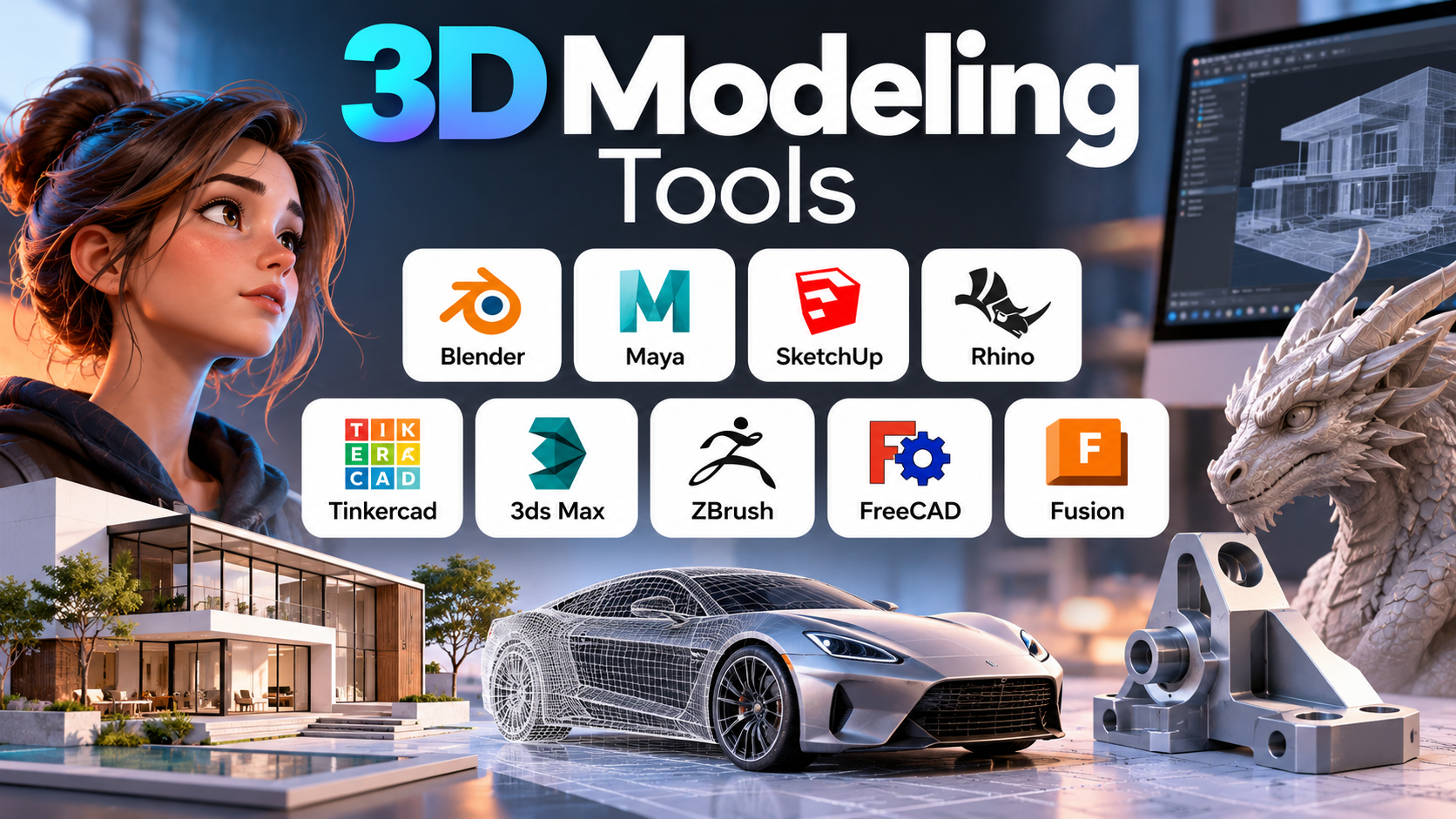
A 3D model can represent almost anything: a product prototype, a building interior, a video game character, a piece of jewellery, or a machine component ready for manufacturing. Yet the software used to create each of these objects can be dramatically different. A tool that excels at sculpting an expressive character may be poorly suited to producing dimensionally accurate engineering drawings, while an architectural modeling application may not offer the animation controls needed for a film production.
The key to choosing 3D modeling software is understanding how the model will be created, modified, shared, and ultimately used. Some applications prioritize artistic freedom, others focus on precise geometry and engineering constraints, and some make it easier to move from an initial idea to a convincing visual presentation.
This guide explores the main types of 3D modeling tools, explains where established applications fit, and identifies the practical considerations that matter before committing to a particular workflow.
Contents
- What Are 3D Modeling Tools?
- The Main Approaches to 3D Modeling
- Popular 3D Modeling Tools and What They Do Best
- Comparing 3D Modeling Software
- How to Choose Software for Your Workflow
- Hardware, File Compatibility, and Collaboration
- Common Mistakes When Choosing 3D Modeling Tools
- A Practical Way to Evaluate Your Options
What Are 3D Modeling Tools?
3D modeling tools are software applications used to create, edit, inspect, and prepare three-dimensional digital objects. A model describes an object’s shape and, depending on the application and workflow, may also contain information about dimensions, surface properties, materials, components, and relationships between parts.
These models can support very different outcomes:
- Product design: Developing consumer products, enclosures, furniture, components, and prototypes.
- Architecture and interiors: Visualizing buildings, room layouts, furniture arrangements, and spatial concepts.
- Film and animation: Creating characters, environments, props, and objects that can be animated.
- Games and interactive media: Producing optimized characters, environments, and assets for real-time rendering.
- Industrial design: Exploring the form, proportions, and usability of physical products.
- Engineering and manufacturing: Creating dimensionally controlled parts, assemblies, and models that feed into technical documentation or production.
- Digital sculpting and illustration: Building detailed organic forms, creatures, collectibles, and artistic objects.
- Education and hobby projects: Learning spatial design, preparing simple printable objects, and exploring digital creation.
Although these applications all involve three-dimensional geometry, they do not necessarily solve the same problem. A model intended for a cinematic close-up can tolerate details that would be impractical in a manufactured component. An engineering part, by contrast, may need defined dimensions, consistent relationships between features, and geometry that downstream manufacturing tools can interpret reliably.
Before comparing products, it helps to decide whether the primary goal is to create a visual shape, design a functional object, or produce a model that another person or system must use. That distinction narrows the choices considerably.
The Main Approaches to 3D Modeling
Different modeling methods suit different kinds of geometry. Many applications combine several approaches, but their strengths and workflows vary.
Polygonal modeling
Polygonal modeling builds objects from vertices, edges, and faces. Artists can extrude surfaces, move points, add loops, reshape forms, and refine the geometry until it resembles the intended object.
It is widely used for game assets, animated characters, props, furniture concepts, and general-purpose visual modeling.
Its main advantage is flexibility. A designer can change a silhouette or refine a complex shape without needing to define every feature through engineering parameters. However, complex models can become difficult to maintain if their topology is poorly organized. Topology—the arrangement of the model’s vertices, edges, and faces—also affects deformation, subdivision, and later editing.
Parametric and feature-based modeling
Parametric modeling defines geometry through dimensions, constraints, sketches, and operations. A part might begin with a two-dimensional sketch, become a solid through extrusion, and then receive holes, fillets, or other features.
When a dimension changes, dependent features can update according to the model’s defined relationships.
This approach is particularly useful in mechanical design and product development, where engineers frequently revise measurements or create families of related parts. The benefit depends on the quality of the model’s feature history and constraints: poorly structured dependencies can make later changes difficult.
Direct modeling
Direct modeling allows users to manipulate faces, edges, and solid geometry without relying entirely on a historical sequence of features.
It can be convenient for modifying imported parts, exploring shapes quickly, or making changes when the original construction history is unavailable. Some applications combine direct editing with parametric tools, allowing users to choose the approach that suits a particular task.
Surface and freeform modeling
Surface modeling focuses on creating and controlling surfaces, often to achieve smooth transitions and carefully designed curvature. It is important in industrial design, vehicle styling, jewellery, and other fields where the quality of a surface is visually and physically significant.
Freeform modeling is useful when the design is driven by shape rather than a sequence of simple mechanical features. The challenge is maintaining smooth, controlled surfaces while preserving the accuracy needed for downstream use.
Digital sculpting
Digital sculpting treats a model more like a piece of clay. Artists use brushes to push, pull, smooth, carve, and add detail to the surface.
It is well suited to organic forms such as faces, creatures, clothing details, and highly detailed collectibles. Sculpting is less convenient for objects that require exact dimensions and editable engineering relationships, although sculpted forms can be incorporated into other production workflows.
Mesh modeling and subdivision
Mesh-based workflows represent an object as a network of connected polygons. Subdivision methods can smooth a mesh while preserving the broad shape established by the artist.
These methods are common in animation, visualization, and game production. However, a mesh that looks correct on screen is not automatically suitable for manufacturing or engineering analysis. Mesh quality, watertightness, scale, and export format may all need attention.
The important distinction is that modeling methods are not interchangeable simply because they produce a three-dimensional object. The most suitable method depends on the geometry, the expected revisions, and the requirements of the final output.
Popular 3D Modeling Tools and What They Do Best
The applications below cover different needs rather than competing for a single universal title. Some are broad creative suites, some specialize in architectural modeling, and others are designed around precision engineering or detailed surface control.
Blender: A versatile starting point for digital creation
Best suited to: general 3D creation, animation, visual effects, rendering, and independent projects
Blender is a free, open-source 3D creation suite that combines modeling, sculpting, rigging, animation, rendering, compositing, and visual effects in one application. Its built-in tools and Python API make it useful for artists, hobbyists, independent creators, and teams that want control over their creative workflow without purchasing a conventional commercial modeling subscription.
Blender
Its broad feature set is one of its biggest advantages. A creator can model an object, apply materials, light a scene, animate the result, and render a finished image without constantly switching applications. Python scripting and community-developed add-ons also provide ways to customize repetitive tasks.
The trade-off is that Blender’s breadth can make the initial learning experience feel demanding. Understanding mesh topology, modifiers, materials, lighting, and the interface takes practice. Its flexibility also does not make it a replacement for every specialist engineering tool: dimension-driven mechanical design, formal engineering drawings, and production-specific data workflows may require other software.
Blender is a strong first choice for someone exploring 3D art, animation, product visualization, or game assets who wants to begin without software licensing costs.
Autodesk Maya: Built for animation and production pipelines
Best suited to: character work, animation, visual effects, and studio production
Autodesk Maya combines polygonal and NURBS modeling with rigging, animation, simulation, and rendering workflows. Its toolset is especially relevant when modeling is one stage in a larger production pipeline rather than the final deliverable.
3D Animation Software
For example, a team creating an animated character needs more than a visually appealing mesh. The model may need a usable topology, a rig, deformation controls, materials, and compatibility with the studio’s animation and effects processes. Maya is designed to support these interconnected tasks.
Its depth can be an advantage in production environments that depend on specialized roles, scripting, and repeatable workflows. The same depth may be unnecessary for someone who only needs to create a few static objects or render simple product images. Commercial licensing and the time needed to learn its production-oriented tools should also be considered.
Choose Maya when animation, character pipelines, or integration with an established media-production workflow is central to the project. For a beginner who only wants to explore general 3D modeling, a lighter or free tool may be a more economical starting point.
SketchUp: A practical approach to architectural and spatial design
Best suited to: architectural concepts, interiors, furniture layouts, and spatial visualization
SketchUp is known for an accessible modeling workflow that makes it relatively straightforward to construct and modify buildings, rooms, furniture, landscapes, and other spatial designs. It supports importing and exporting models, and its professional offering includes desktop modeling and two-dimensional documentation features.
Trimble
Its strength is speed during conceptual design. An interior designer can block out a room, place furniture, compare arrangements, and communicate the proportions of a space without first building a highly detailed engineering model. Libraries of reusable components and extensions can also reduce repetitive work.
The important limitation is that easy spatial modeling is not the same as a complete building-information or mechanical-engineering workflow. If the project requires detailed construction coordination, advanced engineering calculations, or highly controlled freeform surfaces, additional software may be needed.
SketchUp is worth considering when the main question is how a space or object will look and fit together, particularly during early design and client communication. Compare the capabilities of the specific plan you intend to use, because available tools vary between offerings.
Rhino: Precise control over complex shapes
Best suited to: industrial design, jewellery, product form development, and complex surfaces
Rhino supports NURBS curves, surfaces and solids, subdivision geometry, point clouds, and polygon meshes. That combination makes it useful for designers who need to create freeform shapes while retaining control over geometric precision.
Features
A jewellery designer, for example, may need a complex curved form with carefully controlled dimensions. An industrial designer may need to refine a product’s surface transitions while preparing geometry for downstream engineering or manufacturing tools. Rhino can serve both kinds of work, depending on the project and the wider software workflow.
Its flexibility is valuable, but it also means the user needs to understand which geometry type is appropriate for the task. A visually smooth surface does not by itself guarantee that a model is ready for manufacturing, and file exchange should be tested with the target application.
Rhino is a strong candidate when freeform geometry and accurate surface control matter more than an all-in-one animation pipeline.
Tinkercad: An accessible introduction to 3D design
Best suited to: beginners, education, simple objects, and introductory 3D-printing projects
Tinkercad is a browser-based design environment built around approachable operations such as combining basic shapes and subtracting one shape from another. Its straightforward workflow makes it useful for students, first-time modelers, and people creating simple functional objects.
A beginner can combine primitive shapes to create a desk organizer, a nameplate, or a basic enclosure concept without first learning an extensive professional interface. That simplicity is the point: the user can focus on spatial reasoning and the logic of constructing an object.
The limitation appears when a project demands sophisticated surface control, complex organic sculpting, detailed animation, or a large feature-driven engineering model. A simple model can also require further checks before 3D printing, including dimensions, wall thickness, and whether the geometry forms a printable solid.
Tinkercad makes sense when accessibility is more important than advanced control. It can also be a useful stepping stone before moving to a more capable modeling environment.
Autodesk 3ds Max: Detailed modeling and visualization
Best suited to: architectural visualization, environments, props, and rendering-focused work
Autodesk 3ds Max is widely associated with 3D modeling, scene creation, and visualization workflows. It is relevant when the deliverable is a polished scene—such as a furnished interior, a product presentation, or a detailed environment—rather than a fully constrained mechanical design.
A visualization artist may spend as much time managing materials, lighting, scene organization, and rendering as shaping the objects themselves. Software chosen for this work should support that full process, not merely the creation of geometry.
3ds Max is worth evaluating for teams already working within its ecosystem or for visualization projects that benefit from its modeling and scene-production tools. It is less compelling when the main requirement is a free, open-source starting point or a parametric engineering workflow.
ZBrush: Detailed digital sculpting
Best suited to: organic characters, creatures, collectibles, and highly detailed sculpted forms
ZBrush is a specialist sculpting tool for artists who need to shape complex forms and add surface detail. Instead of building every feature through conventional geometric operations, the artist works with sculpting brushes and increasingly detailed geometry.
This approach is especially useful for character artists, creature designers, and creators of collectible figures. It can support a level of organic detail that would be cumbersome to construct using only basic polygon-editing operations.
The trade-off is specialization. Sculpted geometry may need retopology, cleanup, or conversion before it can be animated efficiently, incorporated into a real-time game, or prepared for manufacturing. Those downstream steps should be considered part of the workflow rather than treated as an afterthought.
ZBrush is a better fit for a sculpting-led project than for someone whose main need is dimensionally constrained product design.
FreeCAD: Open-source parametric engineering
Best suited to: mechanical parts, dimension-driven design, and engineering-oriented modeling
FreeCAD is an open-source parametric CAD application intended for creating editable models with engineering-oriented workflows. Its appeal lies in the ability to construct geometry through features and constraints while retaining a model history that can support later revisions.
Imagine designing a mounting bracket whose hole spacing must change to accommodate a different assembly. In a well-structured parametric model, the designer can modify the relevant sketch dimension and allow dependent features to update. This is more useful for controlled revisions than simply reshaping a finished visual mesh.
The learning curve can be noticeable, particularly for users who have never worked with constraints, feature trees, or engineering drawings. Compatibility also deserves careful testing: exchanging files with commercial CAD systems can preserve the solid shape without necessarily preserving the original feature history or design intent.
FreeCAD is worth considering for learners, makers, and engineers who value open-source software and editable mechanical models. For production-critical work, verify that its capabilities and file exchange behavior meet the project’s requirements before standardizing on it.
Autodesk Fusion: Connecting design and manufacturing workflows
Best suited to: product development, mechanical design, prototyping, and manufacturing-oriented workflows
Autodesk Fusion brings together design tools with capabilities that support engineering and manufacturing workflows. It is relevant to people who need more than a standalone visual model—for example, designers developing a part, revising its dimensions, and preparing it for prototyping or production.
Consider a small team developing a plastic enclosure. The team may need to adjust the enclosure’s dimensions, refine features around fasteners, inspect how parts fit together, and prepare manufacturing outputs. A workflow-centered CAD application can reduce the friction between those stages when the required capabilities are included in the chosen plan.
The main consideration is that product capabilities, collaboration features, and manufacturing functions may depend on the subscription or service configuration. Users should confirm what is included, how project data is stored, and whether the software supports their required downstream tools.
Fusion is a sensible candidate when design and manufacturing are closely connected. It should be evaluated against the team’s actual parts, assemblies, and production processes rather than chosen solely because it offers many functions in one environment.
Comparing 3D Modeling Software
The following table summarizes the main differences between the applications discussed above. It focuses on workflow fit rather than assigning arbitrary scores or claiming that one product is universally superior.
| Software | Primary strength | Typical projects | Main consideration |
|---|---|---|---|
| Blender | Broad creative toolkit | Animation, visual effects, rendering, game assets | Requires time to learn its extensive interface and workflows |
| Autodesk Maya | Animation and production pipelines | Characters, rigging, visual effects | Commercial licensing and a production-oriented learning curve |
| SketchUp | Accessible spatial modeling | Interiors, architecture concepts, furniture layouts | Complex engineering workflows may require additional tools |
| Rhino | Freeform geometry and surface control | Industrial design, jewellery, product forms | Geometry and file-exchange requirements need careful handling |
| Tinkercad | Beginner-friendly modeling | Education, simple objects, introductory 3D printing | Limited suitability for advanced modeling tasks |
| Autodesk 3ds Max | Scene creation and visualization | Architectural visualization, props, environments | Most useful when its visualization workflow matches the project |
| ZBrush | Organic digital sculpting | Characters, creatures, collectibles | Sculpted models may need additional preparation for other workflows |
| FreeCAD | Open-source parametric CAD | Mechanical parts, dimension-driven designs | Learning constraints and validating interoperability take effort |
| Autodesk Fusion | Design-to-manufacturing workflows | Product development, prototyping, mechanical design | Confirm plan-dependent capabilities and data requirements |
The most important distinction is between creative flexibility, engineering control, and workflow integration. Blender and Maya are especially relevant to digital content creation; SketchUp emphasizes accessible spatial design; Rhino offers flexible control over complex geometry; and FreeCAD and Fusion are relevant when dimension-driven design and engineering workflows matter. These categories overlap, but they should not be treated as identical.
How to Choose Software for Your Workflow
If you are learning 3D modeling for the first time
Start with a tool that lets you create something meaningful without requiring a large initial investment.
Blender is a useful starting point if you want to explore general modeling, rendering, animation, or game assets. Tinkercad is more approachable for simple shapes and introductory design exercises. SketchUp is worth exploring if your interest lies in buildings, furniture, or interiors.
Choose a first project small enough to finish. A simple chair, desk organizer, low-poly character, or small room is more educational than beginning with a complicated vehicle or architectural scene.
The objective is to learn core concepts such as navigation, object manipulation, scale, geometry, and exporting—not to master every feature in the application.
If you want to create game assets
Focus on mesh editing, topology, UV mapping, materials, optimization, and compatibility with your intended game engine.
Blender is a practical option because it combines modeling, sculpting, UV tools, and other creative functions in a single application. Maya may be relevant when the work involves character rigging, animation, or a studio production pipeline.
A model intended for real-time use needs more than visual detail. Excessively dense geometry, inefficient textures, or poorly organized assets can create problems when the model is imported into a game engine.
Before building a detailed asset, establish the target engine, approximate polygon budget, texture requirements, scale conventions, and expected export format.
If you are interested in animation or visual effects
Prioritize applications that support the entire asset lifecycle: modeling, rigging, animation, materials, lighting, simulation, and rendering.
Maya is worth evaluating for production-oriented animation and character workflows. Blender can also support a broad creative pipeline, making it attractive to individuals and smaller teams that want to manage multiple stages in one environment.
Consider the type of work you want to produce. Character animation requires different skills from architectural walkthroughs, product animation, or simulated environmental effects. Your intended specialization should influence both the software and the learning resources you choose.
If you want to design products or mechanical components
Look for parametric modeling, sketch constraints, feature histories, assembly capabilities, technical drawings, and suitable manufacturing exports.
FreeCAD offers an open-source route into parametric CAD. Fusion is another candidate for product development workflows that connect design with manufacturing. Rhino may be preferable when a product’s form depends heavily on complex surfaces.
Do not evaluate engineering software by looking only at how quickly you can create a solid. Test what happens when dimensions change, when one component depends on another, and when the model must be handed to someone using a different CAD system.
A model that is easy to construct but difficult to revise may become expensive to maintain.
If your focus is architecture and interiors
Prioritize spatial accuracy, ease of creating rooms and furniture, reusable components, visualization, and the ability to communicate designs to clients or collaborators.
SketchUp is a natural candidate for early-stage spatial modeling and design communication. Other applications may be necessary when the work requires more comprehensive building-information modeling, detailed construction documentation, or specialist analysis.
Test a realistic room or small building rather than a simple decorative object. Check whether the application supports the measurements, documentation, imports, and presentation outputs your work actually requires.
If you want to sculpt characters or detailed organic forms
Choose a tool designed for sculpting rather than forcing every shape through a conventional CAD workflow.
ZBrush is a specialist option for detailed digital sculpting, while Blender combines sculpting with a broader range of creative functions.
For professional work, consider what happens after sculpting. Will the model need to deform during animation? Will it be used in a real-time engine? Must it be prepared for 3D printing? These requirements can determine whether additional retopology, cleanup, or mesh-preparation tools are necessary.
Hardware, File Compatibility, and Collaboration
A software feature list tells only part of the story. The practical experience of modeling also depends on the computer, file formats, and people involved in the project.
Hardware requirements
The computer that works well for simple modeling may struggle with detailed sculpting, large scenes, complex simulations, or high-resolution rendering.
Before choosing software, consider:
- Processor: Important for many modeling operations, calculations, and some rendering workloads.
- Graphics processing unit: Particularly relevant to viewport performance, GPU rendering, and some graphics-heavy tasks.
- Memory: Large scenes, high-resolution textures, complex assemblies, and detailed geometry can require substantial RAM.
- Storage: Fast storage helps when loading large projects, textures, caches, and asset libraries.
- Display and input devices: Screen size, resolution, and a comfortable mouse or graphics tablet can influence the modeling experience.
Check the current requirements for the specific application and features you plan to use. A high-end workstation is not automatically necessary for every beginner, but hardware limitations can become costly if they prevent you from completing your intended projects efficiently.
File formats and interoperability
A 3D file is not always a complete representation of a design’s history or intent. Two applications may exchange the visible shape of a model while handling editable features, materials, constraints, or metadata differently.
Common formats include:
- STL: Commonly used for 3D-printing meshes. It does not preserve a full parametric feature history.
- OBJ: Used for polygonal geometry and, depending on the implementation and accompanying files, material information.
- FBX: Common in animation and digital-content pipelines for exchanging geometry and related scene data.
- STEP: Common in mechanical CAD workflows for exchanging solid and surface geometry.
- IGES: Used for exchanging geometric entities, particularly surfaces and curves, across some engineering workflows.
- Native project formats: Often retain application-specific details such as editable features, scene organization, constraints, materials, or procedural settings.
The best format depends on the receiving application and the next task. Before committing to a tool, test an actual export-and-import cycle using a representative project. Inspect the resulting geometry, dimensions, normals, materials, assemblies, and editable features as appropriate.
Collaboration and project ownership
Collaboration requirements become more important as a project involves additional designers, clients, suppliers, or production teams.
Consider how the software handles shared projects, version history, permissions, backups, and file ownership. Cloud-connected workflows may simplify collaboration, but they also introduce questions about internet access, storage arrangements, organizational policies, and account management.
For commercial work, clarify who owns the project files, which parties can access them, and whether the team can continue working with its data if a subscription ends or the project moves to another application.
Common Mistakes When Choosing 3D Modeling Tools
Choosing based on popularity alone
A widely used application is not necessarily the right fit for every project. Software popular with animators may not suit a mechanical engineer who needs a carefully constrained part model.
Start with the intended output and work backward to the capabilities required.
Confusing a good-looking model with a usable model
A convincing render does not prove that a part has the correct dimensions, a mesh is suitable for animation, or a model is ready for manufacturing.
Define the criteria for a successful deliverable before modeling begins. Depending on the project, that might mean visual quality, editability, manufacturability, topology, or compatibility with another system.
Ignoring the learning curve
A feature-rich application can be inefficient if it takes too long to learn the operations you need. On the other hand, a simple application can become restrictive as your projects become more complex.
Evaluate the software against a realistic learning goal rather than judging it from a short demonstration.
Underestimating the total cost
The cost of a modeling workflow can extend beyond the initial software price. Add-ons, rendering services, training, hardware upgrades, file-conversion tools, and specialist applications may all contribute.
Free software can still require substantial learning time or workflow development. Commercial software may justify its cost when it reduces rework, supports required production processes, or integrates with existing systems.
Testing only the easiest features
A tool may make it easy to create a basic object but struggle with the operations that matter most to your work.
Test the difficult parts of your intended workflow early: editing dimensions, handling complex surfaces, organizing assemblies, exporting files, or preparing a model for animation. These tasks reveal limitations that introductory tutorials often do not show.
A Practical Way to Evaluate Your Options
Rather than comparing dozens of feature lists, evaluate two or three plausible applications using the same small project.
For example, if you are choosing software for product design, create a bracket or enclosure with several holes, a few rounded edges, and dimensions that may change. If you are choosing software for animation, create a simple character or prop, apply materials, and test the process of moving the asset into your intended animation or rendering workflow.
Use the following checklist to assess each candidate:
- Can I create the geometry required for my project?
- Can I revise the model without rebuilding it from scratch?
- Can I export it into the format required by the next stage?
- Does the software run acceptably on my computer?
- Can I find reliable learning resources for the tasks I need to perform?
- Are the licensing and ongoing costs manageable?
- Can I share, back up, and retain ownership of my project files appropriately?
- Does the workflow meet the actual requirements of the final deliverable?
Record the time required to complete the task, the problems encountered, and any additional tools needed. These observations are more useful than a subjective score based on a feature list.
Making the Final Choice
There is no single 3D modeling application that is ideal for every creator. Blender offers a broad free and open-source creative environment; Maya is relevant to animation and production pipelines; SketchUp emphasizes accessible spatial design; Rhino supports complex surface work; ZBrush specializes in digital sculpting; and FreeCAD and Fusion address engineering-oriented design needs in different ways.
The strongest choice is the application that matches the geometry you need to create, the changes you expect to make, and the format in which the final model must be delivered.
Start with the project, identify the essential capabilities, and test a representative workflow before investing heavily in software or training. A well-matched tool makes modeling easier, but understanding how the model will be used is what turns that tool into a productive part of the process.