Table of Contents
- Introduction to CAE Simulation Software
- What Is Computer-Aided Engineering?
- How CAE Simulation Software Works
- Major Types of CAE Analysis
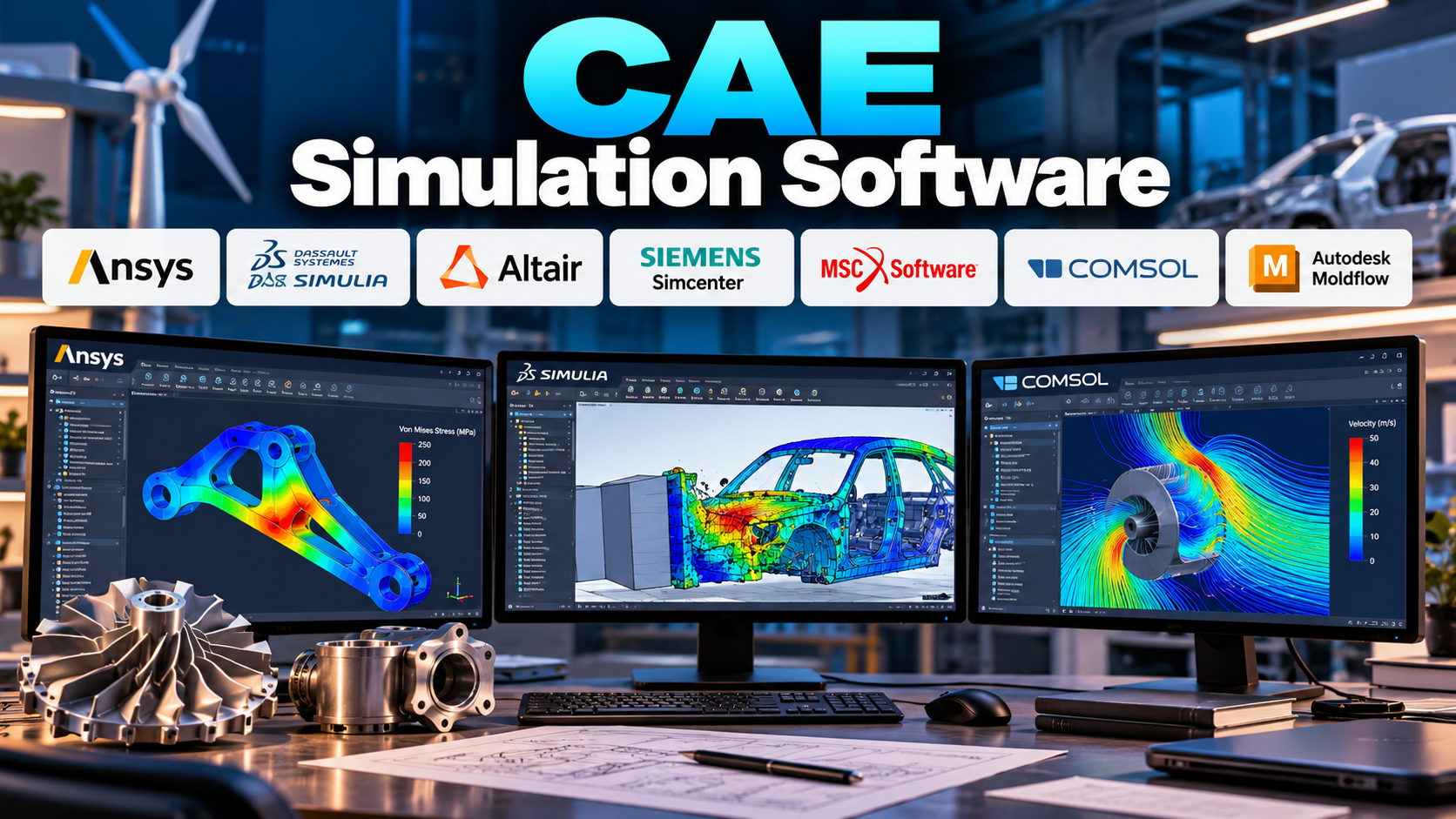
- Popular CAE Simulation Software
- Key Features of CAE Software
- CAE Software in Different Industries
- The CAE Simulation Workflow
- Finite Element Analysis Explained
- Computational Fluid Dynamics Explained
- Multibody Dynamics and Motion Simulation
- Electromagnetic and Multiphysics Simulation
- Benefits of CAE Simulation Software
- Challenges and Limitations
- How to Choose the Right CAE Software
- Best Practices for Reliable Simulation
- Emerging Trends in CAE Simulation
- Frequently Asked Questions
- Conclusion
1. Introduction to CAE Simulation Software
Engineering products must perform reliably under real-world conditions. A vehicle component must withstand loads and vibrations, an electronic device must manage heat, an aircraft structure must tolerate demanding operating conditions, and a pump must move fluid efficiently. Traditionally, engineers relied heavily on analytical calculations, physical prototypes, and repeated laboratory testing to understand how designs behaved.
These methods remain important, but modern engineering increasingly uses computer-based simulation to evaluate designs before manufacturing them. This is where Computer-Aided Engineering (CAE) simulation software plays a major role.
CAE software allows engineers to create mathematical models of physical systems and predict how they may behave under specified conditions. Depending on the application, it can simulate structural deformation, stress, heat transfer, fluid flow, vibration, impact, electromagnetic fields, and interactions between several physical phenomena.
For example, an engineer designing an aluminium bracket can use structural simulation to estimate where stresses are likely to concentrate under a specified load. A thermal engineer can investigate whether an electronic enclosure dissipates heat effectively. An automotive engineer can simulate airflow around a vehicle body, while a product-development team can assess how a mechanism moves through its operating cycle.
The purpose is not to replace engineering judgement or eliminate physical testing. Instead, simulation provides additional evidence for design decisions, helps identify potential problems earlier, and allows teams to compare alternatives before committing significant time and money to prototypes.
CAE software covers a broad range of tools and methods. Some applications specialise in finite element analysis, while others focus on fluid dynamics, crash simulation, electromagnetic behaviour, or multiphysics systems. Comprehensive engineering platforms may integrate several of these capabilities with computer-aided design and product-development workflows.
Choosing the right software requires understanding the physical problem, the required accuracy, the available computing resources, the team’s expertise, and the evidence needed to validate the results.
2. What Is Computer-Aided Engineering?
Computer-Aided Engineering is the use of computational methods and engineering software to analyse, simulate, and improve products, components, and systems.
While Computer-Aided Design focuses primarily on creating and documenting product geometry, CAE examines how a design is expected to behave under specified physical conditions.
A CAD model may show the shape of a machine component, but it does not automatically reveal whether that component will deform excessively under load, overheat during operation, or experience damaging vibration. CAE analysis helps engineers investigate these questions before or alongside physical testing.
2.1 The relationship between CAD, CAE, and CAM
CAD, CAE, and CAM serve different but closely related functions in product development.
- CAD — Computer-Aided Design: Creates and modifies product geometry, assemblies, and engineering drawings.
- CAE — Computer-Aided Engineering: Analyses product performance using simulation and numerical methods.
- CAM — Computer-Aided Manufacturing: Helps prepare manufacturing operations, toolpaths, and machine instructions.
Consider the development of a mechanical housing. The designer creates the geometry in CAD. The engineering team imports or connects that model to a CAE application to evaluate structural strength, thermal behaviour, or vibration. Once the design is sufficiently validated, CAM software may help prepare machining operations if the housing is manufactured using CNC equipment.
The workflow can be iterative. If simulation identifies excessive stress around a mounting hole, the designer may change the geometry and repeat the analysis. The revised model can then proceed through manufacturing preparation.
2.2 What can CAE software predict?
Depending on the application, CAE software can help estimate:
- Stress and strain in solid structures.
- Displacement and deformation under loads.
- Natural frequencies and vibration modes.
- Heat distribution and temperature changes.
- Fluid velocity, pressure, and turbulence.
- Aerodynamic drag and lift.
- Impact and crash behaviour.
- Fatigue life under repeated loading.
- Electromagnetic fields and electrical losses.
- Noise and vibration characteristics.
- Chemical or species transport in selected systems.
- Interactions between structural, thermal, fluid, and electromagnetic effects.
These predictions depend on the mathematical model, material properties, boundary conditions, numerical settings, and validation process. Simulation results are therefore estimates based on defined assumptions, not automatic guarantees of real-world performance.
2.3 CAE versus physical testing
Physical testing measures the behaviour of an actual component or system under experimental conditions. CAE predicts behaviour using a computational model.
Both approaches have strengths and limitations.
Physical testing captures real material behaviour, manufacturing imperfections, environmental effects, and interactions that may be difficult to model completely. However, it can be expensive, time-consuming, and limited by the number of prototypes and test conditions that can reasonably be evaluated.
CAE allows engineers to examine many design alternatives and operating scenarios more efficiently. Yet its accuracy depends on how faithfully the model represents the physical system.
The strongest engineering workflows use simulation to guide development and testing to confirm critical predictions.
3. How CAE Simulation Software Works
Most CAE workflows follow a general process: define the physical problem, create a computational model, solve the governing equations, interpret the results, and verify that the predictions are credible.
The details vary between structural analysis, fluid dynamics, thermal analysis, and other simulation disciplines.
3.1 Define the engineering problem
The first step is to identify what the simulation needs to answer.
An engineer may want to determine whether a component exceeds an allowable stress, whether an enclosure maintains an acceptable temperature, or whether a fluid system experiences excessive pressure loss.
The question determines the type of analysis, required inputs, relevant physical effects, and level of model detail.
A poorly defined objective can produce a technically elaborate simulation that does not answer the actual engineering question.
3.2 Prepare the geometry
The model may originate in CAD software or be created directly within the CAE environment.
Engineers often simplify the geometry before analysis. Small decorative features, insignificant fillets, tiny holes, or other details may be removed if they do not materially affect the result being investigated.
However, simplification must be appropriate to the physics. Removing a small feature that creates a critical stress concentration, controls fluid flow, or affects heat transfer may undermine the analysis.
3.3 Assign material properties
Materials behave differently under different loads, temperatures, and operating conditions. A simulation therefore needs suitable material information.
Depending on the analysis, inputs may include:
- Young’s modulus and Poisson’s ratio.
- Density.
- Yield strength and ultimate strength.
- Thermal conductivity.
- Specific heat capacity.
- Coefficients of thermal expansion.
- Viscosity and fluid density.
- Electrical conductivity and magnetic properties.
- Temperature-dependent or nonlinear material behaviour.
The required properties depend on the physics being modelled. For example, a simple linear structural analysis may require fewer material parameters than a nonlinear simulation involving plastic deformation and changing contact conditions.
Material values should come from reliable data, testing, or appropriately qualified sources. Using generic properties without checking their relevance can lead to misleading predictions.
3.4 Apply loads and boundary conditions
Boundary conditions describe how the model interacts with its surroundings. They may define supports, constraints, applied forces, pressure, temperature, heat flow, fluid inlets, outlets, electrical potentials, or other physical conditions.
For a structural bracket, the model might include a fixed mounting surface and a force applied through a bolt connection. For a heat sink, it may include heat generation, material properties, ambient conditions, and thermal contact assumptions.
Incorrect boundary conditions are a common source of unreliable results. A model can solve successfully while representing a physical situation that does not exist in practice.
3.5 Create the computational mesh
Many CAE methods divide a continuous domain into smaller elements or cells. This process is called meshing or discretisation.
The mesh converts a complex physical problem into a finite computational representation that numerical methods can solve.
Mesh density influences computational cost and numerical accuracy. A very coarse mesh may fail to capture steep stress gradients or small geometric features. An excessively fine mesh may consume unnecessary resources without meaningfully improving the result.
Engineers should refine the mesh in regions where important physical changes are expected and examine whether the solution stabilises as the mesh becomes finer.
3.6 Select the solver and analysis settings
The solver is the computational engine that solves the mathematical equations.
Depending on the problem, it may use finite element methods, finite volume methods, finite difference methods, or other numerical techniques.
Analysis settings may include whether the problem is static or transient, linear or nonlinear, steady-state or time-dependent, and whether interactions between different physical fields must be considered.
The solver configuration should reflect the physical behaviour being investigated rather than simply relying on default settings.
3.7 Run the simulation
The solver processes the model using the selected numerical methods. Depending on the problem, it may calculate displacements, temperatures, velocities, pressures, electromagnetic fields, or other quantities.
Large models and complex nonlinear analyses may require substantial computing resources. The solution time depends on factors such as model size, mesh quality, solver choice, convergence behaviour, and available hardware.
A simulation that fails to converge may indicate numerical difficulties, unrealistic inputs, contact problems, inappropriate solver settings, or a genuinely challenging physical system.
3.8 Interpret and validate the results
After solving, engineers examine numerical outputs through plots, contours, vectors, animations, tables, and other visualisations.
They must determine whether the results make physical sense and whether the model is sufficiently accurate for the intended decision.
Useful checks include comparing results with analytical calculations, examining equilibrium and conservation, refining the mesh, checking sensitivity to uncertain inputs, and comparing predictions with experimental measurements where available.
A colourful contour plot is not proof that a simulation is correct. Credibility comes from sound assumptions, numerical verification, engineering interpretation, and validation against suitable evidence.
4. Major Types of CAE Analysis
CAE includes several major analysis disciplines. Each addresses different physical questions and uses methods suited to the system being studied.
4.1 Structural analysis
Structural analysis examines how solid components respond to forces, pressure, constraints, temperature changes, and other loads.
It is commonly used to estimate stress, strain, deformation, reaction forces, and structural stability.
Applications include machine frames, pressure-containing components, brackets, vehicle structures, aerospace components, building elements, and mechanical assemblies.
Structural analysis can range from a simple linear static calculation to complex nonlinear problems involving large deformation, contact, plasticity, or changing material behaviour.
4.2 Thermal analysis
Thermal analysis investigates temperature distribution and heat transfer.
Depending on the problem, it may model conduction through solids, convection between surfaces and fluids, or thermal radiation. Analyses can be steady-state or transient.
Typical applications include electronic enclosures, heat exchangers, batteries, motors, turbines, industrial furnaces, and thermal management systems.
Thermal results may also be transferred into a structural analysis to estimate thermal expansion and temperature-induced stress.
4.3 Computational fluid dynamics
Computational Fluid Dynamics (CFD) analyses the motion of liquids and gases.
CFD software can estimate velocity, pressure, temperature, turbulence, and other flow-related quantities. It is used in aerodynamics, ventilation, turbomachinery, process equipment, cooling systems, and fluid transport.
The complexity of CFD depends on the geometry, flow regime, turbulence treatment, heat-transfer requirements, and whether the flow changes over time.
4.4 Dynamic and vibration analysis
Dynamic analysis examines systems whose behaviour changes with time or involves inertia.
It can investigate natural frequencies, mode shapes, forced vibration, transient response, rotating machinery behaviour, and the effects of time-varying loads.
These analyses are important for machines, vehicles, aircraft, electronic assemblies, and structures exposed to vibration or repeated dynamic loading.
4.5 Fatigue and durability analysis
Fatigue analysis evaluates the possibility of damage under repeated or fluctuating loads. A component may fail after many load cycles even when its stress remains below the material’s monotonic yield strength.
Fatigue predictions may use stress-life methods, strain-life methods, fracture mechanics, or other approaches depending on the material and loading conditions.
Durability analysis can also include wear, repeated contact, environmental effects, and long-term operating cycles when suitable models and data are available.
4.6 Impact and crash simulation
Impact simulation examines rapid events involving large deformation, contact, and sometimes material failure.
Applications include vehicle crashworthiness, protective equipment, packaging, drop testing, and impact-resistant structures.
These problems can require specialised numerical methods, detailed material models, careful contact definitions, and substantial computational resources.
4.7 Electromagnetic analysis
Electromagnetic simulation examines electric fields, magnetic fields, current distribution, induction, and related effects.
It is used in electric motors, generators, transformers, antennas, sensors, actuators, power electronics, and electromagnetic compatibility studies.
The analysis may be static, frequency-domain, or time-dependent depending on the engineering question.
4.8 Multiphysics analysis
Multiphysics simulation considers interactions between two or more physical processes.
For example, current flowing through an electrical conductor can generate heat, which changes material temperature and electrical resistance. Temperature changes may then cause thermal expansion and mechanical stress.
Similarly, fluid pressure may deform a structure, and that deformation may alter the flow field.
Multiphysics simulation is valuable when these interactions materially affect performance and cannot be represented adequately by analysing each physical field in isolation.
5. Popular CAE Simulation Software
Different CAE packages specialise in different engineering disciplines. Some provide broad simulation capabilities, while others focus on specific types of analysis or industries.
The following tools are widely used or recognised in engineering simulation. Their available features, integrations, and licensing arrangements depend on the product edition and configuration.
5.1 Ansys
Ansys provides engineering simulation software for structural mechanics, fluid dynamics, thermal analysis, electromagnetics, and multiphysics applications.
Its portfolio includes tools for finite element analysis, CFD, electronic design simulation, and specialised engineering problems. Different products address different simulation needs, so the Ansys name should not be interpreted as a single application with identical capabilities across all disciplines.
Ansys Mechanical is used for structural and related mechanical analyses. Ansys Fluent is a major CFD application used to model fluid flow and heat transfer. Other products support electromagnetic and specialised simulation workflows.
Ansys is relevant to engineers working in aerospace, automotive, energy, electronics, industrial equipment, and research.
Best suited for: Engineers and organisations requiring advanced simulation across structural, fluid, thermal, or electromagnetic disciplines.
Considerations: Product selection, licensing, solver expertise, computing requirements, and training should be evaluated according to the intended application.
5.2 SIMULIA Abaqus
SIMULIA Abaqus is a finite element analysis platform used for complex structural and multiphysics problems.
It is particularly recognised for applications involving nonlinear material behaviour, contact, large deformation, and challenging structural interactions. It can be used to investigate elastoplastic deformation, rubber-like materials, assemblies with contact, and other complex engineering conditions.
The software is relevant when simple linear assumptions are insufficient to represent the physical behaviour of a component.
Best suited for: Advanced structural analysis, nonlinear mechanics, contact problems, and complex material behaviour.
Considerations: Effective use requires an understanding of nonlinear mechanics, material modelling, numerical convergence, and result verification.
5.3 Altair HyperWorks
Altair HyperWorks is an engineering simulation and design environment that supports modelling, analysis, optimisation, and related workflows.
Its ecosystem includes tools for structural simulation, optimisation, motion-related analysis, and other engineering applications. Specific functions depend on the product and configuration.
Altair tools are often considered in industries where weight reduction, structural performance, design exploration, and efficient simulation workflows are important.
Best suited for: Structural engineering, design optimisation, and simulation-driven product development.
Considerations: Users should identify the specific solver and workflow they need, as the HyperWorks ecosystem includes multiple capabilities rather than one uniform analysis tool.
5.4 Siemens Simcenter
Siemens Simcenter supports engineering simulation across several disciplines, including structural mechanics, fluid dynamics, thermal analysis, and system-level performance.
Its tools can support component-level analysis as well as broader engineering workflows involving mechanical systems and product behaviour.
The environment is relevant to organisations seeking connections between design, simulation, testing, and product engineering.
Best suited for: Multidisciplinary product engineering and simulation workflows across complex industrial systems.
Considerations: The most appropriate product depends on whether the primary need is structural analysis, CFD, system simulation, testing correlation, or another engineering discipline.
5.5 MSC Nastran
MSC Nastran is an established engineering solver used primarily for structural analysis and related computational mechanics applications.
It is used for tasks such as static analysis, normal modes, vibration, buckling, and other structural calculations, depending on the configuration and available capabilities.
The software is relevant to industries where structural performance, dynamic behaviour, and engineering verification are central concerns.
Best suited for: Structural mechanics, modal analysis, vibration, and established engineering simulation workflows.
Considerations: Users should distinguish the solver from the pre-processing and post-processing applications used to prepare models and interpret results.
5.6 COMSOL Multiphysics
COMSOL Multiphysics is a simulation environment designed to model interactions between different physical phenomena.
It is particularly useful when the engineering problem involves coupled physics, such as heat transfer combined with structural deformation, electrical conduction combined with heating, or fluid flow interacting with other physical fields.
The platform allows engineers to build models using relevant physics interfaces and define coupled equations within a common environment.
Best suited for: Multiphysics research, coupled-field engineering, and specialised physical modelling.
Considerations: The quality of a model depends on selecting appropriate physics, defining valid parameters, and understanding the underlying mathematical assumptions.
5.7 Autodesk Moldflow
Autodesk Moldflow focuses on simulating plastic injection moulding and related polymer manufacturing processes.
It helps engineers investigate aspects such as material flow, filling behaviour, packing, cooling, warpage, and potential moulding defects, depending on the product and analysis setup.
These capabilities can support decisions about part geometry, gate locations, mould design, cooling arrangements, and process conditions.
Best suited for: Plastic part design, injection moulding analysis, and mould-process optimisation.
Considerations: Results depend on suitable material data, mould geometry, process settings, and an understanding of polymer behaviour.
5.8 Autodesk CFD
Autodesk CFD is used for computational fluid dynamics and heat-transfer analysis in supported engineering workflows.
It can help engineers investigate flow patterns, pressure distribution, and thermal behaviour in systems such as ducts, enclosures, and selected fluid-handling applications.
Its suitability depends on the complexity of the problem and the level of detail required.
Best suited for: Selected fluid-flow and thermal studies within engineering design workflows.
Considerations: Verify current product availability, licensing, supported workflows, and technical requirements before selecting it for a new project.
5.9 OpenFOAM
OpenFOAM is an open-source computational fluid dynamics toolbox used for numerical simulation of fluid flow and related physical processes.
It supports a range of CFD applications and offers flexibility for users who need to customise solvers, models, and computational workflows.
Because it is highly configurable, it can be valuable for research, advanced engineering, and specialised CFD development.
Best suited for: CFD research, custom simulation workflows, and users comfortable with technical configuration.
Considerations: Open-source availability does not eliminate the need for expertise. Users may need to manage installation, solver configuration, meshing, numerical settings, and troubleshooting themselves.
5.10 Comparing the major CAE platforms
| Software | Main focus | Typical applications |
|---|---|---|
| Ansys | Broad engineering simulation | Structural analysis, CFD, thermal and electromagnetic simulation |
| SIMULIA Abaqus | Advanced finite element analysis | Nonlinear structures, contact, large deformation |
| Altair HyperWorks | Simulation and optimisation | Structural performance and design optimisation |
| Siemens Simcenter | Multidisciplinary simulation | Product engineering, structural and fluid analysis |
| MSC Nastran | Structural and dynamic analysis | Modal, vibration, static and related structural studies |
| COMSOL Multiphysics | Coupled physical phenomena | Multiphysics modelling and research |
| Autodesk Moldflow | Polymer processing simulation | Injection moulding, cooling and warpage analysis |
| Autodesk CFD | Fluid and thermal simulation | Selected flow and heat-transfer problems |
| OpenFOAM | Open-source CFD | Research and customised fluid simulation |
These tools are not interchangeable in every situation. A CFD specialist may prioritise flow physics, turbulence models, and solver flexibility, while a structural analyst may focus on nonlinear material behaviour, contact modelling, and fatigue capabilities.
6. Key Features of CAE Software
A CAE package should be evaluated according to its ability to solve the required engineering problems accurately and efficiently.
6.1 Geometry import and preparation
The software should support the geometry formats and CAD applications used by the engineering team.
Geometry preparation tools may include defeaturing, surface repair, midsurface extraction, domain creation, and model simplification.
The objective is to produce a simulation model that represents the relevant physical behaviour without unnecessary computational complexity.
6.2 Meshing capabilities
Meshing tools determine how the computational domain is divided into elements or cells.
Important capabilities include local mesh refinement, control over element size, boundary-layer meshing for CFD where supported, mesh-quality checks, and methods for handling complex geometry.
Good meshing is not simply a matter of creating more elements. The mesh must suit the physical problem and provide adequate resolution where important gradients occur.
6.3 Solver capabilities
Different engineering questions require different solvers and mathematical formulations.
A structural analysis may require a linear static solver, nonlinear solver, modal solver, or transient dynamic solver. A CFD problem may require a steady-state or transient formulation, turbulence modelling, and appropriate treatment of compressibility or heat transfer.
The software should support the required physical models and provide suitable diagnostics when convergence or stability becomes difficult.
6.4 Material modelling
Material models represent how a material responds to forces, temperature, time, or other conditions.
Simple analyses may assume linear elasticity, while advanced applications may require plasticity, hyperelasticity, viscoelasticity, damage, creep, or temperature-dependent properties.
A sophisticated material model is only useful when its parameters are supported by suitable data.
6.5 Post-processing and visualisation
Post-processing tools help engineers interpret solver results.
Common functions include contour plots, vector fields, deformation animations, section views, graphs, probe measurements, path plots, and result comparisons.
Engineers should examine numerical values and physical interpretation alongside visual output. Colour scales and exaggerated deformation views can otherwise create misleading impressions.
6.6 Optimisation and design exploration
Some CAE environments support parameter studies, sensitivity analysis, design optimisation, and automated exploration of alternatives.
For example, an engineer may vary a bracket’s thickness and fillet radius to investigate how the changes affect mass and stress.
Optimisation must respect design constraints, manufacturing limits, material behaviour, and the uncertainty of the simulation model. A mathematically optimal design is not automatically the best practical design.
6.7 Automation and scripting
Automation can reduce repetitive modelling and reporting tasks. Depending on the software, users may script model creation, solver execution, parameter changes, and post-processing.
Automation is particularly valuable for repeated design studies and large collections of similar components. However, scripts should be checked carefully because an automated workflow can repeat the same error across many simulations.
6.8 Integration with testing and product data
A CAE system may need to exchange geometry, loads, material data, simulation results, and revisions with other engineering applications.
Integration with testing workflows can support comparisons between predicted and measured behaviour. Product data management can help preserve the relationship between a design revision and the simulation evidence associated with it.
These connections are important in organisations where several engineering teams contribute to the same product.
7. CAE Software in Different Industries
CAE simulation is used across a wide range of sectors because many engineering decisions depend on predicting physical performance.
7.1 Automotive engineering
Automotive engineers use CAE to evaluate vehicle structures, suspension components, engine and transmission parts, thermal management systems, airflow, and crash behaviour.
Structural analysis can help assess stiffness and stress, while CFD can investigate aerodynamic performance and cooling. Crash simulation can help teams study deformation patterns and occupant-protection concepts.
Simulation supports design exploration, but physical crash tests, durability tests, and other validation activities remain important where required.
7.2 Aerospace engineering
Aircraft and spacecraft components may be exposed to demanding combinations of mechanical loads, vibration, temperature, pressure, and environmental conditions.
CAE helps engineers investigate structural strength, fatigue, thermal behaviour, fluid flow, and aerodynamic performance.
Aerospace simulation requires careful attention to material data, boundary conditions, uncertainty, and validation. Results must be interpreted within the relevant engineering and certification processes.
7.3 Electrical and electronics engineering
Electronic devices generate heat, and their performance may be affected by electrical losses, temperature, vibration, and electromagnetic interactions.
CAE can support thermal management for circuit boards, power modules, batteries, motors, and electronic enclosures. Electromagnetic simulation can help examine motor performance, transformer behaviour, antenna characteristics, and electromagnetic compatibility.
For example, an engineer designing a power converter may combine electrical-loss calculations with thermal simulation to investigate component temperatures under different operating loads.
7.4 Energy and power generation
Power generation equipment includes turbines, generators, boilers, heat exchangers, pumps, and other systems exposed to mechanical and thermal stresses.
CAE can support structural assessment, vibration studies, thermal analysis, fluid-flow evaluation, and selected electromagnetic calculations.
In energy systems, simulation may also be used to compare designs or operating conditions before equipment is manufactured or modified.
7.5 Industrial machinery
Industrial machinery must often operate under repeated loads, vibration, heat, pressure, and demanding environmental conditions.
CAE helps engineers assess frames, shafts, housings, bearings, mechanisms, and other components. It can also support troubleshooting when a design exhibits unexpected vibration, deformation, or thermal behaviour.
7.6 Civil and structural engineering
Structural simulation is used to investigate buildings, bridges, foundations, industrial structures, and other civil engineering systems.
Depending on the software and modelling approach, engineers can evaluate loads, deformation, stress distribution, vibration, and selected nonlinear behaviours.
The analysis must reflect appropriate structural codes, realistic loading assumptions, soil or support conditions where relevant, and professional engineering judgement.
7.7 Medical devices and biomedical engineering
CAE can help evaluate the mechanical performance of medical devices, prosthetic components, implants, and medical equipment.
Fluid and thermal analyses may also support selected biomedical research applications.
Medical-device simulation requires appropriate assumptions and validation. Computational predictions alone do not establish clinical safety or replace applicable testing and regulatory requirements.
7.8 Consumer products
Household appliances, sporting equipment, furniture, tools, and electronic products can benefit from simulation during design.
Structural analysis can identify weak regions, thermal analysis can evaluate overheating, and impact simulation can examine selected drop or collision scenarios.
The goal is to identify problems early and reduce avoidable physical redesign cycles.
8. The CAE Simulation Workflow
A reliable CAE project follows a structured sequence from the engineering question to a verified conclusion.
Step 1: Establish the objective
Define the question the analysis must answer. Examples include determining maximum displacement, estimating pressure loss, identifying natural frequencies, or evaluating temperature distribution.
Set measurable criteria where possible, such as a maximum allowable displacement or a required operating-temperature range.
Step 2: Select the analysis method
Choose the physical model and numerical method that match the problem.
A component under a constant load may need static structural analysis. A rapidly changing load may require transient dynamics. A cooling problem may require thermal analysis or CFD, depending on the heat-transfer mechanisms involved.
Step 3: Prepare the geometry
Import or create the model and simplify it where appropriate.
Remove irrelevant details, preserve important features, and confirm that the geometry is suitable for meshing. For assemblies, identify contact regions, connections, and the relationships between components.
Step 4: Define material properties
Assign suitable material data to every relevant part or domain.
Check units, temperature ranges, and whether the analysis requires linear, nonlinear, anisotropic, or time-dependent properties.
Step 5: Define loads and boundary conditions
Apply realistic forces, pressures, temperatures, constraints, flow conditions, or other inputs.
The boundary conditions should represent how the component or system behaves in its actual environment. Avoid constraining the model arbitrarily merely to make the solver run.
Step 6: Generate and inspect the mesh
Create the mesh and check its quality. Refine regions with steep gradients or important physical features.
For structural problems, this may include stress concentrations, contact regions, and thin sections. For CFD, it may include near-wall regions, wakes, jets, and other areas where velocity or pressure changes rapidly.
Step 7: Configure the solver
Choose appropriate analysis settings, numerical controls, and convergence criteria.
For nonlinear or transient problems, this may require careful selection of load increments, time steps, stabilisation methods, or other solver parameters.
Step 8: Run the analysis
Execute the solver and monitor convergence, warnings, residuals, and other relevant diagnostics.
If the solution fails, investigate the cause instead of repeatedly changing settings without understanding the problem.
Step 9: Interpret the results
Review the quantities relevant to the engineering objective. Check units, magnitudes, deformation patterns, stress distributions, pressure fields, temperatures, and other outputs.
Look for unrealistic behaviour, numerical artefacts, unexpected discontinuities, or results that conflict with basic physical expectations.
Step 10: Verify and validate
Verification asks whether the computational model has been solved appropriately. Validation asks whether the model represents the real physical system adequately for the intended use.
Verification methods may include mesh refinement, analytical comparisons, solver checks, and conservation assessments. Validation may involve comparison with experimental data, measured performance, or established benchmark results.
Step 11: Communicate the findings
Prepare a report that describes the objective, assumptions, geometry, materials, loads, boundary conditions, mesh, solver settings, results, limitations, and conclusions.
The report should clearly distinguish measured facts, computational predictions, assumptions, and recommendations. This makes the analysis easier to review and reuse.
9. Finite Element Analysis Explained
Finite Element Analysis (FEA) is one of the most widely used methods in CAE. It is particularly important in structural mechanics, heat transfer, vibration, and other problems that can be represented through suitable finite element formulations.
9.1 What is FEA?
FEA divides a complex geometry into smaller regions called finite elements. These elements are connected through nodes, and the governing equations are assembled into a system that can be solved numerically.
For a structural problem, the solution may estimate nodal displacements. The software can then calculate strain and stress from the displacement field using the relevant material model and formulation.
FEA makes it possible to analyse complex shapes and loading conditions that may be difficult to solve using simple closed-form equations.
9.2 Common types of structural FEA
Linear static analysis estimates structural response under loads that can be treated as static, assuming linear material behaviour and sufficiently small deformation.
Nonlinear static analysis may be required when material behaviour, contact, geometry, or deformation is nonlinear.
Modal analysis calculates natural frequencies and corresponding mode shapes under the assumptions of the selected model.
Transient dynamic analysis examines how a system responds to loads that change with time.
Buckling analysis investigates the stability of structures under compressive or other destabilising loads.
Fatigue analysis estimates damage or life under repeated loading using suitable material and loading information.
Each analysis type answers different questions, and selecting the wrong formulation can make the results inappropriate for the intended decision.
9.3 Understanding stress and deformation
Stress describes internal force intensity within a material, while strain describes deformation relative to the original configuration.
Displacement indicates how far points in the model move. Stress and strain fields can help engineers identify highly loaded regions and determine whether a design meets relevant requirements.
However, a peak stress value must be interpreted carefully. Sharp corners, idealised point loads, unrealistic constraints, and contact edges can produce local numerical singularities. Such peaks may increase with mesh refinement instead of converging to a finite value.
Engineers should distinguish physically meaningful stress concentrations from mathematical artefacts and use appropriate assessment methods.
9.4 Why mesh convergence matters
A mesh-convergence study evaluates how results change as the mesh is refined.
For example, an engineer may run an analysis with progressively smaller element sizes and compare the displacement or stress quantity relevant to the design decision.
If the quantity changes substantially with each refinement, the result may not yet be sufficiently stable. If it stabilises within an acceptable range, there is stronger evidence that the selected discretisation is adequate for that quantity.
Mesh convergence does not prove that the model represents reality. It addresses one part of numerical verification and should be combined with checks of assumptions, material data, and boundary conditions.
10. Computational Fluid Dynamics Explained
Computational Fluid Dynamics is a branch of CAE used to study fluid movement and related transport phenomena.
CFD is applied to liquids and gases, including situations where flow interacts with heat transfer, rotating machinery, chemical species, or moving structures.
10.1 What CFD calculates
Depending on the model, CFD may calculate:
- Velocity and flow direction.
- Pressure distribution.
- Temperature fields.
- Turbulence quantities.
- Heat-transfer rates.
- Mixing and species concentration.
- Pressure losses through equipment.
- Aerodynamic forces.
- Flow separation and recirculation regions.
These quantities help engineers understand how a system behaves and identify potential design improvements.
10.2 How a CFD model is built
The engineer first defines the geometry and identifies the fluid domain. The domain is then meshed, and the relevant physical models are selected.
Boundary conditions define inlet and outlet behaviour, wall conditions, temperature, pressure, and other required inputs. The solver then calculates a numerical approximation of the governing equations.
The solution is examined through velocity contours, pressure plots, streamlines, vector fields, and other visualisations.
10.3 Turbulence modelling
Many engineering flows are turbulent, meaning that velocity and pressure can fluctuate over a wide range of spatial and temporal scales.
Directly resolving all turbulent scales is often impractical for routine engineering applications. CFD therefore commonly uses turbulence models that approximate important effects of turbulence.
Different models involve different assumptions and computational requirements. The appropriate choice depends on the flow, geometry, available computing resources, and accuracy required.
10.4 Common CFD applications
CFD is used for vehicle aerodynamics, aircraft flow analysis, HVAC design, electronic cooling, heat exchangers, pumps, turbines, process equipment, and fluid transport.
For example, a thermal engineer may model airflow through an electronic enclosure to identify regions where hot air accumulates. The design can then be revised to improve ventilation or component placement.
10.5 CFD limitations
CFD predictions depend on geometry quality, mesh resolution, turbulence treatment, boundary conditions, numerical settings, and the assumptions used in the model.
A converged solution is not necessarily an accurate solution. Engineers should assess residuals, conservation, mesh sensitivity, and physical plausibility, and compare against experiments or trusted benchmarks when appropriate.
11. Multibody Dynamics and Motion Simulation
Not every engineering problem concerns a stationary structure or a continuous fluid field. Many products contain moving components whose interaction determines performance.
Multibody dynamics simulation studies the motion and forces of systems made up of connected bodies, joints, constraints, and applied loads.
11.1 What multibody simulation can analyse
Depending on the software, it can help calculate:
- Component motion and trajectories.
- Joint forces and reaction loads.
- Mechanism acceleration.
- Torque requirements.
- Contact forces.
- Dynamic response.
- Motion interference.
- Loads transmitted between connected components.
These results can support the design of mechanisms before detailed prototypes are built.
11.2 Common applications
Multibody simulation is used in vehicle suspensions, robotic mechanisms, industrial machinery, linkages, actuators, rotating equipment, and other systems with moving parts.
For example, an engineer designing a linkage may use motion simulation to examine its range of movement, identify interference, and estimate the forces acting on joints during operation.
11.3 Connecting motion simulation with structural analysis
Motion analysis can provide time-dependent forces and loads that are subsequently applied to structural models.
This creates a connection between the behaviour of a mechanism and the stresses experienced by its individual components.
Such a workflow can be valuable when components experience changing loads that cannot be represented adequately by a single static force.
12. Electromagnetic and Multiphysics Simulation
Some engineering systems cannot be understood accurately by studying one physical phenomenon in isolation.
Electromagnetic and multiphysics simulation help engineers model field behaviour and the interactions between different physical processes.
12.1 Electromagnetic simulation
Electromagnetic analysis can be used to study electric and magnetic fields, current density, magnetic flux, induction, electrical losses, and other quantities.
Applications include motors, generators, transformers, inductors, sensors, antennas, and power-electronic equipment.
For example, an engineer designing an electric motor may investigate magnetic-field distribution and electromagnetic torque, then examine how electrical losses affect thermal performance.
12.2 Electrothermal analysis
Electrical components generate heat because of resistive losses and other physical mechanisms.
Electrothermal simulation connects electrical behaviour with temperature distribution. Temperature can also influence electrical resistance and other material properties, creating a feedback loop.
This is relevant to power converters, circuit boards, semiconductor devices, battery systems, and electrical machines.
12.3 Thermomechanical analysis
Temperature changes can cause expansion, contraction, and thermal stress.
Thermomechanical simulation can transfer temperature fields into a structural model to evaluate the resulting deformation or stress.
Applications include engine components, electronic assemblies, turbine structures, heat exchangers, and equipment operating through repeated heating and cooling cycles.
12.4 Fluid-structure interaction
Fluid-structure interaction occurs when fluid forces affect a structure and the structural deformation, in turn, influences the flow.
Examples include flexible structures exposed to fluid loading, certain valve systems, and components whose deformation significantly changes the surrounding fluid domain.
The complexity of the coupling depends on whether the interaction can be treated one-way or requires the fluid and structural solutions to influence each other repeatedly.
12.5 When multiphysics is necessary
Multiphysics analysis is useful when interactions between physical fields materially affect the engineering outcome.
It is not automatically better to use a coupled model for every problem. If one physical effect has little influence on the quantity being studied, a simpler analysis may be sufficient and easier to verify.
Engineers should justify the additional model complexity based on the physics and the intended decision.
13. Benefits of CAE Simulation Software
When applied appropriately, CAE can improve engineering decisions and reduce avoidable development effort.
13.1 Earlier identification of design problems
Simulation can reveal areas of high stress, excessive temperature, poor airflow, unwanted vibration, or other performance concerns before a physical product is manufactured.
Finding such issues early may make them easier and less expensive to address.
13.2 Reduced dependence on repeated prototypes
CAE enables engineers to compare many design alternatives digitally. This can reduce the number of physical prototypes needed during early design exploration.
However, the appropriate amount of physical testing depends on the product’s risk, complexity, and validation requirements.
13.3 Better understanding of physical behaviour
Simulation provides access to internal quantities that may be difficult to measure directly, such as stress distributions within a component or detailed velocity fields inside equipment.
These results can help engineers understand why a design behaves as it does and identify the mechanisms responsible for performance limitations.
13.4 Design optimisation
CAE can help engineers explore alternatives involving geometry, material selection, cooling arrangements, or operating parameters.
When combined with optimisation methods, simulation can support the search for designs that meet multiple objectives, such as reducing mass while maintaining strength.
The resulting design still needs to satisfy manufacturing, cost, reliability, and regulatory requirements.
13.5 Improved collaboration
Simulation reports and visualisations can help design, manufacturing, testing, and management teams discuss engineering problems using a shared technical reference.
Clear documentation also helps future teams understand the assumptions behind a design decision.
13.6 Support for difficult operating conditions
Some physical tests involve expensive equipment, hazardous conditions, or operating environments that are difficult to reproduce repeatedly.
Simulation can help investigate selected scenarios that would be difficult to test directly, provided the numerical model is suitable for the conditions being considered.
13.7 More informed engineering decisions
CAE helps replace some guesswork with structured analysis. Engineers can compare alternatives, test assumptions, and identify the factors that most strongly influence performance.
Its value comes from improving the quality of decisions, not merely from producing more plots or running more simulations.
14. Challenges and Limitations
CAE simulation is powerful, but its limitations must be understood to prevent false confidence.
14.1 Results depend on assumptions
Every simulation simplifies reality. Material behaviour, supports, contact, environmental conditions, and operating loads must be represented through assumptions and mathematical models.
If these assumptions are inappropriate, the results may be misleading even when the solver works correctly.
14.2 Garbage in, garbage out
Incorrect geometry, unsuitable material properties, unrealistic loads, or incomplete boundary conditions can produce invalid conclusions.
The principle is straightforward: sophisticated software cannot compensate automatically for poor input data.
14.3 Computational cost
Large or complex simulations can require significant processing power, memory, storage, and time.
High-resolution transient CFD, detailed crash simulation, nonlinear contact analysis, and coupled multiphysics models can be particularly demanding.
Engineers must balance model detail against available resources and the accuracy needed for the decision.
14.4 Mesh sensitivity
Results may vary with element type, mesh density, and discretisation choices.
A single simulation with one mesh is often insufficient to establish that the numerical result is stable. Mesh refinement and appropriate quality checks are important, particularly when the result influences a critical design decision.
14.5 Convergence does not guarantee accuracy
A solver may converge to a mathematical solution that is based on incorrect boundary conditions or an unsuitable physical model.
Convergence is an important numerical indicator, but it does not establish that the prediction agrees with reality.
14.6 Material data limitations
Some materials exhibit complex behaviour that is difficult to represent without extensive experimental data. Fatigue, damage, creep, composites, polymers, and temperature-dependent properties may require specialised models.
Using poorly supported parameters can undermine the reliability of the analysis.
14.7 The need for skilled interpretation
CAE software can generate large quantities of output, but interpreting those results requires engineering knowledge.
Users must understand stress concentrations, numerical artefacts, conservation principles, physical limitations, and the meaning of the quantities being displayed.
14.8 Licensing and training costs
Advanced commercial simulation tools may involve substantial licensing, training, implementation, and computing costs.
Organisations should evaluate the complete cost of ownership and determine whether the software’s capabilities align with their actual engineering workload.
15. How to Choose the Right CAE Software
Selecting CAE software begins with the engineering problem rather than the brand name.
15.1 Identify the primary simulation discipline
First, determine whether the main requirement is structural analysis, CFD, thermal simulation, electromagnetic analysis, multibody dynamics, or multiphysics modelling.
A tool that is excellent for structural analysis may not be the best choice for complex turbulent flow. Likewise, a specialised injection-moulding simulator serves a different purpose from a general finite element solver.
15.2 Define the complexity of the problems
List representative projects and identify the most difficult cases.
Consider whether the work involves linear or nonlinear material behaviour, contact, large deformation, turbulence, transient effects, coupled physics, or complex moving systems.
The software should support the level of analysis actually required.
15.3 Check CAD compatibility
Confirm that the software can import the team’s models reliably and preserve the geometric details needed for simulation.
If design changes are frequent, evaluate whether the CAD-to-CAE workflow updates efficiently and whether model revisions remain traceable.
15.4 Assess solver capabilities
Review the relevant solver types, physical models, material options, numerical controls, and convergence diagnostics.
Do not assume that two applications offering the same broad category of analysis will provide identical capabilities for advanced problems.
15.5 Evaluate meshing and post-processing
Check whether the application can create a suitable mesh for the geometry and physics.
Also examine whether the post-processing tools make it easy to extract the quantities that matter, compare alternatives, and prepare clear engineering reports.
15.6 Consider automation
If the team performs repetitive studies, investigate scripting, parametric modelling, batch solving, and automated report generation.
Automation can improve productivity, but it should include checks that prevent incorrect inputs or failed analyses from being accepted silently.
15.7 Review hardware requirements
Determine whether the software can run efficiently on the available workstations or whether dedicated computing resources are needed.
Consider memory, processor performance, graphics requirements, storage, parallel computing, and the size of expected models.
15.8 Compare total cost of ownership
Include licences, optional modules, training, support, hardware, implementation, and engineering time.
Compare these costs with the value of improved analysis capability, reduced iteration time, and more reliable design decisions.
15.9 Test with a representative model
A practical trial is more informative than a generic product demonstration.
Use a real engineering problem and evaluate model preparation time, solver stability, result quality, post-processing, and the effort required to validate the solution.
15.10 Consider technical support and long-term needs
Review training resources, support availability, documentation, compatibility with existing tools, and the ability to handle future projects.
The best choice should support both current requirements and a realistic path for future engineering development.
16. Best Practices for Reliable Simulation
A reliable CAE process combines sound modelling, appropriate numerical methods, careful interpretation, and verification.
Define measurable acceptance criteria
Before running the analysis, determine what result will answer the engineering question. Examples include maximum displacement, minimum safety margin, allowable temperature, pressure drop, or a target frequency range.
This prevents the team from relying on visually appealing results without a clear decision criterion.
Use appropriate model simplification
Remove irrelevant geometric details where they do not influence the physics, but preserve features that affect stress, flow, heat transfer, contact, or electromagnetic behaviour.
Simplification should be documented when it materially affects the assumptions.
Check units and input data
Confirm that the model uses a consistent unit system and that all loads, dimensions, material values, and boundary conditions are interpreted correctly.
Unit errors can produce results that are dramatically wrong while still allowing a solver to complete.
Refine the mesh strategically
Use finer meshes where important gradients occur, such as stress concentrations, contact regions, boundary layers, or rapidly changing temperature fields.
Evaluate mesh sensitivity for the quantities used to make the engineering decision.
Examine solver diagnostics
Review convergence behaviour, residuals, warnings, reaction forces, and conservation checks as appropriate to the analysis.
Do not ignore warnings simply because the software produces a result file.
Validate against independent evidence
Where feasible, compare the simulation with analytical calculations, experimental measurements, established benchmarks, or trusted reference cases.
The validation method should be relevant to the physical behaviour and intended use of the model.
Perform sensitivity analysis
Investigate how important outputs change when uncertain parameters are varied within reasonable ranges.
Sensitivity analysis can reveal whether a conclusion depends heavily on a poorly known input and help prioritise additional testing or data collection.
Document assumptions and limitations
Record the geometry version, material properties, boundary conditions, mesh details, solver settings, and relevant limitations.
This makes the analysis reproducible and helps other engineers determine whether the results remain applicable after a design change.
Separate verification from validation
Verification examines whether the numerical problem has been solved correctly. Validation examines whether the model adequately represents the real physical system.
Both are necessary for credible simulation, but they answer different questions.
Match the model to the decision
Use the simplest model that is sufficiently accurate for the intended engineering decision. Add complexity when the physics, uncertainty, or risk justifies it.
More elements, more detailed geometry, and more advanced models do not automatically guarantee a better engineering conclusion.
17. Emerging Trends in CAE Simulation
CAE continues to evolve as computing power, numerical methods, automation, and engineering data systems improve.
17.1 AI-assisted simulation
Artificial intelligence and machine learning are being explored for tasks such as predicting simulation outcomes, accelerating selected calculations, identifying patterns in results, and assisting with model setup.
Surrogate models can approximate the relationship between design parameters and simulation outputs after being trained on suitable data. They may support rapid exploration of alternatives when running the full solver repeatedly would be expensive.
However, surrogate predictions are generally most trustworthy within the range and conditions represented by their training data. They require appropriate validation and should not be treated as universal replacements for physics-based simulation.
17.2 Reduced-order modelling
Reduced-order models approximate the behaviour of complex systems using a smaller representation that can be evaluated more quickly.
They can be useful in optimisation, control design, system-level simulation, and repeated evaluation of similar scenarios.
Their effectiveness depends on whether the reduced model captures the important behaviour over the range of conditions in which it will be used.
17.3 Cloud and high-performance computing
Cloud computing and high-performance computing can provide access to resources for simulations that exceed the capacity of a standard workstation.
These resources may be useful for large meshes, transient analyses, parameter studies, and optimisation workflows.
Organisations should also consider data security, licensing, transfer times, infrastructure costs, and the practical benefits of moving a workload to remote computing resources.
17.4 Simulation-driven design optimisation
Simulation can be connected with automated design exploration to compare many geometry or operating alternatives.
Optimisation methods may help minimise weight, improve stiffness, reduce pressure loss, or balance competing engineering objectives.
The quality of the result depends on the design variables, constraints, objective functions, numerical accuracy, and practical manufacturing requirements.
17.5 Digital twins and connected engineering data
Digital twins can connect digital models with information from physical equipment or operating systems.
In suitable applications, measured temperatures, vibration, loads, or operating conditions can inform the digital representation and support ongoing engineering assessment.
A standalone simulation is not automatically a digital twin. The term is most useful when the digital model maintains a meaningful connection to the physical asset and its data.
17.6 Greater integration between simulation and testing
Engineering teams increasingly seek workflows that compare simulation predictions with measured results.
Such comparisons can help identify modelling errors, refine material parameters, and improve confidence in future analyses.
Simulation and testing provide complementary evidence, particularly for products whose performance is difficult to predict from theory alone.
17.7 Automated workflows and simulation governance
Automation can connect geometry preparation, meshing, solving, result extraction, and report generation.
As these workflows become more complex, organisations need stronger controls over input data, software versions, model revisions, and result acceptance criteria.
The goal is not merely to run simulations faster, but to make engineering analysis more repeatable, traceable, and reliable.
18. Frequently Asked Questions
What is CAE simulation software?
CAE simulation software uses computational models and numerical methods to analyse how products, components, and systems may behave under specified physical conditions. It can investigate structural, thermal, fluid, electromagnetic, dynamic, and other engineering phenomena.
What is the difference between CAD and CAE?
CAD is primarily used to create and document product geometry. CAE uses engineering models and numerical analysis to predict performance. CAD defines what the product looks like; CAE helps evaluate how it may behave.
What is the difference between CAE and FEA?
CAE is the broader field of computer-aided engineering. Finite Element Analysis is one numerical method used within CAE, particularly for structural mechanics and several other types of physical analysis.
Which CAE software is best for beginners?
The best starting point depends on the discipline. Ansys offers tools for several engineering simulation applications, while other platforms may be more suitable for a specific structural, fluid, or multiphysics workflow. Beginners should select a tool aligned with their learning objectives and access to training.
Is Ansys used for finite element analysis?
Yes. Ansys provides structural simulation capabilities, including finite element analysis, alongside other engineering simulation tools. The specific application and licence determine which analyses are available.
What is the difference between Ansys and Abaqus?
Both support advanced engineering simulation, including structural analysis, but their capabilities and workflows differ. Ansys offers a broad simulation ecosystem across several disciplines, while Abaqus is particularly recognised for complex nonlinear finite element analysis. The better choice depends on the physical problem, workflow, and required capabilities.
Is CFD part of CAE?
Yes. Computational Fluid Dynamics is a major CAE discipline used to simulate fluid motion, pressure, velocity, temperature, and related transport phenomena.
Can CAE replace physical testing?
No. CAE can reduce the number of prototypes needed for some development tasks and help identify potential problems earlier. Physical testing remains important for validating models, confirming performance, and meeting applicable engineering or regulatory requirements.
What is mesh convergence?
Mesh convergence is the process of checking whether important simulation results become sufficiently stable as the mesh is refined. It helps assess numerical discretisation error but does not, by itself, prove that the physical model is accurate.
Why do CAE simulations fail to converge?
Possible causes include unsuitable boundary conditions, difficult contact interactions, poor mesh quality, inappropriate material definitions, large nonlinear changes, or solver settings that do not suit the problem. The cause should be investigated systematically rather than assuming the software itself is faulty.
Can CAE be used in electrical engineering?
Yes. CAE includes electromagnetic, thermal, structural, and multiphysics simulation applications relevant to motors, generators, transformers, batteries, power electronics, and electrical enclosures.
Does CAE require programming?
Not always. Many applications provide graphical interfaces for building and solving models. Programming can nevertheless be useful for automation, parametric studies, custom material models, specialised solver development, and large-scale workflows.
What hardware is needed for CAE simulation?
Requirements depend on the solver, model size, mesh density, and analysis complexity. Basic studies may run on a suitable engineering workstation, while large transient, nonlinear, CFD, or multiphysics models may require substantial memory and parallel computing resources.
Is open-source CAE software available?
Yes. OpenFOAM is a prominent open-source option for CFD. Other open-source engineering tools support selected simulation disciplines. These tools can offer flexibility and avoid certain licence costs, but users should consider the effort required for configuration, support, verification, and maintenance.
19. Conclusion
CAE simulation software has become an important part of modern engineering because it helps teams investigate physical behaviour before committing to manufacturing, testing, or deployment. From structural stress and vibration to fluid flow, heat transfer, electromagnetic fields, and coupled multiphysics systems, simulation provides a way to evaluate designs under controlled computational conditions.
The available tools serve different purposes. Ansys offers a broad engineering simulation ecosystem, Abaqus is well known for advanced nonlinear finite element analysis, Altair HyperWorks supports simulation and optimisation workflows, Siemens Simcenter provides multidisciplinary engineering capabilities, and COMSOL Multiphysics is designed for coupled physical problems. Specialist tools such as Autodesk Moldflow and open-source options such as OpenFOAM address more specific requirements.
Selecting a platform should begin with the engineering question, not the software brand. Teams should assess the physical models required, the complexity of the problem, compatibility with CAD data, meshing and solver capabilities, computing resources, training needs, and total cost of ownership.
Most importantly, simulation results must be treated as engineering evidence that requires interpretation. Appropriate assumptions, reliable input data, mesh studies, numerical verification, sensitivity analysis, and comparison with physical measurements all contribute to confidence in the outcome.
When implemented carefully, CAE helps engineers understand designs more deeply, compare alternatives more efficiently, identify risks earlier, and make better-informed technical decisions. Its greatest value lies not in replacing engineering judgement, but in strengthening that judgement with systematic analysis and verifiable evidence.