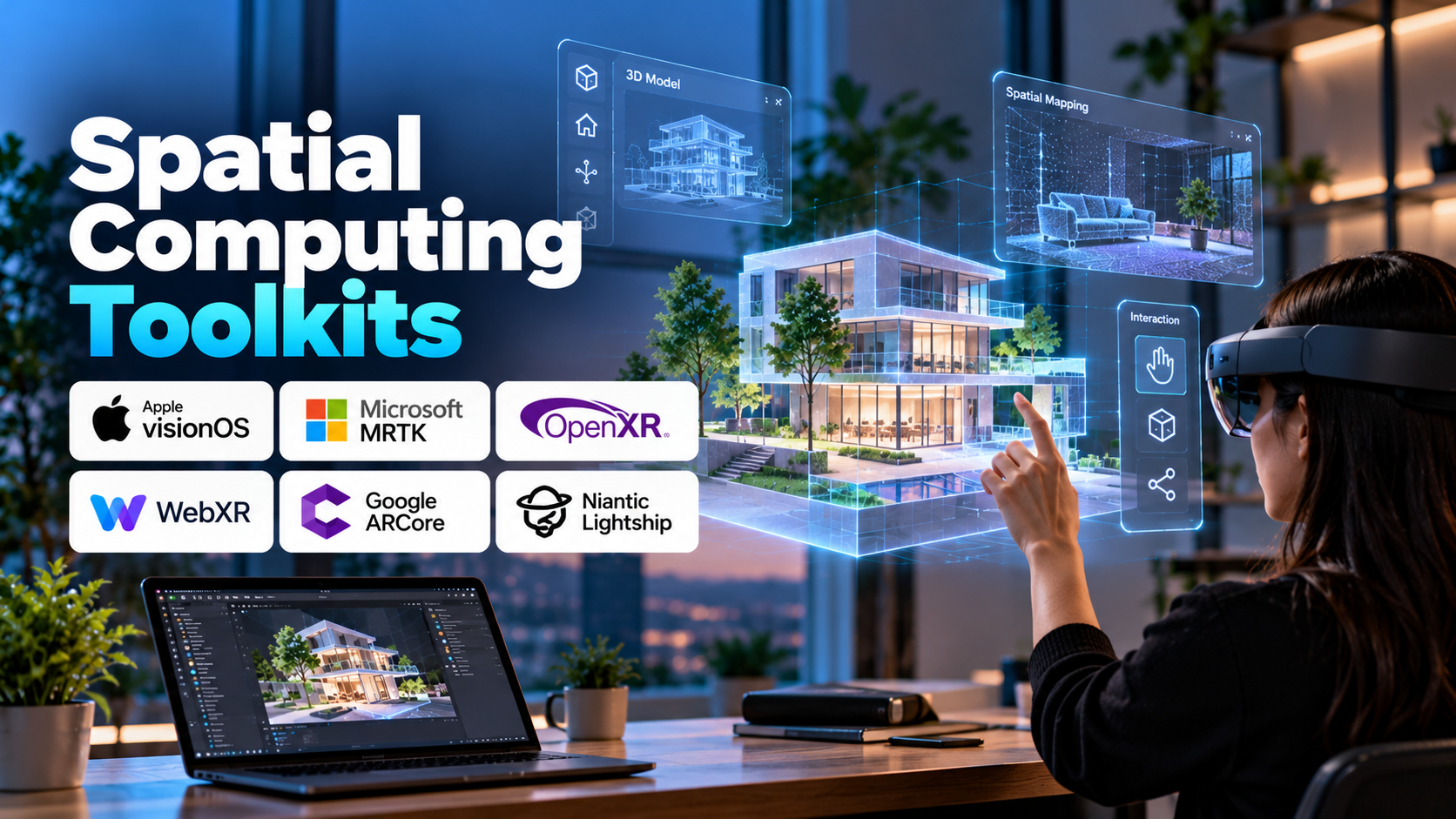
Spatial computing is changing how people interact with digital information by connecting virtual content with physical spaces. Instead of limiting users to a flat screen, spatial computing applications can understand position, orientation, surfaces, movement, and the relationships between objects in an environment.
These capabilities are enabling new experiences in augmented reality (AR), mixed reality (MR), virtual reality (VR), industrial visualization, robotics, and immersive collaboration. Spatial computing toolkits provide the underlying technologies developers need to build these experiences, including spatial tracking, scene understanding, 3D rendering, hand tracking, and interaction frameworks.
Choosing the right toolkit depends on the target device, the level of environmental understanding required, and whether the application focuses on consumer experiences, enterprise workflows, or advanced spatial research.
Table of Contents
- What Are Spatial Computing Toolkits?
- How Spatial Computing Works
- Essential Toolkit Capabilities
- Popular Spatial Computing Toolkits
- Applications Across Industries
- Benefits and Challenges
- How to Choose the Right Toolkit
- Frequently Asked Questions
1. What Are Spatial Computing Toolkits?
Spatial computing toolkits are software frameworks, development kits, and libraries that help applications understand and interact with three-dimensional environments.
They allow developers to build software that responds to where a user is located, how they move, what objects or surfaces surround them, and how digital content should appear within a physical space.
For example, a furniture visualization application might place a virtual chair on a detected floor and keep it anchored as the user walks around the room. An industrial application could display maintenance instructions beside a machine component, while a robotics system might use spatial data to understand the geometry of its surroundings.
Spatial computing is broader than AR or VR alone. It can combine computer vision, 3D graphics, spatial mapping, sensor data, artificial intelligence, and interaction technologies. Some applications operate through headsets, while others use smartphones, tablets, cameras, or specialized sensors.
A toolkit provides reusable capabilities for building these applications without requiring developers to implement every low-level tracking or rendering function themselves.
2. How Spatial Computing Works
A spatial computing application typically combines several technologies to connect digital content with a real or virtual environment.
Spatial sensing: Cameras, inertial sensors, depth sensors, and other supported hardware collect information about movement and the surrounding environment.
Position and orientation tracking: The system estimates the device’s location and orientation. Some systems use visual information and inertial measurements together to maintain tracking as the user moves.
Environmental understanding: Computer vision and depth-processing capabilities may identify surfaces, estimate geometry, detect objects, or construct spatial maps.
Spatial representation: The application organizes environmental information into coordinate systems, anchors, meshes, planes, or other representations that can be used to position digital content.
Rendering: A graphics engine draws virtual objects from the appropriate viewpoint, accounting for factors such as perspective, lighting, and depth where supported.
Interaction: Users interact through hand gestures, eye gaze, controllers, touchscreens, voice commands, or physical movement, depending on the device and application.
Application logic: Software combines tracking, spatial information, and user input to determine how the experience should respond.
Consider a virtual training application for equipment maintenance. The toolkit tracks the user’s viewpoint, positions a virtual component in the environment, and displays instructions at the appropriate location. As the user moves, the system updates the view so that the digital content remains aligned with the intended spatial reference.
The quality of this experience depends on tracking stability, environmental conditions, device capabilities, and the application’s design.
3. Essential Toolkit Capabilities
Not every spatial computing project needs the same features, but several capabilities are particularly important.
- Six-degree-of-freedom tracking: Estimates position along three axes and rotation around those axes, allowing the application to respond to movement in three-dimensional space.
- Spatial anchors: Helps maintain the intended position of virtual content relative to a location or supported spatial reference.
- Plane detection: Identifies surfaces such as floors, walls, or tables where digital objects can be placed.
- Scene reconstruction: Creates a representation of the surrounding environment, potentially including surfaces and geometric structures.
- Hand and gesture tracking: Enables natural interaction without relying exclusively on handheld controllers.
- Eye tracking: On supported hardware, provides information about gaze direction for interaction or rendering techniques.
- Spatial audio: Positions sound sources in three-dimensional space to make an experience more immersive.
- 3D rendering and physics: Supports the creation of objects, animations, lighting, collisions, and interactive environments.
- Cross-device development: Helps teams reuse application logic across supported devices, although hardware-specific features may still require separate implementation.
- Performance and debugging tools: Helps developers inspect tracking behavior, rendering performance, memory use, and application stability.
When evaluating a toolkit, developers should distinguish between features available directly through the framework and features that depend on a particular headset, operating system, sensor configuration, or additional SDK.
4. Popular Spatial Computing Toolkits
Spatial computing development spans device-specific frameworks, general-purpose 3D engines, and lower-level computer vision libraries. These tools often complement one another rather than serving as direct substitutes.
Apple visionOS and RealityKit
Apple’s visionOS development environment supports spatial applications for Apple Vision Pro. RealityKit provides tools for rendering and managing 3D content, while Apple’s broader development frameworks support spatial interfaces and interaction.
These technologies are relevant for developers creating immersive and spatial experiences within Apple’s ecosystem. The available capabilities depend on the device, operating-system version, and chosen APIs.
ARKit
ARKit provides augmented reality capabilities for supported Apple devices. Depending on the device and supported features, it can provide motion tracking, environmental understanding, image tracking, and spatial information.
Developers can use ARKit for applications that place virtual objects in real environments, build interactive AR experiences, or integrate spatial features into mobile applications.
ARCore
ARCore is Google’s platform for developing augmented reality experiences on supported Android devices and other supported environments. It offers capabilities for motion tracking, environmental understanding, and positioning digital content relative to the physical world.
It is particularly relevant to mobile AR applications, product visualization, interactive education, and location-based experiences. Developers should check the compatibility of the target devices and required features.
Unity XR Interaction Toolkit
Unity’s XR Interaction Toolkit provides reusable interaction components for XR applications developed with Unity. It supports interaction patterns such as selecting, grabbing, and manipulating objects, alongside workflows for supported XR input systems.
It can reduce the amount of interaction logic developers need to build from scratch. Device access and advanced spatial features may require additional platform-specific packages.
Unreal Engine OpenXR
Unreal Engine supports OpenXR-based development workflows for compatible XR hardware. OpenXR is an industry-standard API specification intended to provide a common interface for supported XR devices.
This approach can help developers create immersive applications without tying every part of the application to one manufacturer’s proprietary interface. However, supported features and extensions vary by device and runtime.
OpenXR
OpenXR is a cross-platform standard for accessing XR runtime functionality. It is particularly useful when developers want a more consistent foundation for applications targeting multiple compatible headsets.
OpenXR is not a complete 3D engine or a universal spatial understanding solution. Developers typically combine it with a rendering engine and additional tools for interaction, scene understanding, or device-specific capabilities.
NVIDIA Omniverse
NVIDIA Omniverse is a platform for building and connecting 3D workflows, simulation environments, and digital-twin applications. It is relevant to industrial visualization, collaborative engineering, robotics simulation, and physically based virtual environments.
Its role in a spatial computing solution depends on the application architecture and the need for simulation, 3D data interoperability, or connections between virtual and physical systems.
OpenCV
OpenCV is an open-source computer vision library used for image processing, feature detection, camera calibration, and other vision-related tasks. It can support parts of a spatial computing pipeline when developers need customized computer vision capabilities.
Unlike a complete AR framework, OpenCV does not automatically provide every component needed for a production-ready spatial experience. Developers may need to integrate camera handling, tracking methods, 3D mathematics, rendering, and device-specific functionality separately.
5. Applications Across Industries
Architecture and Construction
Spatial computing helps architects, designers, and construction teams visualize buildings within their actual surroundings. Teams can explore virtual layouts, inspect design elements, and compare digital models with physical spaces.
Manufacturing and Industrial Maintenance
Technicians can view instructions, component information, and spatial overlays while working with machinery. Spatial mapping can help position digital guidance near relevant equipment, although accuracy depends on tracking quality and environmental conditions.
Healthcare and Medical Training
Spatial interfaces can support anatomical visualization, medical education, and interactive planning workflows. Their usefulness depends on clinical validation, device capabilities, and appropriate professional oversight.
Education and Research
Students can explore three-dimensional scientific models, virtual laboratories, and interactive learning environments. Spatial interaction can make abstract concepts easier to visualize and manipulate.
Robotics and Autonomous Systems
Spatial mapping, computer vision, and localization technologies help robots understand their surroundings and navigate environments. These systems often combine specialized robotics frameworks with spatial computing libraries.
Retail and Consumer Experiences
Businesses can create interactive product previews, virtual showrooms, and location-aware experiences. Customers may be able to visualize products in their surroundings or explore digital information associated with physical objects.
6. Benefits and Challenges
Spatial computing toolkits reduce development effort by providing reusable tracking, rendering, mapping, and interaction capabilities. They allow developers to focus more on application behavior rather than implementing every underlying system from scratch.
They can also improve spatial awareness, enable hands-free workflows, and support more intuitive interactions with complex three-dimensional information.
However, developers face several challenges:
- Hardware dependency: Advanced features may require specific cameras, depth sensors, headsets, or other compatible devices.
- Tracking accuracy: Poor lighting, reflective surfaces, occlusion, or limited sensor data can affect environmental understanding.
- Performance limitations: Spatial applications must manage rendering, tracking, and interaction without excessive latency or resource consumption.
- Platform fragmentation: APIs and available features vary between devices and operating systems.
- Privacy considerations: Camera feeds, spatial maps, eye tracking, and environmental information can contain sensitive data.
- Testing complexity: Simulators cannot fully reproduce the conditions of a physical environment or every supported device.
Careful prototyping, device testing, and privacy-conscious design are essential for reliable applications.
7. How to Choose the Right Toolkit
The best toolkit depends on the application and the hardware it must support.
For Apple spatial applications: Explore visionOS, RealityKit, and relevant Apple development frameworks.
For Android AR: Evaluate ARCore and compatible development engines according to target-device support.
For cross-platform XR: Consider OpenXR alongside Unity or Unreal Engine, checking whether the required device features and extensions are supported.
For custom computer vision: OpenCV may be useful when the application requires image processing or specialized vision algorithms.
For industrial simulation and digital twins: Consider platforms such as NVIDIA Omniverse when connecting 3D environments, engineering data, and simulation is central to the project.
Before committing to a toolkit, build a small prototype that tests the most important requirement, such as stable spatial anchoring, surface detection, hand interaction, or cross-device compatibility. Test on the actual target hardware and evaluate documentation, development complexity, licensing, and long-term support.
8. Frequently Asked Questions
Is spatial computing the same as augmented reality?
No. AR is one application of spatial computing. Spatial computing also includes mixed reality, virtual environments, spatial interfaces, 3D mapping, and technologies that allow machines to understand physical space.
Do I need a headset to develop spatial computing applications?
Not always. Some applications use smartphones, tablets, cameras, or other sensors. Headsets are necessary only when the intended experience or required features depend on compatible head-mounted hardware.
What is the difference between OpenXR and Unity?
OpenXR is a standard interface for accessing supported XR functionality, while Unity is a development engine for creating interactive applications. Unity can use OpenXR through compatible integrations.
Is spatial computing difficult to learn?
It can involve a learning curve because it combines 3D mathematics, programming, computer vision, graphics, and user interaction. Beginners can start with a small AR project before progressing to more advanced spatial mapping and immersive experiences.
Can spatial computing work without the internet?
Some spatial applications can operate locally after the required software and assets are installed. Others depend on cloud services, remote processing, shared spatial data, or online collaboration. Offline capabilities depend on the toolkit and application architecture.
Conclusion
Spatial computing toolkits provide the building blocks for applications that understand and interact with three-dimensional environments. Through spatial tracking, environmental mapping, rendering, and natural interaction, they enable new experiences in industrial engineering, education, healthcare, robotics, and consumer technology.
The right toolkit is determined by the problem being solved, the target hardware, and the spatial capabilities the application requires. Starting with a focused prototype and validating it in real-world conditions helps developers choose a practical foundation for building reliable spatial experiences.