Table of Contents
- Introduction to Document Generation Software
- What Is Document Generation Software?
- How Document Generation Software Works
- Key Features and Capabilities
- Types of Document Generation Software
- Popular Document Generation Tools
- Benefits of Automated Document Generation
- Industry Use Cases and Practical Examples
- Document Generation vs. Document Automation
- Document Generation vs. Word Processing Software
- The Role of AI in Document Generation
- No-Code Tools vs. Developer APIs
- How to Choose the Right Software
- Implementation: A Step-by-Step Guide
- Common Challenges and Solutions
- Security, Privacy, and Compliance
- Measuring Performance and ROI
- Best Practices
- Frequently Asked Questions
- Conclusion
1. Introduction to Document Generation Software
Documents are an essential part of everyday business operations. Organizations create contracts, invoices, quotations, proposals, employment letters, reports, certificates, purchase orders, policies, and customer communications. Many of these documents follow a predictable structure, with only a few details changing from one instance to another.
Despite this repetition, employees often create documents manually. They open an old file, copy its contents, replace customer details, update dates and prices, adjust formatting, check the information, and save a new version. The process seems simple, but repeating it hundreds or thousands of times consumes significant time and creates opportunities for errors.
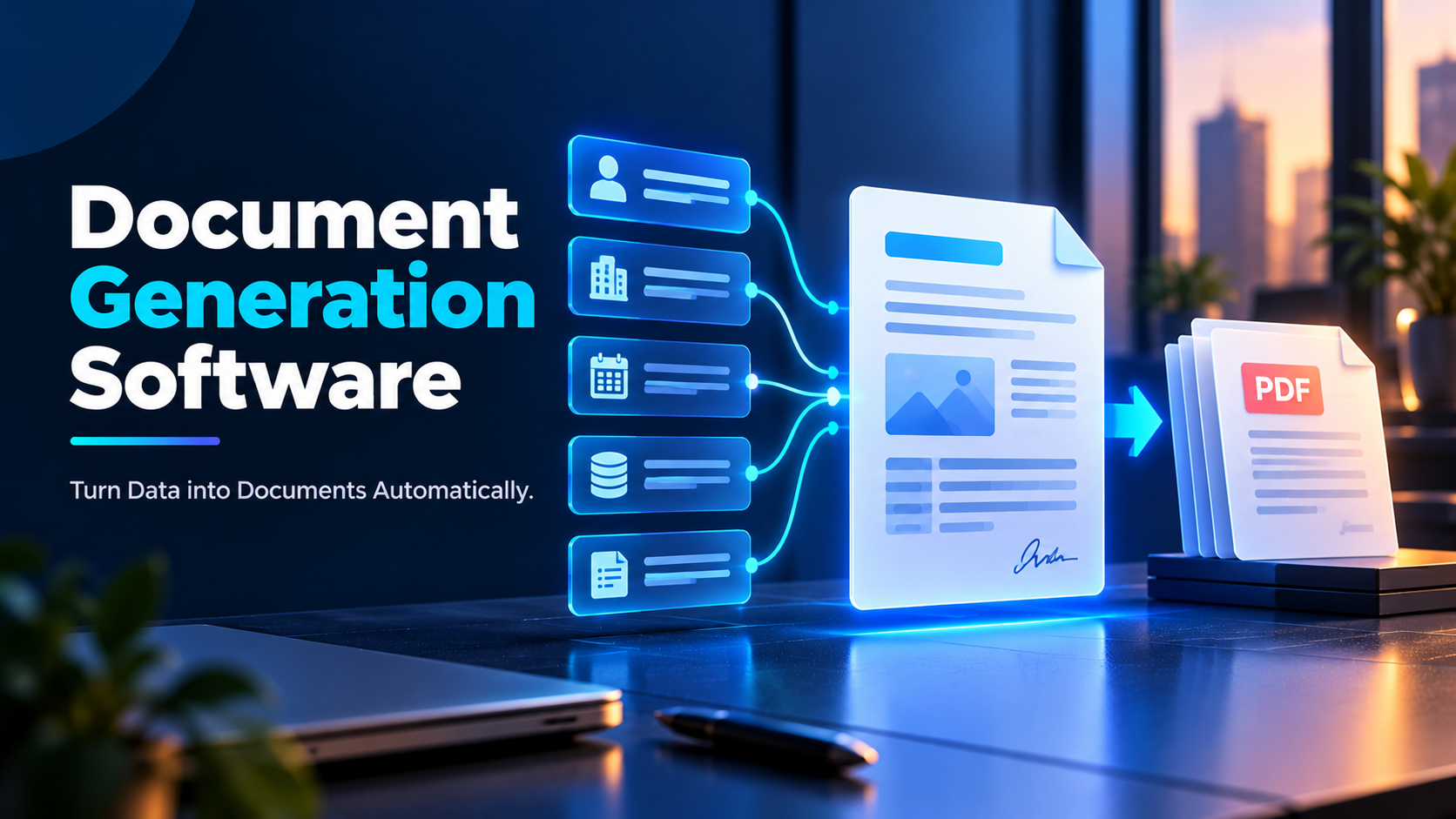
Document generation software addresses this problem by creating documents automatically from templates and data. Instead of preparing each file from scratch, users define a template once and connect it to the information needed to produce the final document.
For example, a company that prepares 300 customer proposals every month could connect its customer database to a document generation system. When a sales representative selects a customer and the relevant products, the software can populate a proposal with the customer’s details, approved prices, product descriptions, payment terms, and company branding.
The document can then be generated in an editable Word format or as a PDF, depending on the workflow. If required, it can proceed to review, approval, or electronic signature.
The result is a more repeatable process for producing accurate, professional, and consistent documents.
2. What Is Document Generation Software?
Document generation software is an application or service that automatically creates documents using predefined templates and input data.
The software combines fixed content with variable information to produce a complete file. It may also apply conditional rules, calculations, formatting, and business logic.
A generated document commonly contains two types of content.
Static content remains the same across multiple documents. Examples include a company logo, standard introduction, legal disclaimer, document heading, and approved terms.
Dynamic content changes according to the individual document. Examples include a customer’s name, invoice number, transaction date, product list, price, address, or contract duration.
Consider a simple employment offer letter. Its structure may remain identical for every candidate, while the candidate’s name, position, salary, joining date, and reporting manager change.
A document generation system uses a template containing placeholders for those fields. When the system receives the relevant data, it replaces the placeholders and produces a completed letter.
Document generation software is useful whenever a document has a repeatable structure and can be populated using reliable data.
What can it generate?
Depending on the platform, it may produce:
- Business letters and formal notices.
- Sales proposals and quotations.
- Contracts and agreements.
- Invoices and purchase orders.
- Employee offer letters and onboarding documents.
- Certificates and completion letters.
- Financial statements and operational reports.
- Insurance forms and policy documents.
- Personalized customer communications.
- PDFs, Word documents, HTML documents, and other supported formats.
Not every platform supports every file type or workflow. Some specialize in customer-facing proposals, while others focus on legal documents, enterprise reports, or developer-driven PDF generation.
3. How Document Generation Software Works
Although products differ, most document generation systems follow a similar process.
Step 1: Collect the input data
The system receives the information needed for the document. It might come from an online form, spreadsheet, database, CRM, ERP system, HR platform, or API.
For example, a quotation may require the customer’s name, selected products, quantities, prices, tax information, and payment terms.
Step 2: Validate the information
The system checks whether the required fields are present and whether the values follow the expected format.
A quotation should not be generated if the customer name is missing or the quantity is invalid. Financial documents may also require checks for totals, tax calculations, or approved pricing.
Validation helps catch problems before they appear in the final file.
Step 3: Select the appropriate template
A template defines the document’s layout, formatting, fixed text, and variable fields.
Different situations may require different templates. For example, a company may use separate agreement templates for different services, customer categories, or jurisdictions.
The system selects the correct template according to the user’s choice or predefined business rules.
Step 4: Map the data to the template
Data mapping connects each source field to its corresponding placeholder.
For example:
customer_namepopulates the customer name.invoice_numberpopulates the invoice reference.invoice_datepopulates the issue date.total_amountpopulates the final amount.
Mapping is especially important when data comes from multiple systems with different field names.
Step 5: Apply rules and calculations
The software can calculate totals, format dates, insert tables, and include or exclude sections according to predefined conditions.
A service agreement might include a premium-support clause only when the customer has purchased the premium plan. A quotation might apply an approved discount based on the selected product and authorization rules.
Step 6: Generate the document
The system combines the template and data, then renders the result into the selected output format.
The generated file should preserve the intended layout, fonts, page breaks, tables, headers, footers, and branding.
Step 7: Review or distribute the output
Depending on the process, the document may be presented to a user for review, sent to an approver, emailed to a customer, saved in a repository, or passed to an electronic signature service.
For sensitive or high-impact documents, human review may remain a necessary part of the process.
Step 8: Store and track the document
The completed file may be saved with a unique identifier and associated metadata. Some systems also record the template version, generation time, processing status, and subsequent workflow events.
These records make it easier to retrieve documents and investigate errors.
4. Key Features and Capabilities
4.1 Template creation and management
Templates are the foundation of document generation software. They define how the final document looks and which information it contains.
Useful capabilities include reusable templates, editable layouts, standardized branding, centrally managed versions, and controlled access to approved content.
A well-managed template library prevents employees from relying on outdated files or creating inconsistent versions of the same document.
4.2 Dynamic fields and data merging
Data merging inserts information from a source system into a document.
For example, a company can connect customer records to a proposal template so that the customer’s name, address, products, and prices are populated automatically.
Look for support for structured fields, repeating tables, nested data, and the data sources relevant to your organization.
4.3 Conditional content
Conditional logic determines which parts of a document should appear in a particular situation.
Suppose a service provider offers three subscription plans. Each plan has different features, pricing, and support terms. A template can use rules to include only the relevant sections.
This is particularly useful for complex contracts, proposals, policies, and customized reports.
4.4 Bulk document generation
Bulk generation creates many documents from a collection of records.
For example, an education institution might generate 2,000 student certificates from a spreadsheet containing student names, course names, and completion dates.
Bulk processing can save substantial time, but organizations should test data mapping, output naming, duplicate handling, and error reporting before processing large batches.
4.5 Multiple output formats
Different users need different formats.
- DOCX: Suitable when recipients need to edit the document.
- PDF: Suitable when the layout should remain consistent for viewing or distribution.
- HTML: Useful for web-based document delivery and certain communication workflows.
- Other formats: Available depending on the platform and use case.
Before choosing a product, confirm that it supports the formats your process actually requires.
4.6 Tables, calculations, and repeating sections
Many business documents contain line items, product lists, financial summaries, or repeated information.
A capable system should handle variable-length tables, totals, page breaks, and formatting when the number of items changes.
This matters for invoices, purchase orders, financial reports, and complex quotations.
4.7 Integrations and APIs
Integrations allow a document generation tool to obtain information from existing business systems or send completed documents to them.
An API allows software applications to request document generation programmatically.
For instance, an e-commerce platform could request a PDF invoice after a successful order. A CRM could generate a quotation when a sales opportunity reaches a particular stage.
Check the depth of integration: a connector that only reads data may not support the complete workflow you need.
4.8 Approval and signature workflows
Some platforms can route generated documents to reviewers or integrate with electronic signature services.
These features are useful when documents need authorization before being sent to customers or made legally effective.
However, document generation and electronic signing are distinct capabilities. Confirm whether signatures are included or require a separate service.
4.9 Versioning and audit trails
Versioning helps teams identify which template or document version was used. Audit trails may record generation events, changes, approvals, and other relevant actions.
These features are particularly valuable in regulated, legal, financial, and enterprise environments.
4.10 Security and access controls
Business documents can contain personal information, commercial terms, financial data, or confidential records.
Look for role-based permissions, secure storage, encryption, activity logs, and appropriate retention controls. The precise requirements depend on the sensitivity of the documents and the organization.
5. Types of Document Generation Software
Document generation is not one uniform category. Different tools are designed for different levels of complexity.
Template-based document generators
These tools create documents from reusable templates and structured data. They are often suitable for letters, invoices, quotations, certificates, and standard reports.
Sales proposal and quotation tools
These products focus on preparing branded proposals, pricing documents, and customer-facing agreements. Some also support proposal tracking, collaboration, payment collection, and signatures.
Legal document generation tools
Legal-focused platforms may use guided questionnaires, conditional clauses, and structured logic to produce standardized agreements and legal forms.
They are especially useful when documents have many possible variations. Complex legal matters still require appropriate professional review.
Enterprise document generation systems
Enterprise systems may support high-volume output, complex templates, multiple languages, large datasets, advanced integrations, and centralized governance.
They are suited to organizations producing substantial quantities of customer communications, statements, policies, and transactional documents.
Developer-oriented document APIs
These services allow developers to create documents within websites, applications, and backend systems.
They are useful when document generation must be triggered by application events or embedded in a custom product.
Form-to-document tools
These platforms turn data submitted through web forms into completed documents.
For example, a customer might complete a form requesting a service. The system uses the responses to generate a service request, proposal, or confirmation letter.
6. Popular Document Generation Tools
The following products represent different approaches to document generation. This is a practical shortlist, not a universal ranking; capabilities, plans, integrations, and pricing should be checked against current vendor information before purchasing.
6.1 PandaDoc
PandaDoc is associated with sales documents, proposals, quotations, and agreement workflows.
It can be relevant to teams that want to prepare polished customer-facing documents using reusable templates and connected sales information. Depending on the plan and setup, the wider workflow may include collaboration and electronic signatures.
Best suited to: Sales teams and businesses that prepare recurring proposals and commercial documents.
Evaluate: Template flexibility, CRM integrations, pricing workflows, signature requirements, and the capabilities included in the selected plan.
6.2 Conga Composer
Conga Composer focuses on document generation in business environments, particularly those using Salesforce and related enterprise applications.
It can help generate documents using information stored in CRM records and other connected sources.
Best suited to: Organizations that need structured documents generated from customer, sales, or transaction records.
Evaluate: Salesforce dependencies, implementation complexity, conditional logic, output formats, and licensing.
6.3 Formstack Documents
Formstack Documents is designed for creating documents from data collected through forms and connected applications.
It can be useful for repetitive processes in which a form submission or business record should produce a standardized file.
Best suited to: Teams automating document creation from form responses or structured business data.
Evaluate: Supported connectors, document volume, template requirements, and workflow features.
6.4 Docupilot
Docupilot provides template-based document generation using connected data sources.
It can be useful for teams seeking to automate document creation without building a custom document-generation application.
Best suited to: Small and medium-sized teams automating recurring business documents.
Evaluate: Available integrations, conditional content, output formats, API needs, and volume limits.
6.5 Docmosis
Docmosis offers document generation capabilities for applications and business processes, including developer-oriented workflows.
It may be relevant when documents need to be created programmatically from structured information and reusable templates.
Best suited to: Technical teams building document generation into software products or internal applications.
Evaluate: Template design, API requirements, deployment options, supported formats, and maintenance effort.
6.6 Microsoft Word
Microsoft Word is primarily a word processor, but its templates and mail merge features can generate personalized documents from structured data.
For example, a user can prepare a letter template and connect it to a list of recipients to produce multiple personalized letters.
Best suited to: Individuals and small teams with straightforward generation needs and existing Microsoft Office access.
Evaluate: Whether built-in features are sufficient for your volume, conditional logic, integrations, and approval requirements.
6.7 Zoho Writer
Zoho Writer provides document creation and productivity features that can be used as part of connected business workflows, depending on the configuration and available integrations.
Best suited to: Teams already using Zoho applications or looking for document creation within a broader productivity environment.
Evaluate: Template automation features, integration coverage, supported outputs, and the need for separate workflow tools.
6.8 Jotform
Jotform combines online form creation with document-related capabilities, including generating PDFs from collected information in supported workflows.
Best suited to: Businesses that collect information from customers or employees and need to produce documents from their responses.
Evaluate: Form complexity, branding, output layout, submission limits, and the available automation features.
6.9 Adobe PDF Services API
Adobe PDF Services API offers developer-oriented capabilities for working with PDF documents as part of software applications and workflows.
It is useful when PDF creation or processing must be integrated into a custom technical solution. It is not the same thing as a complete no-code business document generator.
Best suited to: Developers who need PDF-related operations within custom applications.
Evaluate: Supported operations, API usage costs, implementation effort, and data handling requirements.
6.10 HotDocs
HotDocs is associated with document automation for complex, rules-driven documents, including legal and professional forms.
It can be useful where a structured interview or questionnaire determines which clauses and information should appear in the final document.
Best suited to: Legal, professional services, and other teams with complex document logic.
Evaluate: Template development requirements, complexity, user experience, and suitability for your document types.
Quick selection guide
| Your primary requirement | Tools worth evaluating |
|---|---|
| Sales proposals and commercial documents | PandaDoc |
| Documents generated from CRM records | Conga Composer |
| Form submissions turned into documents | Formstack Documents, Jotform |
| General template-based generation | Docupilot |
| Application-based or API generation | Docmosis, Adobe PDF Services API |
| Simple personalized letters | Microsoft Word |
| Complex rules-driven legal documents | HotDocs |
| Documents within an existing Zoho environment | Zoho Writer |
The best choice depends on the task, not just the number of features offered.
7. Benefits of Automated Document Generation
Reduced manual effort
Employees no longer need to repeatedly copy information into similar files. This frees time for activities that require analysis, communication, and judgment.
Greater consistency
Templates help maintain standardized wording, formatting, branding, and approved content across documents.
Fewer data-entry errors
Automatic field population reduces repeated typing and copying. Validation rules can catch missing or invalid information before the document is produced.
Automation cannot eliminate all errors: incorrect source data or faulty templates can still generate incorrect documents.
Faster turnaround
A document that once required several manual steps may be generated in seconds or minutes. The overall process may still depend on human review and approval times.
Easier bulk production
Bulk generation is especially useful when many documents share the same structure but contain different data.
Better scalability
A repeatable generation process can support growing document volumes without requiring manual effort to increase at the same rate.
Improved customer experience
Customers may receive proposals, quotations, confirmations, and agreements faster and in a more consistent format.
Better governance
Central templates, permissions, version control, and audit records can help organizations maintain approved document standards.
More predictable processes
When document creation follows defined rules, teams can more easily identify errors, investigate failures, and improve performance.
8. Industry Use Cases and Practical Examples
Human resources
HR teams regularly produce offer letters, appointment letters, employment agreements, confirmation letters, and onboarding documents.
A document generation system can use candidate information from an HR platform to create an offer letter with the correct role, joining date, salary, and reporting details.
Sensitive employee information should remain restricted to authorized users.
Finance and accounting
Finance departments generate invoices, purchase orders, payment confirmations, account statements, and financial reports.
For example, an invoice template can be connected to an order database. The system retrieves customer details, product quantities, unit prices, taxes, and totals, then creates a standardized invoice.
Financial calculations should be validated and reconciled against authoritative records.
Sales and business development
Sales teams often create proposals, quotations, statements of work, and service agreements.
A sales representative can select a customer and approved products in a CRM. The document generation tool then produces a proposal using current customer information and authorized pricing.
This reduces repetitive preparation and helps prevent outdated commercial terms from being reused.
Legal services
Legal teams can use document generation to create routine agreements, non-disclosure agreements, standard letters, and other structured documents.
Guided questionnaires can collect the required information, while conditional rules determine which approved clauses should be included.
Automated assembly does not replace legal advice or review where professional judgment is necessary.
Education
Educational institutions generate admission letters, enrollment confirmations, student certificates, transcripts, and course completion documents.
A student information system can supply names, identification numbers, program details, and completion status to an approved template.
Bulk generation is particularly valuable when many students need similar documents at the same time.
Healthcare administration
Healthcare organizations may generate appointment letters, referral documents, administrative forms, and insurance-related paperwork.
Accuracy, confidentiality, and access controls are essential because documents may contain sensitive personal or health information.
Insurance and financial services
Insurers and financial service providers may create policy documents, application summaries, account notices, and standardized customer communications.
High-volume organizations may need advanced template governance, multilingual output, strict validation, and reliable audit records.
Procurement and supply chain
Procurement teams produce purchase orders, supplier agreements, order confirmations, and vendor onboarding documents.
A system can use approved supplier records and purchasing data to create consistent documents while reducing duplicate entry.
Consulting and professional services
Consultants prepare proposals, statements of work, project reports, recommendations, and client deliverables.
Reusable templates and project data can help standardize routine sections while allowing teams to customize the analysis and recommendations that require human expertise.
9. Document Generation vs. Document Automation
These terms overlap, but they describe different scopes.
Document generation focuses on producing a document from templates and data.
Document automation is broader. It can include generation, incoming-document processing, classification, extraction, approvals, electronic signatures, routing, storage, and retention.
For example, automatically creating an invoice from an order is document generation.
A complete automated invoicing workflow might also validate the order, create the invoice, send it to the customer, record its status, route exceptions to finance, and store the completed record.
Document generation is therefore often one component of a larger document automation process.
10. Document Generation vs. Word Processing Software
Word processors are designed primarily for writing, editing, and formatting documents. Document generation systems are designed to produce documents repeatedly from structured data.
| Capability | Word processing software | Document generation software |
|---|---|---|
| Manual writing and editing | Core capability | Often available, but not always the primary focus |
| Reusable templates | Common | Core capability |
| Automatic data population | Available through selected features | Usually central to the workflow |
| Bulk document creation | May be limited or require setup | Common in tools designed for high-volume generation |
| Conditional content | Varies by product | Often available in more advanced systems |
| APIs and business-system integration | Product-dependent | Common in developer and enterprise solutions |
| Workflow automation | Usually requires additional features or tools | May be built in or integrated |
| Best use | Creating and editing individual documents | Producing repeatable documents from data |
The distinction is not absolute. Microsoft Word, for example, supports mail merge, while some document generation platforms include editors that allow manual changes.
The right approach depends on the complexity and frequency of the task.
11. The Role of AI in Document Generation
Artificial intelligence is changing how documents are drafted, populated, checked, and processed.
AI-assisted drafting
AI can help create first drafts, summarize background information, suggest wording, or adapt standard content for a particular audience.
Generated text should be checked for factual accuracy, tone, and compliance with organizational requirements.
Intelligent data extraction
AI can identify information in semi-structured documents, including invoices, forms, and applications. Extracted data can then be used to populate templates or business systems.
Because extraction can be uncertain, important fields should be validated against source records.
Template assistance
Some tools can help users design templates, identify reusable fields, or suggest ways to structure repetitive content.
The resulting templates still need testing with real data and unusual cases.
Conditional content recommendations
AI may help identify document sections that could be relevant to a particular situation. For legal, financial, or regulated documents, the final rules should be controlled and approved by qualified people.
Document quality checks
AI-assisted tools may identify missing sections, inconsistent values, formatting issues, or differences between versions.
These checks can help reviewers, but they should not be treated as a guarantee that a document is complete or correct.
Natural-language configuration
Some systems allow users to describe a desired process in ordinary language and generate a draft configuration or workflow.
The generated process should be reviewed, tested, and secured before being used operationally.
Risks of AI-generated documents
AI can introduce fabricated details, incorrect calculations, unsupported statements, or inappropriate clauses. Sensitive information may also be exposed if it is sent to an unapproved service.
Organizations should define which data AI tools can access, how generated content is validated, and where human approval is mandatory.
12. No-Code Tools vs. Developer APIs
One of the most important decisions is whether to use a ready-made interface or integrate document generation directly into an application.
No-code and low-code platforms
These tools let users configure templates, fields, rules, and integrations through visual interfaces or simple settings.
Advantages:
- Faster initial setup for standard use cases.
- Less dependence on developers.
- Easier access for business teams.
- Often include templates and workflow features.
Limitations:
- Complex requirements may exceed the platform’s capabilities.
- Custom integrations may require technical work.
- Advanced logic can become difficult to maintain.
- Usage limits and licensing may affect scale.
Developer APIs and document engines
APIs allow an application to request a document using structured data and a selected template.
Advantages:
- Greater control over application behavior.
- Easier integration with custom software.
- Suitable for automated, event-driven generation.
- Can support complex data pipelines and large-scale systems.
Limitations:
- Requires development and testing.
- Error handling and security must be designed carefully.
- Templates and APIs need ongoing maintenance.
- Hosting, usage, and support costs may apply.
Which approach should you choose?
Choose no-code when the process is relatively standard and business users need to manage it directly. Choose an API-based approach when generation is part of a custom product or requires extensive technical integration.
A hybrid approach is also possible: a developer builds the integration, while business users maintain approved templates.
13. How to Choose the Right Software
Define your document types
List the documents you create and identify which ones follow repeatable structures. Prioritize documents with high volumes, significant preparation time, or frequent errors.
Identify the source of truth
Determine where the required information lives. It may be a CRM, ERP, HR platform, database, spreadsheet, or form.
A reliable source of truth reduces conflicting information across systems.
Evaluate template complexity
Simple letters may need only a few placeholders. Complex contracts may require nested conditions, repeating sections, calculations, multilingual content, and strict formatting.
Test the product against your actual template complexity.
Check integration requirements
List the systems that must provide input or receive generated files. Verify connector behavior, API access, authentication, field mapping, and error handling.
Estimate document volume
Consider both current and expected volumes. A tool that works for 20 documents per week may not be the best option for 50,000 documents per month.
Consider the people maintaining the system
Decide who will create templates, update rules, manage permissions, and troubleshoot failures. The software should match the team’s technical skills and support capacity.
Review security requirements
Assess access control, encryption, retention, auditability, data residency where relevant, and vendor data handling. The requirements should reflect the sensitivity of the documents.
Calculate total cost
Include subscriptions, implementation, integration, training, template development, support, and usage charges.
Run a realistic pilot
Use real examples, including missing data, long tables, unusual names, special characters, and failed workflows. Compare the output against a manually approved reference document.
Verify the vendor’s current offering
Product features, licensing, and pricing change. Confirm details with the vendor before making a purchase decision rather than relying only on a comparison article.
14. Implementation: A Step-by-Step Guide
Step 1: Select a high-value use case
Start with one repeatable document type, such as a quotation, invoice, certificate, or standard letter.
Avoid beginning with the most complicated document in the organization unless it is essential to the project.
Step 2: Document the current process
Record where information comes from, who prepares the document, which approvals are required, where the final file is stored, and what usually goes wrong.
Step 3: Establish a baseline
Measure current preparation time, monthly document volume, correction rates, turnaround time, and cost per document.
These metrics will help you determine whether the implementation produces meaningful improvements.
Step 4: Standardize the template
Remove outdated versions, confirm approved language, define mandatory fields, and establish formatting standards.
Assign an owner who is responsible for approving future changes.
Step 5: Prepare the data
Clean source records, standardize field formats, resolve duplicates, and confirm that the system uses the correct values.
For example, dates, currency values, addresses, and customer identifiers should follow consistent conventions.
Step 6: Build and map the template
Create the document layout, insert placeholders, map data fields, and configure conditional content.
Test calculations and repeating tables carefully.
Step 7: Configure the workflow
Define how documents are initiated, reviewed, approved, distributed, and stored. Set up appropriate permissions and exception handling.
Step 8: Integrate the source systems
Connect the relevant data sources and destination systems. Use secure authentication and limit access to what the workflow needs.
Step 9: Test normal and exceptional cases
Test missing fields, incorrect values, unusual character sets, lengthy content, multiple pages, duplicate requests, rejected approvals, and integration failures.
Compare the generated output with an approved reference.
Step 10: Train users and launch gradually
Explain how to generate documents, review the output, correct errors, and report failures. Start with a limited group or process before expanding.
Step 11: Monitor and improve
Track document quality, generation failures, usage, turnaround time, and feedback. Refine templates and rules as requirements change.
15. Common Challenges and Solutions
Incorrect source data
Problem: The generated document contains the wrong name, date, price, or address.
Solution: Validate input data, use authoritative systems, and establish checks for critical fields.
Poor template design
Problem: Documents contain broken page layouts, inconsistent spacing, missing sections, or incorrect branding.
Solution: Standardize templates and test them with short, long, and unusual inputs.
Outdated clauses or content
Problem: Employees continue generating documents from an old template.
Solution: Maintain a controlled template library, restrict access to obsolete versions, and establish a review process.
Complex conditional logic
Problem: Rules become difficult to understand or produce unexpected combinations of content.
Solution: Keep conditions modular, document the rules, and test each important combination.
Integration failures
Problem: The source system changes or a connection fails, preventing document generation.
Solution: Monitor integration status, record errors, provide retry mechanisms where appropriate, and define a manual fallback process.
Incomplete exception handling
Problem: A failed document remains unnoticed or is sent with missing information.
Solution: Use explicit failure states, notifications, retry limits, and a clear escalation path.
Overreliance on automation
Problem: Users assume every generated document is correct.
Solution: Introduce risk-based review, especially for legal, financial, contractual, or otherwise consequential documents.
Poor user adoption
Problem: Employees continue using old manual methods.
Solution: Involve users during implementation, make the automated process easy to follow, and provide training and support.
16. Security, Privacy, and Compliance
Document generation systems can handle confidential business information, customer records, personal data, contracts, and financial details. Security should be considered before connecting any data source.
Access permissions
Restrict access to templates, source data, generated documents, and administrative settings according to users’ responsibilities.
Data protection
Review encryption during transmission and storage, file-sharing controls, and the treatment of temporary or intermediate files.
Audit trails
For important documents, retain appropriate information about the template version, generation event, approval status, and subsequent changes.
Retention and deletion
Define how long generated documents must be stored and when they should be deleted. Retention requirements can differ by document type, industry, jurisdiction, and contract.
Vendor assessment
Review security documentation, data processing terms, subprocessors, incident response procedures, backup arrangements, and any relevant certifications.
AI data handling
If AI features are enabled, understand whether document content is sent to an external service, how it is processed, and what controls apply to its use.
Electronic signatures and legal requirements
If generated documents are signed electronically, verify that the signing process meets the requirements applicable to the relevant document and jurisdiction.
For organizations operating in India, applicable data protection, electronic record, signature, sector-specific, and contractual requirements should be assessed in context. Using document generation software does not automatically establish compliance.
17. Measuring Performance and ROI
The value of document generation should be measured through operational outcomes, not just the number of files created.
Time saved
Suppose a business creates 600 documents per month. Manual preparation takes 10 minutes per document, while automated generation requires 3 minutes of review per document.
- Manual preparation: 600 × 10 minutes = 100 hours per month.
- Automated review: 600 × 3 minutes = 30 hours per month.
- Estimated time saved: 70 hours per month.
This is an illustrative example. It does not account for setup, maintenance, exceptions, or other costs.
Error rate
Measure how often documents require correction because of missing fields, incorrect values, formatting issues, or outdated content.
Turnaround time
Track the elapsed time between requesting a document and completing it. Separate the time required to generate a file from time spent waiting for approvals.
Cost per document
Calculate relevant labor, software, integration, maintenance, and exception-handling costs. Divide the total by the number of completed documents.
First-pass success rate
Measure how many generated documents pass review without rework. This provides a useful indication of data quality and template reliability.
Workflow failure rate
Track failed generation attempts, integration errors, missing data, and unresolved exceptions.
Return on investment
A basic ROI formula is:
ROI = (Financial benefits − Total costs) ÷ Total costs × 100%
Include initial implementation expenses and ongoing costs over a consistent period. Avoid treating every hour saved as direct financial savings unless the organization can actually realize that benefit.
18. Best Practices for Successful Document Generation
- Automate repetitive documents first. Choose tasks with predictable structure and measurable manual effort.
- Maintain approved templates. Use a central source for current wording and branding.
- Keep source data reliable. Validate information before it enters the generation process.
- Use clear field names. Consistent naming makes templates and integrations easier to maintain.
- Test realistic data. Include lengthy text, unusual names, multiple pages, and missing values.
- Separate generation from approval. Producing a file does not necessarily mean it is ready for external distribution.
- Design for exceptions. Decide what happens when a document cannot be generated or fails validation.
- Protect sensitive records. Use appropriate access controls, secure integrations, and retention policies.
- Monitor template changes. Keep track of who updates templates and who approves those updates.
- Measure actual outcomes. Track errors, time saved, and turnaround rather than assuming automation is successful.
- Train the people using the system. Make responsibilities and review steps clear.
- Expand incrementally. Use lessons from the first workflow to guide additional implementations.
19. Frequently Asked Questions
What is document generation software in simple terms?
It is software that creates documents automatically by combining a template with data, such as customer details, prices, dates, or employee information.
What is the difference between document generation and mail merge?
Mail merge is a method of combining a template with a list of records to produce personalized documents. Document generation can include mail merge, but may also support APIs, complex conditional logic, calculations, bulk processing, and integration with business workflows.
Can document generation software create PDFs?
Yes. Many platforms can generate PDFs, Word documents, or other formats. The available formats depend on the product.
Can I generate documents from Excel?
Yes. Many tools can use Excel or CSV data as an input source. More advanced workflows may retrieve data directly from a database or business application instead.
Can document generation software create documents in bulk?
Yes. Bulk generation is a common feature in tools designed to process multiple records. Confirm the platform’s volume limits, batch behavior, and error reporting before using it for large jobs.
Is document generation software suitable for small businesses?
Yes. Small businesses can automate invoices, proposals, quotations, letters, certificates, and other recurring documents. A simple template or form-based tool may be sufficient.
Does document generation software require coding?
Not always. Many platforms provide visual template editors and no-code integrations. Custom workflows and application-level generation may require developers.
Does it include electronic signatures?
Some platforms include signing functionality or provide integrations with e-signature services. Others focus only on generating the document.
Can AI generate documents automatically?
AI can assist with drafting, summarization, extraction, and template preparation. Reliable document generation still requires structured data, validation, suitable controls, and review when the document is consequential.
How much does document generation software cost?
Pricing depends on the product, number of users, document volume, features, integrations, and support requirements. Some tools use subscriptions, while enterprise systems and APIs may use custom pricing or usage-based models.
Is document generation software secure?
Security depends on the specific product, configuration, permissions, integrations, and data-handling practices. Evaluate the vendor and configure the system according to the sensitivity of the documents.
How long does implementation take?
A simple template may be configured relatively quickly. More complex implementations involving multiple systems, advanced conditional rules, large document volumes, and regulatory requirements can take substantially longer.
20. Conclusion
Document generation software helps organizations produce repeatable documents with less manual effort. By combining reusable templates, reliable data, conditional rules, calculations, and integrations, it can improve consistency, reduce repetitive data entry, and accelerate document preparation.
The right solution depends on the work being automated. A small business creating standard letters may need only basic templates and mail merge. A sales team may benefit from a proposal platform, while a large organization producing complex, high-volume documents may require an enterprise system or developer API.
Start by identifying a repetitive document process, measuring its current cost and error rate, and selecting a tool that fits the requirements. Test it with real data, establish clear review and security controls, and measure the results before expanding.
Ultimately, successful document generation is not simply about producing files faster. It is about creating reliable, consistent documents from trustworthy information through a process that can be maintained, monitored, and improved over time.