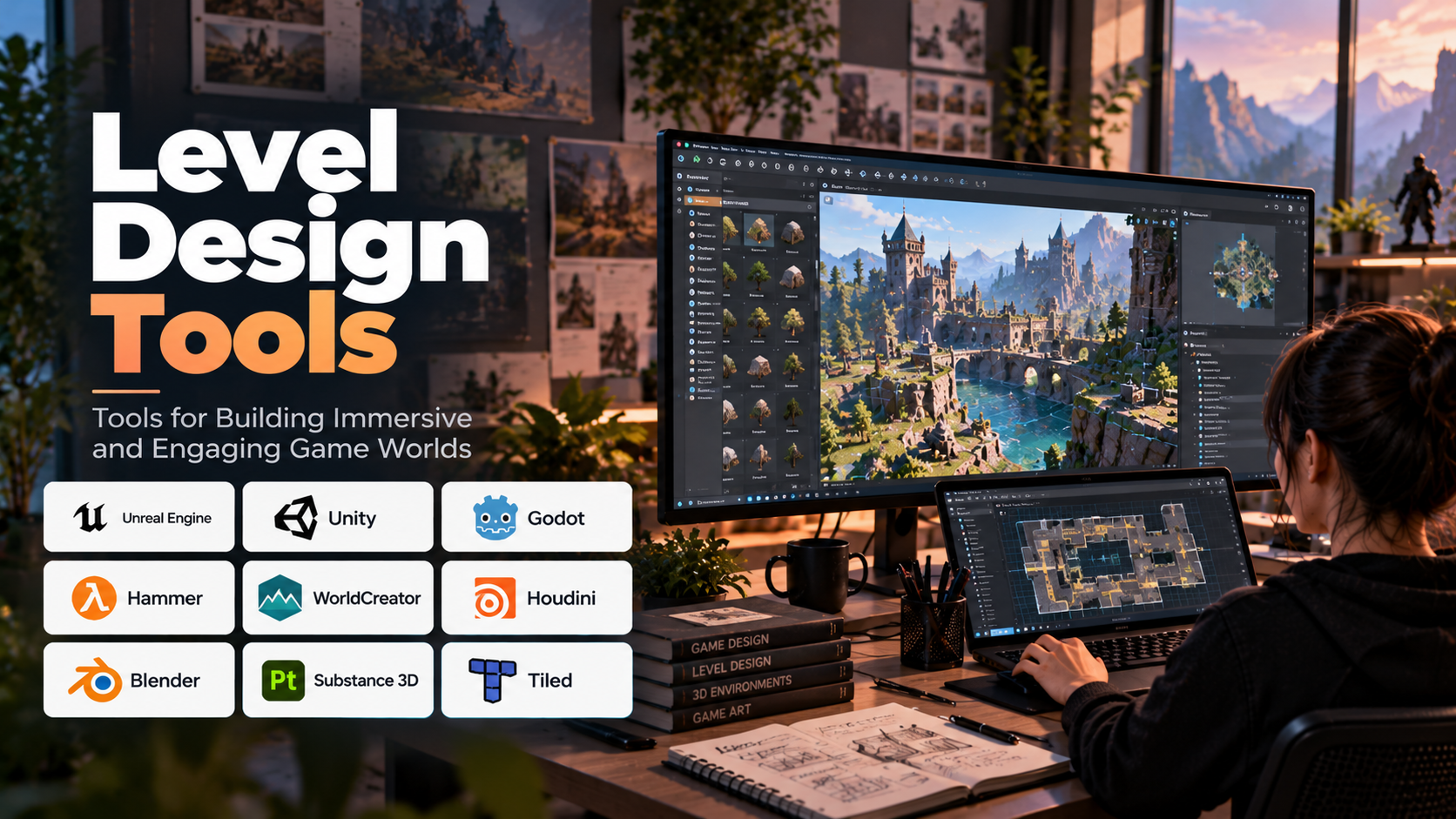
Every memorable video game world is carefully designed. From the winding corridors of a horror game to the sprawling landscapes of an open-world adventure, level design determines how players explore environments, overcome challenges, discover rewards, and experience a game’s story.
Creating these environments requires more than artistic ability. Designers must consider player movement, navigation, pacing, difficulty, visibility, gameplay mechanics, and performance. Level design tools help bring these elements together by providing environments for blockouts, terrain creation, object placement, lighting, scripting, and playtesting.
Modern game development uses a combination of game engines, dedicated editors, procedural generation systems, 3D modeling applications, and specialized environment-building tools. Understanding how these tools work—and when to use each one—helps developers build levels that are visually appealing, technically efficient, and enjoyable to play.
Table of Contents
- What Are Level Design Tools?
- How Level Design Works
- Essential Features of Level Design Software
- Popular Level Design Tools
- Different Types of Level Design Workflows
- Applications Across Game Genres
- Benefits and Challenges
- How to Choose the Right Level Design Tool
- Common Level Design Mistakes
- Frequently Asked Questions
1. What Are Level Design Tools?
Level design tools are software applications used to create the spaces, environments, challenges, and interactive elements that players experience in a game. These tools help designers arrange objects, construct terrain, build structures, place enemies, define pathways, and test how players move through an environment.
A level can be a single room, a puzzle chamber, a race track, a multiplayer arena, a dungeon, or an entire open world. The complexity of the design determines which tools are necessary.
For example, a designer creating a platform game might use a 2D editor to arrange platforms, hazards, moving objects, and collectibles. A designer developing a realistic open-world game might use a 3D engine, terrain tools, procedural vegetation systems, environmental assets, and specialized lighting workflows.
Level design is closely related to environment art, but the two disciplines have different priorities. Environment artists focus heavily on the appearance and visual quality of a setting. Level designers concentrate on how that environment functions during gameplay, although the responsibilities often overlap.
A beautiful environment is not necessarily a good level. If players cannot understand where to go, encounter unfair obstacles, or repeatedly become stuck, the level may fail regardless of its visual quality.
The purpose of level design tools is therefore not simply to create scenery. It is to help developers build spaces that communicate information, support mechanics, and guide the player’s experience.
2. How Level Design Works
Level design typically progresses through several stages. Although the process varies by studio and project, most workflows combine planning, rapid prototyping, detailed construction, and repeated testing.
Concept and Planning
Before opening an editor, designers establish the level’s purpose. They identify the gameplay objectives, expected player abilities, important encounters, narrative requirements, and progression through the environment.
A rough map or sketch can establish the location of entrances, exits, checkpoints, important landmarks, combat areas, and exploration routes.
Planning at this stage helps prevent unnecessary rework later.
Blockout and Greyboxing
Blockout, sometimes called greyboxing, involves building a simplified version of the level using basic shapes and placeholder objects.
A designer might represent buildings with cubes, platforms with rectangular blocks, and corridors with simple walls. The objective is to evaluate proportions, distances, sightlines, movement, and gameplay flow before spending time on detailed artwork.
For example, a designer can test whether a jump is possible or whether an enemy encounter feels balanced using basic geometry. If the layout needs major changes, those changes are much easier to make before detailed assets and lighting have been added.
Gameplay Implementation
Once the basic layout works, designers add gameplay elements such as interactive objects, enemies, triggers, puzzles, collectibles, checkpoints, and scripted events.
These elements may be implemented through visual scripting, code, engine components, or custom gameplay systems.
The level must also communicate its rules. Lighting, object placement, visual contrast, sound, and environmental cues can help players recognize interactive elements and understand where they should explore.
Environment Art and Lighting
The next stage replaces temporary geometry with production assets. Designers and environment artists add terrain, buildings, vegetation, materials, props, lighting, atmospheric effects, and other visual details.
This stage must preserve the gameplay structure established during blockout. Decorative objects should not accidentally obstruct important routes, hide essential information, or make navigation confusing.
Optimization and Playtesting
The completed environment is tested to identify problems with gameplay, navigation, performance, and presentation.
Designers may adjust enemy placement, widen pathways, change lighting, improve landmarks, or simplify expensive geometry. Performance profiling helps reveal whether the level places excessive demands on the target hardware.
Level design is an iterative process. Testing often reveals problems that were not obvious during planning, making repeated refinement essential.
3. Essential Features of Level Design Software
The best level design tools provide capabilities that match the type of game and the complexity of its environments.
- Scene editing: Allows designers to place, move, rotate, scale, group, and organize objects within a level.
- Terrain creation: Supports the construction of hills, valleys, cliffs, roads, landscapes, and other outdoor environments.
- Grid and snapping systems: Help maintain consistent alignment, proportions, and modular construction.
- Asset integration: Allows models, textures, materials, animations, and environmental objects to be imported and reused.
- Lighting and atmosphere: Supports lighting placement, shadows, fog, weather effects, and other elements that influence mood and visibility.
- Visual scripting: Enables designers to create interactions and gameplay events using visual nodes rather than writing every behavior in code.
- Navigation and AI tools: Help define paths, walkable areas, navigation meshes, and spaces in which non-player characters can move.
- Procedural generation: Automates the creation or distribution of elements such as terrain features, vegetation, buildings, or repeated environmental patterns.
- Collision and physics testing: Helps determine how players and objects interact with the environment.
- Profiling and debugging: Identifies performance problems, rendering costs, and errors during gameplay.
- Collaboration and version control: Supports coordinated work among designers, artists, programmers, and technical teams.
No single project needs every feature. A small 2D puzzle game may require little more than tile placement and collision editing, whereas a large open-world game may need sophisticated terrain generation, asset streaming, navigation systems, and extensive optimization tools.
4. Popular Level Design Tools
Level designers commonly work with several complementary tools. Some are integrated into game engines, while others specialize in terrain, procedural content, 3D modeling, or texture creation.
Unreal Engine
Unreal Engine provides a comprehensive environment for constructing and testing 3D game levels. Its editor supports object placement, landscape creation, lighting, materials, visual scripting through Blueprints, and workflows for large environments.
Its landscape tools are useful for creating outdoor settings, while modular assets and reusable components help designers construct buildings and gameplay spaces. Unreal Engine also includes systems for navigation and performance analysis.
It is often considered for visually demanding 3D projects, including action games, immersive simulations, and expansive environments.
Best suited for: Detailed 3D environments, large landscapes, cinematic levels, and complex gameplay spaces.
Unity
Unity includes a scene editor for arranging game objects, creating environments, configuring components, and testing gameplay. Its ecosystem supports terrain construction, lighting, asset integration, scripting, and extensions for specialized workflows.
Designers can build reusable environments from modular assets and combine visual editing with C# scripting. Unity supports both 2D and 3D development, making it suitable for a broad range of games.
Best suited for: Indie games, mobile games, 2D and 3D levels, and projects that require flexible deployment options.
Godot
Godot is a free, open-source game engine with tools for building both 2D and 3D environments. Its scene-based structure allows designers to organize levels into reusable scenes and components.
Godot’s 2D capabilities are particularly useful for platformers, puzzle games, top-down adventures, and other games that depend on tile-based layouts. Its 3D environment editor supports object placement, lighting, materials, and scene organization.
Best suited for: Independent developers, educational projects, 2D games, and teams seeking an open-source workflow.
Hammer Editor
Hammer is a level-editing tool associated with Valve’s game development ecosystem. It allows designers to construct environments using geometry, place entities, define gameplay spaces, and prepare levels for supported games and toolchains.
Its workflow is particularly relevant to games and projects that use compatible Valve technologies. Designers should check the specific game’s toolchain and supported editor version before beginning a project.
Best suited for: Level design for supported Valve games and compatible development workflows.
World Creator
World Creator is a terrain-generation application used to build landscapes for games and other real-time 3D applications. It supports workflows for shaping and generating terrain, helping designers produce mountains, valleys, erosion patterns, and other natural features.
Terrain can then be prepared for use in a compatible game engine or 3D workflow.
Best suited for: Outdoor environments, large landscapes, terrain prototyping, and natural world creation.
Houdini
Houdini is a procedural 3D creation tool widely used for generating and manipulating complex digital content. Its node-based workflow allows artists and technical designers to build reusable systems for terrain, roads, buildings, vegetation, and other environmental elements.
Procedural workflows are especially useful when many variations of an asset or environment must be generated consistently. Houdini can also be integrated into game production pipelines to create content that is exported to a game engine.
Best suited for: Procedural environment generation, technical art, large-scale world building, and repeatable content pipelines.
Blender
Blender is a free, open-source 3D creation suite that supports modeling, sculpting, texturing workflows, animation, and other content-production tasks.
Although it is not a dedicated in-engine level editor, it is useful for creating modular buildings, props, rocks, environmental objects, and other assets used in game levels. These assets can then be imported into an engine such as Unity, Unreal Engine, or Godot.
Best suited for: Custom environment assets, modular architecture, props, and independent game production.
Substance 3D
Adobe Substance 3D tools support material creation and texturing workflows used in game development. Depending on the application, artists can create procedural materials, paint textures, and prepare surface details for environmental assets.
These tools generally complement rather than replace a level editor. Their role is to improve the visual quality and consistency of materials applied to terrain, buildings, props, and other objects.
Best suited for: Environment texturing, realistic materials, surface detail, and production asset workflows.
Tiled
Tiled is a tile-map editor used to create 2D game maps. Designers arrange tiles into layers, define object positions, and organize environmental elements for supported game frameworks and engines.
It is useful for platformers, top-down adventures, tactical games, and other projects that rely on tile-based layouts. Designers can separate collision information, foreground elements, background layers, and interactive objects to keep maps organized.
Best suited for: 2D tile-based games, grid-based environments, and lightweight map-design workflows.
These tools serve different purposes. A designer may use Tiled for a 2D map, Blender for custom assets, and Unity for final gameplay implementation. Similarly, an Unreal Engine project may combine its built-in landscape tools with Houdini-generated content and specialized material workflows.
5. Different Types of Level Design Workflows
Level design does not follow one universal method. The right approach depends on the game’s visual style, gameplay mechanics, and production requirements.
2D Tile-Based Level Design
Tile-based design uses a collection of reusable tiles to construct maps. Each tile may represent ground, walls, platforms, water, decoration, or other environmental elements.
This workflow is efficient because designers can build large maps from a relatively small asset library. Grid alignment also helps maintain consistency in collision boundaries and environmental structure.
Tools such as Tiled and the 2D editors available in game engines are useful for this approach.
Modular 3D Level Design
Modular design uses reusable pieces—such as walls, floors, doors, stairs, windows, and structural sections—to build environments.
A consistent modular system allows designers to construct complex spaces without creating every object individually. It also helps maintain scale and makes later revisions easier.
The main challenge is ensuring that modular pieces fit together correctly and that repeated elements do not make the environment feel monotonous.
Open-World and Terrain Design
Large outdoor environments require terrain shaping, vegetation placement, roads, landmarks, navigation systems, and careful management of assets.
Procedural tools can help distribute environmental elements or generate variations, while the game engine handles rendering and gameplay integration.
Open-world design also requires attention to loading distance, memory use, visibility, and the balance between exploration and player guidance.
Procedural Level Design
Procedural level design uses rules, algorithms, or node-based systems to generate some or all of an environment.
For example, a system might generate room layouts, distribute trees across a terrain, or create variations of a dungeon from a set of predefined rules.
Procedural generation can increase variety and reduce repetitive manual work. However, generated content still requires testing to ensure that spaces are playable, navigable, balanced, and consistent with the intended experience.
Multiplayer Map Design
Multiplayer levels require careful attention to fairness, sightlines, movement routes, spawn points, cover, and objective placement.
A visually attractive map can still perform poorly if one team has an unfair advantage or if players can dominate important areas too easily.
Designers typically use repeated playtests and feedback to adjust distances, routes, visibility, and encounter opportunities.
6. Applications Across Game Genres
Different game genres place different demands on level design tools.
Platformers: Require precise control over jump distances, platform spacing, hazards, checkpoints, and movement flow. Blockout tools are especially useful for testing gameplay before adding artwork.
First-person shooters: Depend on cover placement, sightlines, navigation, encounter spaces, and clear routes through combat areas.
Role-playing games: Often require interconnected environments, quest locations, exploration paths, landmarks, and spaces that support storytelling.
Strategy games: Need clear terrain information, resource placement, tactical positioning, and readable unit movement.
Racing games: Require carefully designed tracks, curves, elevation changes, checkpoints, barriers, and sightlines.
Horror games: Use space, visibility, sound, lighting, and controlled pacing to create tension and uncertainty.
Simulation games: Require environments that support believable movement, realistic spatial relationships, and functional interactions with objects and systems.
The tools may be similar across genres, but the design decisions differ substantially. A multiplayer arena prioritizes competitive balance, while a narrative adventure may prioritize exploration and atmosphere.
7. Benefits and Challenges
Level design tools improve productivity by allowing designers to construct, test, and revise environments without manually building every component from scratch. Reusable assets, snapping systems, procedural generation, and visual scripting can reduce repetitive work.
Integrated editors also shorten the feedback loop between design and gameplay. A designer can adjust a corridor, reposition an obstacle, or change an enemy encounter and immediately test the result.
However, several challenges remain.
Overdesign: Adding too much visual detail before validating gameplay can make revisions expensive.
Navigation problems: Players may struggle to identify important routes, objectives, or interactive elements when environmental communication is weak.
Performance constraints: Large levels with detailed geometry, complex lighting, and numerous assets can exceed hardware budgets.
Asset consistency: Environments built from content created by different artists may have inconsistent scale, materials, or visual style.
Procedural unpredictability: Automatically generated environments can contain awkward layouts, blocked routes, or unbalanced encounters.
Collaboration difficulties: Teams need consistent naming, asset organization, version control, and review processes to avoid conflicting changes.
The most effective approach is to validate the core gameplay early, establish clear technical constraints, and add visual detail only when the underlying level design is working.
8. How to Choose the Right Level Design Tool
Start by identifying the kind of environment you need to create and how it will be implemented in the final game.
For beginners: Start with the editor included in your chosen game engine. Godot, Unity, and Unreal Engine provide environments in which you can build a basic level and test gameplay without immediately learning multiple specialized applications.
For 2D tile-based games: Consider Tiled or the built-in tile-map tools available in your engine. Choose based on map complexity, workflow preferences, and integration requirements.
For detailed 3D environments: Evaluate Unreal Engine or Unity according to rendering requirements, asset workflows, scripting needs, and target hardware.
For terrain-heavy worlds: Consider specialized terrain-generation tools alongside your game engine. Check how terrain data, materials, textures, and environmental assets will be transferred between applications.
For procedural environments: Houdini may be appropriate when you need rule-driven asset creation, repeatable generation, or complex environmental variations.
For custom environmental assets: Blender can support modeling and preparation of props, architecture, and modular environment pieces.
For commercial production: Evaluate collaboration features, version control, platform compatibility, asset licensing, performance profiling, and long-term maintenance.
Before committing to a complex toolchain, create a small representative level. Build the basic geometry, add a few gameplay elements, test player movement, and check the process of exporting or integrating assets. This reveals practical limitations before a project becomes difficult to change.
9. Common Level Design Mistakes
Focusing on Graphics Too Early
Detailed textures and lighting can make a level look impressive, but they cannot fix poor gameplay. Start with a simple blockout and verify that movement, navigation, and encounter design work as intended.
Ignoring Player Guidance
Players need understandable cues about where to go and what to interact with. Landmarks, lighting, contrast, composition, and environmental storytelling can guide exploration without relying entirely on explicit markers.
Designing Without Playtesting
A layout that appears logical in the editor may feel confusing or frustrating when played. Test levels regularly, observe how players navigate, and revise areas where the intended route is unclear.
Creating Unnecessarily Complex Geometry
Excessive geometry can increase production and performance costs without improving gameplay. Use detail where it contributes meaningfully to the experience.
Neglecting Accessibility
Important routes, objectives, and interactive elements should remain understandable to players with different visual, motor, and cognitive needs. Readable interfaces, suitable contrast, configurable controls, and alternative navigation cues can improve accessibility.
Forgetting Technical Limits
Level designers should consider target hardware, asset budgets, lighting costs, collision complexity, and loading behavior throughout production rather than leaving all optimization until the end.
10. Frequently Asked Questions
What is the best software for level design?
There is no single best tool for every project. Unreal Engine, Unity, and Godot offer integrated level-editing workflows, while tools such as Tiled, Houdini, Blender, and World Creator support more specialized tasks.
Is level design the same as game design?
No. Game design covers the broader rules, mechanics, systems, and player experience. Level design focuses on the spaces in which those mechanics are experienced, including layout, navigation, encounters, pacing, and environmental storytelling.
Do I need to learn 3D modeling to become a level designer?
Not necessarily. Many level designers use existing assets, modular kits, and built-in geometry tools. Understanding basic 3D concepts is helpful, while specialized modeling skills are valuable for creating custom environments and assets.
Can beginners create levels without programming?
Yes. Many level editors support visual placement tools and some form of visual scripting. Basic programming becomes more useful when creating custom interactions, complex gameplay systems, or procedural generation.
Are free level design tools good enough for professional projects?
They can be. Godot, Blender, and Tiled offer useful capabilities without requiring a standard paid license for the core tools. Professional suitability depends on the project, required features, support arrangements, and the licensing terms of any additional software or assets.
What is the difference between level design and environment art?
Level design focuses on gameplay structure, navigation, pacing, and how players interact with a space. Environment art focuses on the visual construction of that space through models, materials, lighting, and environmental details. Both disciplines often collaborate closely.
How long does it take to design a game level?
It depends on the level’s size, complexity, mechanics, visual requirements, and the experience of the team. A small prototype may take a short time to build, while a detailed production-level environment can require extensive iteration, asset creation, optimization, and testing.
Conclusion
Level design tools are essential for creating game environments that combine visual quality with meaningful gameplay. From simple 2D maps to expansive 3D worlds, these tools help developers construct spaces, arrange assets, implement interactions, test navigation, and refine the player experience.
Game engines such as Unreal Engine, Unity, and Godot provide integrated level-editing environments, while specialized tools such as Tiled, Houdini, Blender, World Creator, and Substance 3D support particular parts of the production pipeline.
The strongest workflow begins with gameplay rather than decoration. By prototyping early, testing regularly, using reusable assets, and respecting technical constraints, level designers can build environments that are engaging, readable, performant, and memorable.