Table of Contents
- Introduction to Music Notation Software
- What Is Music Notation Software?
- How Music Notation Software Works
- Essential Features of Music Notation Applications
- Understanding the Basics of Musical Notation
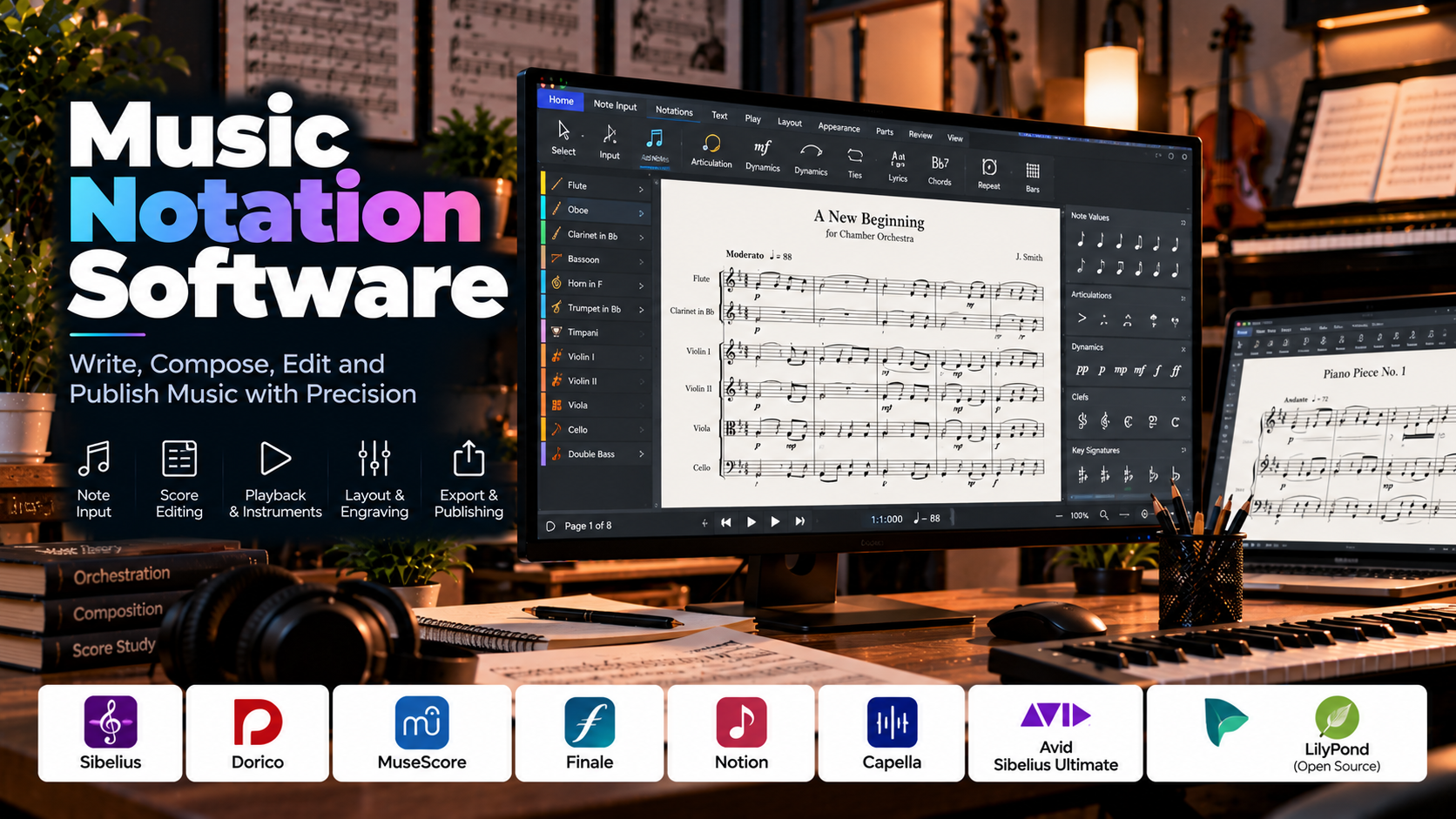
- Popular Music Notation Software
- Music Notation Software Comparison
- The Complete Digital Music Notation Workflow
- Writing Sheet Music and Musical Scores
- MIDI Input and Music Playback
- Arranging Music for Different Instruments
- Music Notation vs. Digital Audio Workstations
- MusicXML, MIDI, and Other File Formats
- Music Notation for Different Musical Applications
- Hardware and System Requirements
- How to Choose the Right Software
- Common Music Notation Mistakes and Best Practices
- AI and the Future of Music Notation
- Career Opportunities and Skills
- Frequently Asked Questions
- Conclusion
1. Introduction to Music Notation Software
Music has traditionally been written using handwritten scores, printed sheet music, and manuscript paper. Although these methods remain valuable, digital technology has transformed how musicians compose, arrange, edit, share, and publish musical notation.
Music notation software allows musicians to create musical scores electronically. Instead of drawing every note and symbol manually, users can enter pitches, rhythms, rests, dynamics, articulations, lyrics, chords, and other musical instructions through a digital interface.
The software organizes these elements into readable notation and automatically handles much of the page layout. When a composition changes, notes can be edited, measures rearranged, and the score reformatted without rewriting the entire piece.
These applications are used by composers, music teachers, students, arrangers, orchestral musicians, choir directors, publishers, and performers. They support everything from a simple melody for a beginner to a complex orchestral score containing dozens of instruments.
For example, a composer writing a piano piece can enter notes into a digital score, hear a playback, correct the rhythm, add dynamics, and export the result as a printable PDF. An arranger working on a larger ensemble can create separate parts for each instrument and prepare them for musicians to perform.
Music notation software is not simply a digital version of manuscript paper. It combines score creation, playback, formatting, editing, and file exchange in a single workflow.
Understanding these tools can make musical ideas easier to develop, communicate, and preserve.
2. What Is Music Notation Software?
Music notation software is a computer application used to write, arrange, format, edit, and publish musical notation.
It represents musical ideas using conventional symbols and organizes them into staves, measures, systems, and pages. Depending on the application, users can create scores for solo instruments, piano, ensembles, choirs, orchestras, and other musical groups.
A typical score may contain:
- Notes and rests.
- Clefs and key signatures.
- Time signatures and bar lines.
- Accidentals and octave markings.
- Chords and chord symbols.
- Dynamics and articulation marks.
- Tempo markings and expressive instructions.
- Lyrics and vocal text.
- Instrument names and transpositions.
- Rehearsal marks and measure numbers.
- Tablature and specialized notation.
- Multiple staves and instrument parts.
A practical example
Imagine a musician composing a short melody for piano.
The musician opens a notation application, chooses a time signature and key, and enters the melody using a keyboard, mouse, or MIDI controller. The software places the notes on the staff and arranges them into measures.
The musician then adds a bass line, inserts dynamics, listens to the playback, and corrects any mistakes. Once the composition is ready, the application generates a clean score that can be printed or shared digitally.
The same basic process can be expanded to create arrangements for strings, brass, woodwinds, percussion, guitar, or a choir.
Why music notation software matters
Accurate notation: Musical symbols can be entered and edited precisely.
Automatic formatting: The software handles much of the spacing, alignment, and page layout.
Fast revisions: Notes, rhythms, key signatures, and other elements can be changed without rewriting the score.
Audio playback: Supported applications can play back the score using built-in sounds or external instruments.
Part preparation: Larger scores can be separated into individual instrumental or vocal parts.
Digital distribution: Scores can be exported, printed, or shared in supported file formats.
Collaboration: Digital files make it easier for composers, arrangers, teachers, and performers to exchange musical material.
These capabilities make notation software useful for both learning music and producing professional scores.
3. How Music Notation Software Works
Most notation applications follow a similar process, although their interfaces and input methods differ.
Step 1: Create a score
The user creates a new document and chooses the instruments or voices required. Some applications provide templates for piano, guitar, choir, chamber ensembles, orchestras, and other arrangements.
Step 2: Set the musical structure
The composer establishes the clefs, key signature, time signature, tempo, and initial number of measures.
These settings help define how the music will be represented on the page.
Step 3: Enter notes and rests
Notes can be entered using a computer keyboard, mouse, MIDI keyboard, or supported digital instrument.
The software places them on the appropriate staff positions and assigns rhythmic values according to the selected input method.
Step 4: Add musical instructions
The composer adds dynamics, articulations, tempo changes, slurs, ties, lyrics, chord symbols, and other markings.
These elements communicate how the music should be performed rather than merely identifying the pitches and rhythms.
Step 5: Listen to playback
Many applications can play the score using synthesized or sampled instrument sounds. Playback helps users check the melody, rhythm, harmony, and overall arrangement.
Playback quality depends on the available sound library and the application’s interpretation of musical instructions.
Step 6: Edit and refine
The composer corrects notes, changes rhythms, adjusts measures, and refines the notation. The software updates the score layout as the music changes.
Step 7: Format the score
The user adjusts page size, margins, staff spacing, system breaks, instrument labels, and other layout details where supported.
The goal is to make the score readable and practical for musicians.
Step 8: Export and share
The finished composition can be exported as a PDF, printed, or saved in a supported editable or exchange format.
Depending on the application, users may also export audio or MIDI playback data.
4. Essential Features of Music Notation Applications
Different programs offer different levels of sophistication, but several features are central to digital notation.
Note and rest entry
Note entry allows users to specify pitch and duration. Rest entry represents periods of silence within the musical rhythm.
Common rhythmic values include whole notes, half notes, quarter notes, eighth notes, and sixteenth notes, together with their corresponding rests and dotted or beamed variations.
Staff and clef management
A staff provides the lines and spaces on which notes are placed. Clefs establish how those positions correspond to musical pitches.
Common clefs include treble, bass, alto, and tenor clefs. The required clef depends on the instrument, vocal range, and musical context.
Key signatures and accidentals
Key signatures indicate the tonal framework of a passage through sharps or flats. Accidentals modify pitches within the notation according to musical conventions.
Notation software helps display these symbols and apply relevant notation rules.
Time signatures and measures
Time signatures indicate how beats are organized within measures. Bar lines divide the score into these measures.
The software helps organize notes and rests according to the chosen rhythmic structure, although complex tuplets and unusual meters may require additional input.
Chords and harmony
Chord symbols and vertically stacked notes represent harmonic information. Users can write chord progressions, notate harmonies, and arrange parts for different instruments.
Some applications also provide tools for chord entry, harmonic analysis, or generating musical suggestions.
Dynamics and articulation
Dynamics communicate relative loudness, using markings such as piano for soft and forte for loud. Articulations indicate how notes should be attacked, sustained, or separated.
Examples include staccato, accent, tenuto, and legato-related markings.
Slurs and ties
Slurs indicate that a group of notes should be connected smoothly in performance, while ties connect notes of the same pitch to extend their duration.
These symbols look similar but communicate different musical instructions.
Lyrics and text
Vocal scores can include lyrics aligned with notes. Applications may also support titles, composer credits, rehearsal instructions, chord symbols, and other text elements.
Automatic layout
Automatic layout organizes notes, measures, and staves into readable systems and pages.
Advanced applications may allow manual control over spacing, line breaks, page breaks, and the placement of symbols when automatic formatting is insufficient.
Playback
Playback allows users to hear the written score. It can help identify incorrect pitches, rhythmic errors, missing notes, and problems in the arrangement.
Playback is a useful reference, but synthesized performance is not always a perfect representation of how a live musician will interpret the score.
Part extraction
A full ensemble score can contain separate parts for each instrument. Part extraction generates individual scores from the main composition, reducing the need to create each part manually.
This is particularly useful for orchestras, bands, choirs, and chamber ensembles.
Music import and export
Many applications support formats for printing, playback, and exchanging editable notation. The available options vary, so it is important to check compatibility before starting a collaborative project.
5. Understanding the Basics of Musical Notation
To use music notation software effectively, it helps to understand the musical concepts that the software represents. The application can place and format symbols, but the composer must still understand what those symbols communicate.
The musical staff
A standard musical staff consists of five horizontal lines and the four spaces between them. Notes are positioned on these lines and spaces to represent different pitches.
Notes above or below the staff can be written using ledger lines.
Clefs
A clef establishes the pitch represented by the lines and spaces of a staff.
- Treble clef: Commonly used for high-register instruments and many melodies.
- Bass clef: Commonly used for lower-register instruments.
- Alto clef: Used in certain instruments and specialized notation contexts.
- Tenor clef: Used for selected instruments and higher passages in some low-register parts.
Choosing the correct clef is important because it determines how performers interpret the written pitches.
Notes and rests
Notes indicate musical sounds, while rests indicate silence. Their symbols communicate the duration of each event.
In common time, a whole note typically represents four quarter-note beats, a half note two beats, a quarter note one beat, and an eighth note half a beat. These relationships depend on the rhythmic context and the selected tempo.
Dotted notes increase the duration of a note by half its original value. Ties can combine note values to sustain a pitch across a beat or bar line.
Key signatures
A key signature indicates the sharps or flats associated with a musical key. It appears near the beginning of a staff, after the clef.
Notation applications can display key signatures and update relevant accidental conventions when the music is transposed or edited.
Time signatures
A time signature communicates how beats are organized into measures. For example, 4/4 commonly indicates four quarter-note beats per measure, while 3/4 commonly indicates three.
Some compositions use compound meters, changing meters, or irregular rhythmic structures. Advanced notation software can support many of these cases, although the input process may be more complex.
Dynamics
Dynamics communicate relative loudness. Common markings include pp for very soft, p for soft, mp for moderately soft, mf for moderately loud, f for loud, and ff for very loud.
Crescendo and diminuendo markings indicate gradual increases or decreases in intensity.
Articulation and expression
Articulation markings communicate how notes should be performed. Staccato indicates a short, detached articulation, while an accent emphasizes a note.
Slurs, ties, ornaments, pedal markings, and expressive text provide additional performance information.
Why notation accuracy matters
A score may look visually attractive while still containing incorrect pitches, rhythms, accidentals, or instrument transpositions. The composer should check both musical correctness and visual readability before distributing the score.
6. Popular Music Notation Software
Different applications offer different approaches to notation, engraving, playback, and score preparation. Some emphasize professional publishing, while others prioritize accessibility or text-based workflows.
MuseScore Studio
MuseScore Studio is a widely used notation application with a free, open-source model. It supports score creation, note entry, playback, instrument parts, and export to common formats.
Its approachable interface makes it useful for students, composers, educators, arrangers, and musicians who want to create sheet music without starting with an expensive professional application.
It can handle a wide range of arrangements, from solo melodies to ensemble scores. Users can also exchange notation through supported file formats.
Best suited for: Beginners, students, educators, hobbyist composers, and budget-conscious arrangers.
Sibelius
Sibelius is a professional music notation and score preparation application used for composing, arranging, and engraving music.
It provides tools for note entry, score layout, instrument parts, playback, and advanced notation. Its workflow is suitable for detailed orchestral, band, choral, and instrumental scores.
Best suited for: Professional composers, arrangers, educators, and publishers who require detailed score preparation.
Dorico
Dorico is a notation application known for its emphasis on musical engraving, score layout, and part preparation. It supports composition, playback, and workflows for a variety of ensembles.
Its approach to notation and layout may differ from other applications, so users transitioning from another program may need time to learn its conventions.
Best suited for: Composers, orchestrators, arrangers, and musicians who prioritize high-quality score engraving.
Finale
Finale was a long-established notation application with extensive tools for score creation and layout. Its history is significant in music publishing and professional notation.
However, Finale has been discontinued as an actively developed product, and its publisher announced the end of sales and updates. Anyone considering it for an existing workflow should carefully review current support, licensing, operating-system compatibility, and migration options before relying on it for new long-term projects.
Best suited for: Users maintaining legacy Finale scores or evaluating how to migrate existing projects into a supported alternative.
Notion
Notion is a music notation application associated with score creation, playback, and integration with certain music-production workflows. Its available capabilities depend on the specific version and platform.
It may be useful to musicians who want to work with notation while maintaining a connection to digital audio production.
Best suited for: Composers and musicians seeking a notation-focused workflow connected to music-production tools.
LilyPond
LilyPond takes a different approach to music notation. Instead of relying primarily on a graphical interface, users describe musical content through a text-based notation language. The software then generates professionally formatted sheet music.
This method is especially attractive to users who prefer reproducible documents, precise control through source files, and text-based workflows.
Its learning curve can be steeper for beginners who are unfamiliar with programming-like syntax.
Best suited for: Technically minded composers, advanced users, and those who value automated engraving and reproducible score generation.
Capella
Capella is a music notation application designed for creating and editing scores. Its capabilities include notation entry and score preparation, with features depending on the edition.
It can be useful for musicians and educators working with conventional notation and ensemble arrangements.
Best suited for: Score writing, educational use, and music arrangement.
Avid Sibelius Ultimate
Sibelius Ultimate is the advanced edition of Sibelius, providing additional capabilities for more demanding notation and score preparation workflows. Exact features vary by release and licensing terms.
It may be relevant for users who need advanced controls for large scores, detailed layouts, and professional part preparation.
Best suited for: Advanced score engraving, large ensemble arrangements, and professional notation work.
7. Music Notation Software Comparison
The following comparison summarizes the general strengths of commonly considered tools. Features, pricing, and compatibility can change, so check current product information before making a purchase or migrating a project.
| Software | Main strength | Typical use |
|---|---|---|
| MuseScore Studio | Accessible score creation | Learning, arranging, and general notation |
| Sibelius | Professional notation workflow | Orchestral, choral, and instrumental scores |
| Dorico | Detailed engraving and part preparation | Composition and professional publishing |
| Finale | Legacy notation and extensive historical workflows | Existing score libraries and migration |
| Notion | Notation with music-production connections | Composition and playback |
| LilyPond | Text-based engraving | Reproducible, precisely formatted scores |
| Capella | Conventional score creation | Music education and arranging |
How to interpret the comparison
A beginner may value a free application with an intuitive interface and easy PDF export. A professional composer may place more importance on part extraction, advanced engraving, instrument transposition, and compatibility with collaborators.
A technically inclined user may prefer a text-based tool, while someone entering notes with a MIDI keyboard may prefer a graphical workflow.
The right choice depends on the score you need to produce, not just the number of features advertised.
8. The Complete Digital Music Notation Workflow
A structured workflow makes score creation faster and helps prevent mistakes.
Step 1: Define the musical project
Decide whether you are writing a solo piece, piano arrangement, song, choir score, chamber composition, or orchestral work.
Identify the intended performers and the approximate difficulty level.
Step 2: Choose the instruments
Select the instruments or vocal parts required. The application may provide templates with suitable clefs, staff configurations, and instrument settings.
For ensemble writing, verify that the instrument names and transposition settings are correct.
Step 3: Establish the musical framework
Set the key signature, time signature, tempo, and initial measures. If the composition uses changing meters or key signatures, plan where these changes occur.
Step 4: Enter the main musical ideas
Start with the melody, harmony, rhythm, or other central material. Enter notes and rests using the method supported by the application.
Do not spend too much time adjusting page spacing while the musical structure is still changing.
Step 5: Add supporting parts
Develop accompaniment, bass lines, countermelodies, harmonies, and other instrumental or vocal parts.
Check that the different parts work together musically and are practical for the intended performers.
Step 6: Add expression and performance markings
Insert dynamics, articulations, slurs, ties, tempo changes, rehearsal marks, and other instructions.
These markings help performers understand how the music should be interpreted.
Step 7: Listen to playback
Use playback to check the melody, rhythm, harmony, and overall structure. If the application supports instrument sounds, select suitable playback sounds for a more informative review.
Remember that playback is a diagnostic aid rather than a substitute for checking the notation.
Step 8: Correct errors
Check note positions, accidental usage, measure lengths, rests, ties, and instrument transpositions.
Review difficult passages individually, then listen to the complete composition again.
Step 9: Format the score
Adjust spacing, page breaks, system breaks, staff sizes, titles, and other layout elements. Make sure that the score remains readable at the intended printed size.
Step 10: Generate individual parts
For ensemble projects, extract the required parts and check each one separately.
Confirm that page turns, rehearsal marks, measure numbers, and instrument-specific notation are practical for performers.
Step 11: Export and test
Export the finished score to PDF or another appropriate format. If MIDI or MusicXML is needed, export those files as well.
Open the exported documents and verify that the notation is complete, readable, and correctly formatted.
9. Writing Sheet Music and Musical Scores
Digital notation is useful because it supports both the musical content and the visual organization of a score.
Starting with a melody
A melody can be entered note by note using a mouse, keyboard, or MIDI controller. The composer selects a rhythmic value and then specifies the pitch.
Some applications support step-time entry, in which notes are entered one at a time, while others support real-time recording from a MIDI instrument.
Writing rhythm accurately
Rhythmic notation must represent the intended timing clearly. Beams, rests, dots, ties, tuplets, and bar lines all contribute to readability.
For example, two rhythmic passages may have equivalent durations but differ in how easily a performer can understand their beat structure. Good notation communicates musical grouping rather than merely filling each measure with the correct total duration.
Adding harmony
Harmony can be written as vertically aligned notes on a staff or as chord symbols above the melody.
Chord symbols are useful in lead sheets, popular music arrangements, and improvisational settings. Fully notated parts may be preferable when exact voicings and rhythms are required.
Writing lyrics
Vocal notation applications can align syllables with notes and handle melismas, where a syllable is sung across multiple notes.
Lyrics should be checked for alignment, punctuation, hyphenation, and readability.
Creating lead sheets
A lead sheet typically contains a melody, lyrics where relevant, chord symbols, and essential musical information.
It is useful for singers, jazz musicians, accompanists, and performers who need a compact representation of a song.
Creating full scores
A full score displays the parts of multiple instruments or voices together. It allows composers and conductors to inspect how the parts interact.
The score should maintain clear staff labels, consistent spacing, readable dynamics, and sensible page organization.
Engraving and readability
Music engraving refers to the visual presentation of musical notation. Good engraving helps musicians interpret the music accurately and efficiently.
Important considerations include note spacing, beam angles, stem direction, collision avoidance, system breaks, page turns, and the placement of dynamics and articulations.
Automatic layout features save time, but complex scores may still require manual refinement.
10. MIDI Input and Music Playback
MIDI input and playback can make notation software more interactive.
Entering notes with a computer keyboard
Many applications allow users to select note durations and enter pitches using keyboard shortcuts. This can be fast once the input system is familiar.
Entering notes with a mouse
Mouse-based entry lets users select a note value and place notes directly on the staff.
It is accessible to beginners, although it may be slower for long or rhythmically complex passages.
Using a MIDI keyboard
A MIDI keyboard can transmit note and performance information to compatible notation software.
Depending on the application, users can record notes in real time or enter them step by step. Real-time recording may require quantization or later correction to make the notation readable.
Playback instruments
Notation applications may use sampled instruments, synthesized sounds, or external sound libraries to reproduce the score.
Playback quality varies, particularly for expressive techniques, complex articulations, and large ensembles.
Tempo and expression
Playback can often reflect tempo changes, dynamics, articulations, and selected performance markings.
However, some applications may interpret these elements differently, and some markings may not affect playback automatically.
Why playback is useful
Playback can reveal missing notes, incorrect pitches, rhythmic inconsistencies, and harmonic problems. It can also help composers evaluate the overall musical structure before asking performers to rehearse the piece.
11. Arranging Music for Different Instruments
Arranging involves adapting musical material for a specific instrument, group, or performance context. Notation software makes it easier to manage multiple parts, but musical and instrumental knowledge remain essential.
Piano
Piano scores commonly use a grand staff, combining treble and bass clefs. The notation must communicate which notes are played by each hand and how the music is grouped rhythmically.
Pedal markings, dynamics, articulation, and fingering may be added when useful.
Guitar
Guitar notation may use standard staff notation, tablature, or both. Depending on the application, users can indicate chord diagrams, bends, slides, string assignments, and other guitar-specific techniques.
Strings
String instruments often require attention to range, bowing, articulation, slurs, dynamics, and expressive markings.
A passage that looks correct on a screen may still be difficult to perform if it ignores instrumental technique.
Brass and woodwinds
Wind instruments have practical ranges, breathing requirements, articulation conventions, and instrument-specific transpositions.
Notation software can handle many transposition operations automatically, but composers should verify that the resulting parts are appropriate for the players.
Choir and vocal ensembles
Choral scores may contain multiple vocal parts, lyrics, dynamics, phrasing, and syllable alignment.
Clear staff labeling and consistent lyric placement help singers read the music during rehearsals.
Orchestral scores
Orchestral notation involves multiple instrument families and often requires detailed control over score order, transpositions, staff spacing, dynamics, and individual parts.
Automatic part extraction is especially valuable for large ensembles, but each extracted part should be reviewed independently.
Instrument transposition
Some instruments sound at a different pitch from the written note. Notation software can often display a transposing score while maintaining the corresponding concert-pitch information.
This is important for ensuring that individual parts are written correctly and that the full score represents the intended musical result.
12. Music Notation vs. Digital Audio Workstations
Music notation software and digital audio workstations are related, but they serve different primary purposes.
Music notation software
Notation applications focus on writing music as readable symbols. Their main output is a score intended for musicians to interpret and perform.
They prioritize note entry, notation rules, engraving, part preparation, and printable documents.
Digital audio workstations
DAWs focus on recording, sequencing, editing, processing, and mixing audio. They are designed to work with recorded sound, MIDI, virtual instruments, effects, and multitrack arrangements.
Their main output is often an audio recording or production session rather than a printed score.
Comparison
| Feature | Music notation software | Digital audio workstation |
|---|---|---|
| Primary purpose | Create readable musical scores | Produce and process audio |
| Main workspace | Staff notation and score pages | Audio and MIDI timeline |
| Note representation | Musical symbols | MIDI events and/or recorded audio |
| Audio playback | Often available | Central feature |
| Audio recording and mixing | Varies; often limited | Usually extensive |
| Score engraving | Core capability | Often limited |
| Individual instrumental parts | Common feature | Not generally the main focus |
| Final output | Printed or digital score | Audio mix, stems, or project session |
Can both be used together?
Yes. A composer can write a score in notation software, export MIDI, and import it into a DAW for sound design and production.
Alternatively, MIDI material created in a DAW can be imported into notation software and converted into a written score.
The transfer may require adjustments because musical performance data and readable notation have different requirements. For example, expressive timing in a MIDI performance may generate complicated rhythms when converted automatically into sheet music.
13. MusicXML, MIDI, and Other File Formats
File formats determine how scores can be shared, edited, printed, and played back.
MusicXML
MusicXML is a widely used interchange format for exchanging musical notation between supported applications.
It can preserve much of the score’s musical structure, including notes, rests, instruments, measures, and various notation markings.
However, complex layout settings or application-specific features may not transfer perfectly between programs. Imported scores should always be reviewed.
MIDI
MIDI stores musical performance information, including notes, timing, velocity, and supported control data.
It is useful for playback, electronic instruments, DAWs, and exchanging musical ideas.
MIDI is not a page-based notation format. When MIDI is imported into notation software, the application must interpret the performance data and convert it into readable notation.
PDF is commonly used to distribute and print finished sheet music. It preserves the visual appearance of the exported score across compatible devices.
However, a PDF generally does not provide the same level of editable musical information as a native notation file or MusicXML document.
Native project files
Many applications use their own project formats to preserve application-specific settings, layout, playback configurations, and editing information.
Native files are often the best choice when continuing work in the same application, but they may not be fully compatible with other software.
Audio formats
Some notation applications can export playback as WAV, MP3, or other audio formats. The available formats depend on the application and edition.
Audio exports are useful for previews, demonstrations, study, and sharing compositions with people who do not read notation.
Choosing the correct format
- Use PDF when the priority is printing or reading the score.
- Use MusicXML when exchanging editable notation between compatible applications.
- Use MIDI when transferring musical performance data to a DAW or instrument.
- Use the application’s native format when preserving the full editable project.
- Use an audio file when sharing playback rather than the score itself.
For important projects, keep the native project file alongside the exported versions.
14. Music Notation for Different Musical Applications
Notation software is useful across a wide range of musical activities.
Music education
Teachers can create exercises, scales, sight-reading material, theory examples, and practice scores. Students can experiment with melodies and immediately see how pitches and rhythms appear on a staff.
Songwriting
Songwriters can record musical ideas in written form, prepare chord charts, notate melodies, and create arrangements for other musicians.
Classical composition
Composers can write chamber music, orchestral scores, piano works, and vocal compositions with detailed articulation, dynamics, and expressive markings.
Film and television scoring
Composers may use notation software to prepare scores for orchestras, ensembles, or individual musicians. The notation can be combined with DAWs and other tools for synchronization, mock-ups, and final production.
Choir direction
Choir directors can prepare vocal scores, align lyrics, create individual parts, and distribute rehearsal material.
Band arrangements
School bands, concert bands, and other ensembles can use notation software to create individual instrumental parts and full scores.
Music theory
Students can use notation software to explore scales, intervals, chords, voice leading, rhythm, and harmonic progressions.
Publishing and performance
Publishers and arrangers use notation software to prepare clean, readable music for sale, distribution, rehearsals, and live performances.
The same application can support several of these uses, although some tasks require more advanced engraving and layout capabilities than others.
15. Hardware and System Requirements
Music notation software is generally less demanding than many high-end audio-production applications, but requirements increase when projects use large sound libraries or complex playback.
Processor
The CPU handles notation calculations, playback, and supported audio processing. Large ensemble mock-ups with demanding virtual instruments may require more processing power than simple printed scores.
RAM
Memory supports the application, score data, and playback sound libraries.
Basic notation projects can often run on modest systems, while extensive orchestral libraries may require considerably more memory.
Storage
Score files are usually relatively small, but sample-based playback libraries can occupy significant storage space.
Keep important projects and external sound libraries organized and backed up.
Display
A sufficiently large display can make complex scores easier to review. Screen zoom, page view, and full-score navigation become particularly important when working with orchestral arrangements.
MIDI devices
A MIDI keyboard is optional but can make note entry and playback interaction more natural. A mouse and computer keyboard are sufficient for many notation tasks.
Printer and PDF tools
A printer is useful when performers need paper scores, although PDF export is often sufficient for digital rehearsal and review.
Check page size, margins, staff size, and readability before printing large quantities of music.
16. How to Choose the Right Software
The best application depends on the type of score you want to create and the workflow you prefer.
Define your main goal
For basic sheet music, educational exercises, or personal compositions, a free or accessible notation application may be enough.
For complex orchestral writing, professional publishing, or detailed part preparation, advanced engraving tools may be more important.
Consider your experience
Beginners often benefit from intuitive note entry, helpful playback, templates, and clear documentation.
Advanced users may prioritize fine control over engraving, complex notation, part extraction, and specialized instrument techniques.
Check supported instruments and notation
If you write for guitar, choir, percussion, orchestras, or other specialized ensembles, verify that the software supports the notation you need.
Evaluate playback quality
If you use playback to study or demonstrate compositions, investigate the available sound libraries and supported playback features.
If the main goal is to print sheet music for live musicians, advanced playback may be less important than notation accuracy and layout.
Compare licensing and long-term support
Check current pricing, free editions, licensing terms, updates, and operating-system compatibility.
For existing scores created in discontinued software, test the migration process before committing to a new workflow.
Test with a real score
Create a short score containing the symbols and instruments you use most often. Export it as PDF and, if necessary, MusicXML or MIDI.
This small test can reveal whether the application fits your needs better than a long feature comparison.
17. Common Music Notation Mistakes and Best Practices
Mistake 1: Entering incorrect rhythms
Notes may have the correct pitches but still create an incorrect or confusing rhythmic pattern.
Better approach: Check measure durations, rests, ties, tuplets, and rhythmic grouping. Listen to playback when available.
Mistake 2: Choosing the wrong clef
An incorrect clef can make the music difficult to read or represent the wrong pitches.
Better approach: Confirm the instrument’s usual notation conventions before entering the score.
Mistake 3: Ignoring instrument transposition
Some instruments do not sound at the same pitch as the written note.
Better approach: Verify transposing-score settings and check individual parts before distribution.
Mistake 4: Overcrowding the score
Too many notes or symbols in a small space can make the notation difficult to read.
Better approach: Adjust staff size, measure spacing, and system breaks to provide adequate room for the music.
Mistake 5: Forgetting dynamics and articulations
A score may contain the right notes but provide insufficient information about performance.
Better approach: Add appropriate expressive markings and ensure they are placed clearly.
Mistake 6: Relying only on playback
Playback may sound correct even when the written notation is awkward or impractical for a performer.
Better approach: Review the notation itself and consider the needs of the musicians who will read it.
Mistake 7: Ignoring individual parts
A full score may appear correct while an extracted part contains inconvenient page turns, unclear rests, or layout problems.
Better approach: Inspect every part independently before rehearsal or publication.
Mistake 8: Exporting without checking the PDF
Fonts, spacing, symbols, or page breaks may not appear as expected in the exported document.
Better approach: Open the final PDF and review the pages at a readable scale before printing or distributing it.
Mistake 9: Using an unsuitable exchange format
A PDF may preserve appearance but cannot always be edited as structured notation. MIDI may preserve musical events but not the exact printed layout.
Better approach: Select the file format according to the purpose and retain the native project file.
Mistake 10: Forgetting backups
Losing a project can mean losing hours of composition and score formatting.
Better approach: Save versions regularly and back up the native project, external media, and important exports.
A final score checklist
Before sharing a score, confirm that:
- The title, composer information, and instrument names are correct.
- Clefs, key signatures, and time signatures are appropriate.
- Notes, rests, ties, and accidentals are accurate.
- Dynamics and articulation markings are clear.
- Transposing instruments have been checked.
- Measures and systems are readable.
- Individual parts are complete.
- Page turns are practical where relevant.
- The exported PDF has been reviewed.
- Editable project files are backed up.
18. AI and the Future of Music Notation
Artificial intelligence and automated analysis are creating new possibilities for music notation workflows.
Optical music recognition
Optical music recognition, or OMR, attempts to interpret printed or handwritten sheet music and convert it into digital notation.
This can help musicians digitize existing scores, but accuracy varies with image quality, handwriting, notation complexity, and the recognition system.
Scanned scores should be checked carefully because errors in pitch, rhythm, ties, or accidentals can change the music.
Audio-to-MIDI transcription
Some tools analyze recorded audio and estimate the musical notes that produced it. This can help musicians create editable material from recordings.
Polyphonic music, overlapping instruments, expressive timing, and complex harmonies can make automatic transcription difficult.
Automated score formatting
Notation software already uses rules to arrange notes and symbols. More advanced automation can assist with spacing, page layout, and collision avoidance.
Human review remains important because a technically valid layout may still be difficult for performers to read.
Music analysis
Computational tools can help identify pitches, rhythms, chords, repeated patterns, and selected structural features.
These capabilities may support education, composition, and score preparation, depending on the accuracy of the analysis.
AI-assisted composition
AI tools can generate musical ideas, melodies, harmonies, or variations. Some workflows may convert these ideas into MIDI or notation that can be edited further.
Generated material still needs musical review, and its legal or licensing implications should be checked before commercial use.
The role of the musician
Automation can reduce repetitive work, but it does not eliminate the need for musical judgment. Composers and arrangers must still evaluate harmony, phrasing, instrumentation, readability, and the artistic purpose of a score.
The most effective approach combines software assistance with human musical understanding.
19. Career Opportunities and Skills
Music notation skills are useful in several professional and educational fields.
Composer
Composers create original musical works and may prepare scores for soloists, ensembles, orchestras, films, television, or other media.
Arranger
Arrangers adapt existing musical material for particular instruments, performers, or ensembles. They must understand both musical structure and the practical capabilities of the instruments involved.
Music engraver
Music engravers focus on the visual presentation of scores, ensuring that notation is clear, consistent, and suitable for performance or publication.
Orchestrator
Orchestrators assign musical material to instruments and develop arrangements that take advantage of each instrument’s range, timbre, and technical capabilities.
Music educator
Teachers use notation software to prepare exercises, theory examples, worksheets, and practice material for students.
Choir or ensemble director
Directors may prepare parts, arrange music for their performers, and create rehearsal resources.
Film and media composer
Media composers may use notation applications alongside DAWs to create scores, prepare parts for live musicians, and develop musical material for audiovisual productions.
Skills worth developing
- Reading and writing conventional notation.
- Music theory, harmony, and rhythm.
- Instrument ranges and transposition.
- Score layout and engraving principles.
- MIDI and playback workflows.
- MusicXML and other exchange formats.
- Part preparation and score review.
- Audio-production fundamentals.
- Collaboration and file management.
Building a beginner portfolio
Create a small collection of scores demonstrating different abilities:
- A short melody with appropriate rhythm and dynamics.
- A piano arrangement with a grand staff.
- A lead sheet containing melody, chords, and lyrics.
- A small ensemble arrangement with separate parts.
- A short composition exported as both a readable score and an appropriate editable file.
For each example, explain the musical goal, instrumentation, and notation techniques used. Ensure that the exported pages are readable and that the parts are practical for the intended performers.
20. Frequently Asked Questions
What is music notation software used for?
It is used to write, edit, arrange, format, play back, and publish musical scores. Common applications include composition, music education, ensemble arrangement, and professional score preparation.
Which music notation software is best for beginners?
MuseScore Studio is a practical starting point for many beginners because it offers a free, open-source approach to score creation. The best choice still depends on the user’s needs and preferred workflow.
Is music notation software free?
Some applications, including MuseScore Studio and LilyPond, are available under free and open-source models. Other applications offer paid editions, subscriptions, or different licensing arrangements. Check the current terms before choosing.
Can notation software play the music?
Many applications provide score playback using synthesized or sampled sounds. The quality and realism vary with the application, sound library, and available playback features.
Can I use a MIDI keyboard to write sheet music?
Yes, if the application supports MIDI input. You can enter notes step by step or record performances in real time, then adjust the notation where necessary.
What is the difference between MusicXML and MIDI?
MusicXML is designed to exchange structured musical notation, while MIDI primarily stores musical performance information such as note events and timing. Neither format guarantees that every application-specific detail will transfer perfectly.
Can music notation software create individual instrument parts?
Many applications can extract individual parts from a full score. These parts should still be reviewed for readability, correct transposition, and practical page layout.
Is Finale still a good choice for new projects?
Finale has been discontinued as an actively developed product. Users considering it for new work should evaluate current support and migration needs, while existing users may need to preserve and convert their older projects.
Can notation software replace a DAW?
Not completely for most production workflows. Notation software specializes in readable scores, while DAWs specialize in audio recording, editing, mixing, and production. Many composers use both.
Can handwritten sheet music be converted into digital notation?
Yes, optical music recognition tools can attempt to convert scanned scores into editable notation. The result usually requires proofreading, especially for complex music or poor-quality scans.
Do I need to know music theory to use notation software?
You can learn basic note entry without advanced theory knowledge. However, understanding pitch, rhythm, clefs, key signatures, and musical structure helps you create accurate and readable scores.
How long does it take to learn music notation software?
Basic note entry and score creation can be learned through focused practice over several sessions. Professional engraving, orchestral score preparation, and advanced notation workflows require more experience.
21. Conclusion
Music notation software has transformed the way musicians compose, arrange, edit, and share written music. It combines traditional musical notation with digital tools that simplify note entry, score formatting, playback, and part preparation.
Applications such as MuseScore Studio, Sibelius, Dorico, Notion, Capella, and LilyPond serve different needs, from accessible score creation to professional engraving and text-based notation. The right choice depends on the type of music you write, the complexity of your scores, and the workflow you prefer.
Learning notation software involves more than memorizing menus. Understanding rhythm, pitch, clefs, dynamics, instrument transposition, and score readability is essential for producing music that performers can interpret accurately.
A good workflow begins with the musical idea, develops the score, checks the playback and notation, refines the layout, and verifies the final exports.
Whether you are a student learning music theory, a songwriter recording ideas, an arranger preparing ensemble parts, or a composer creating detailed scores, music notation software provides a powerful way to turn musical ideas into clear, shareable, and performance-ready notation.