Table of Contents
- Introduction to FEA Software
- What Is Finite Element Analysis?
- How FEA Software Works
- Types of FEA Analysis
- Popular FEA Software
- Applications Across Industries
- Benefits and Limitations
- How to Choose the Right FEA Software
- Best Practices for Accurate Results
- Frequently Asked Questions
- Conclusion
1. Introduction to FEA Software
Engineering components must withstand forces, pressure, temperature changes, vibration, and other operating conditions without failing. Testing every design physically can be expensive and time-consuming. Finite Element Analysis (FEA) software helps engineers predict how components and structures may behave under these conditions using computer-based simulations.
FEA is widely used in mechanical engineering, automotive design, aerospace, civil engineering, electronics, and industrial manufacturing. It helps identify high-stress regions, estimate deformation, investigate vibration, and evaluate design alternatives before production.
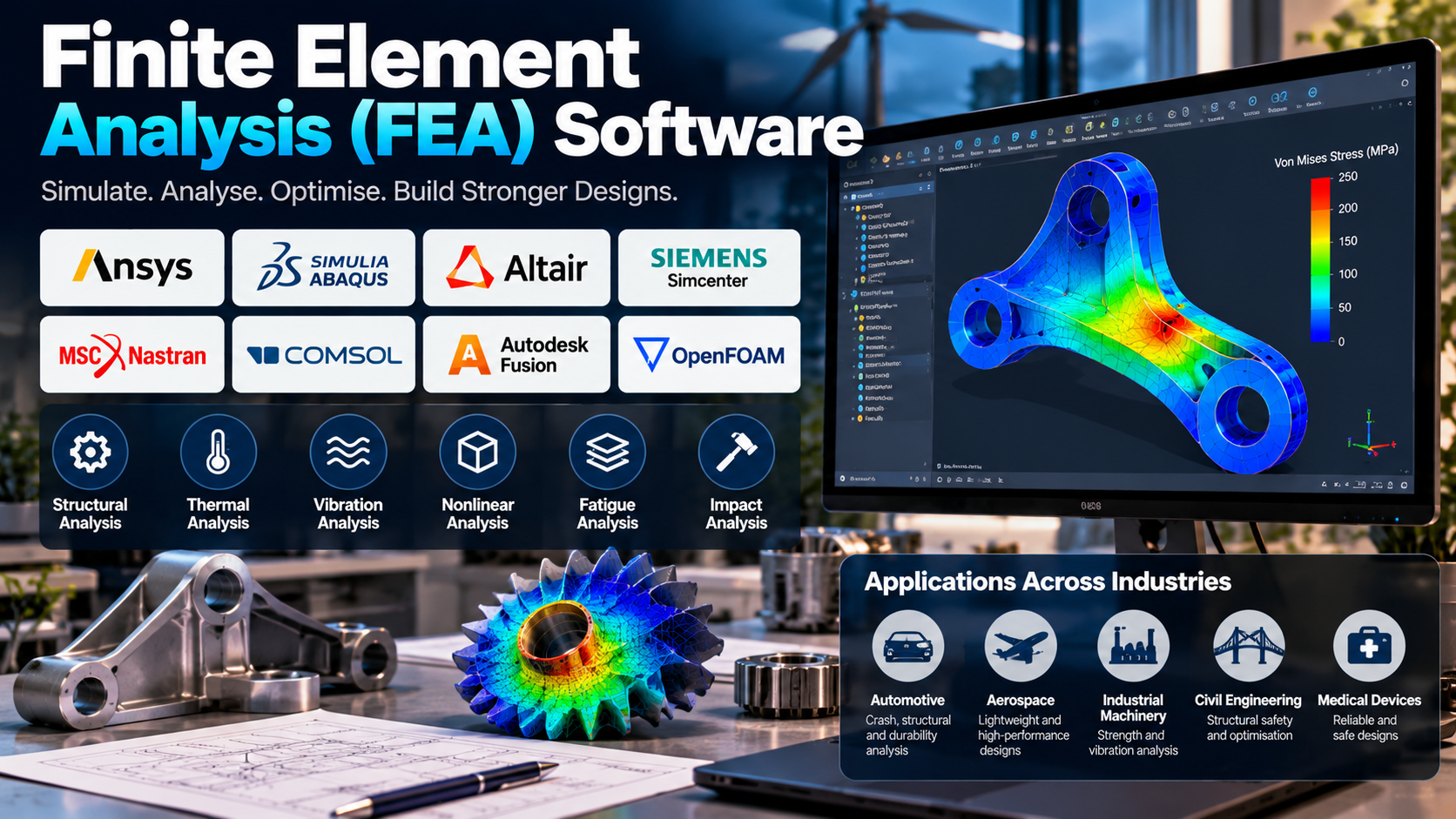
Popular tools include Ansys Mechanical, SIMULIA Abaqus, Altair HyperWorks, Siemens Simcenter, MSC Nastran, and COMSOL Multiphysics. Each offers different capabilities for structural analysis, thermal simulation, vibration, nonlinear behaviour, and other engineering problems.
FEA does not eliminate physical testing or engineering judgement. Instead, it provides valuable evidence that helps engineers make informed design decisions and identify potential problems earlier.
2. What Is Finite Element Analysis?
Finite Element Analysis is a numerical method used to approximate the behaviour of physical systems by dividing a complex geometry into smaller parts called finite elements.
These elements are connected at points called nodes. The software assembles mathematical equations representing the system and solves them to estimate quantities such as displacement, stress, strain, temperature, and natural frequency.
For example, an engineer designing a metal bracket can use FEA to determine how it deforms under a specified load and identify areas where stress concentrations may occur.
The accuracy of the result depends on factors such as geometry, material properties, loading conditions, mesh quality, and the assumptions used in the analysis.
3. How FEA Software Works
A typical FEA workflow involves the following stages:
- Geometry preparation: Import or create the component model and simplify irrelevant details.
- Material assignment: Define properties such as elasticity, density, thermal conductivity, and yield strength where required.
- Boundary conditions: Apply supports, constraints, forces, pressure, temperature, or other operating conditions.
- Meshing: Divide the geometry into finite elements suitable for the analysis.
- Solver configuration: Select the analysis type and appropriate numerical settings.
- Simulation: Solve the equations to calculate the component’s predicted response.
- Post-processing: Review stress contours, deformation plots, temperature distributions, and other results.
- Verification: Check mesh sensitivity, physical plausibility, and comparisons with analytical calculations or experimental data where available.
A simulation can produce a numerical result without accurately representing the real system. Careful modelling and verification are therefore essential.
4. Types of FEA Analysis
FEA software supports several analysis types depending on the engineering problem.
Structural Analysis
Evaluates stress, strain, displacement, and deformation under applied loads. It is commonly used for brackets, machine frames, shafts, and structural components.
Thermal Analysis
Predicts temperature distribution and heat transfer. Engineers use it to investigate overheating, thermal gradients, and temperature-related performance.
Modal and Vibration Analysis
Determines natural frequencies and mode shapes, helping engineers identify potential resonance and vibration problems in machines, vehicles, and structures.
Nonlinear Analysis
Handles problems involving nonlinear material behaviour, large deformation, or changing contact conditions. It is useful when simple linear assumptions are insufficient.
Fatigue Analysis
Estimates the possibility of failure under repeated or fluctuating loads. It supports durability assessment for components exposed to repeated operating cycles.
Impact and Dynamic Analysis
Examines time-dependent loads, collisions, shocks, and rapid deformation. Applications include crashworthiness, drop testing, and impact-resistant component design.
5. Popular FEA Software
Different platforms serve different engineering requirements.
Ansys Mechanical
Provides structural simulation capabilities for stress, deformation, vibration, thermal effects, and other mechanical engineering problems. It is widely considered for general-purpose engineering analysis.
SIMULIA Abaqus
Known for advanced finite element analysis, particularly nonlinear material behaviour, contact, and large deformation. It is suitable for complex structural problems.
Altair HyperWorks
Supports simulation, structural analysis, and design optimisation. It is useful for engineers investigating structural performance and comparing design alternatives.
Siemens Simcenter
Offers simulation capabilities across structural mechanics and other engineering disciplines. It can support integrated product-development and testing workflows.
MSC Nastran
An established solver used for structural analysis, modal analysis, vibration, buckling, and related engineering applications.
COMSOL Multiphysics
Useful for problems involving interactions between physical phenomena, such as structural deformation combined with heat transfer or electrical effects.
Software Comparison
| Software | Main Strength |
|---|---|
| Ansys Mechanical | General structural and thermal analysis |
| SIMULIA Abaqus | Advanced nonlinear simulation |
| Altair HyperWorks | Structural simulation and optimisation |
| Siemens Simcenter | Multidisciplinary engineering simulation |
| MSC Nastran | Structural and dynamic analysis |
| COMSOL Multiphysics | Coupled physics simulation |
The best option depends on the required analysis, available expertise, software budget, and compatibility with existing engineering workflows.
6. Applications Across Industries
FEA supports design and performance evaluation across many sectors.
- Automotive: Analyses vehicle structures, suspension components, durability, vibration, and crash behaviour.
- Aerospace: Evaluates aircraft structures, lightweight components, thermal stresses, and fatigue performance.
- Industrial machinery: Examines shafts, frames, housings, gears, and components exposed to repeated loads.
- Civil engineering: Helps assess structural behaviour in buildings, bridges, and other infrastructure systems.
- Electrical and electronics: Supports thermal analysis of electronic enclosures, circuit boards, power modules, and electrical equipment.
- Medical devices: Helps evaluate the mechanical behaviour of selected implants, prosthetic components, and medical equipment.
For instance, an engineer developing a motor housing may use FEA to check deformation under mounting loads and investigate whether operating temperatures could introduce significant thermal stress.
7. Benefits and Limitations
Benefits
- Identifies potential design weaknesses before manufacturing.
- Helps compare alternative geometries and materials.
- Reduces dependence on repeated early-stage prototypes.
- Provides detailed insight into stress and deformation.
- Supports weight reduction and design optimisation.
- Helps investigate complex loading conditions.
Limitations
- Results depend heavily on the accuracy of the model and input data.
- Large or nonlinear simulations may require substantial computing resources.
- Poor mesh quality can affect numerical accuracy.
- Material behaviour and boundary conditions may be difficult to represent precisely.
- Results require skilled engineering interpretation.
- Physical testing may still be necessary for validation and compliance.
FEA is most effective when its predictions are supported by sound assumptions, appropriate numerical checks, and relevant experimental evidence.
8. How to Choose the Right FEA Software
Before selecting a platform, consider the following factors:
Analysis requirements: Determine whether the main need is linear structural analysis, nonlinear mechanics, fatigue, vibration, thermal analysis, or coupled physics.
Solver capabilities: Check whether the software supports the materials, contact conditions, loading scenarios, and analysis types required for the project.
CAD compatibility: Ensure that the application can import the team’s geometry and handle design revisions efficiently.
Meshing and post-processing: Evaluate how easily the software creates suitable meshes and extracts useful engineering results.
Computing resources: Consider memory, processing power, model size, and the need for parallel computing.
Budget and training: Compare licensing, support, training, implementation, and hardware costs.
Practical testing: If possible, evaluate the software using a representative engineering problem before making a long-term commitment.
9. Best Practices for Accurate Results
Reliable FEA requires more than running a solver. Engineers should define the objective clearly, use appropriate material properties, and represent loads and supports realistically.
Mesh refinement studies help determine whether important results are sensitive to element size. Engineers should also examine unexpected stress concentrations, verify units, check solver warnings, and compare results with analytical estimates where possible.
For critical applications, simulation predictions should be compared with suitable experimental measurements or validated reference cases.
Documentation is equally important. Recording the geometry, material data, boundary conditions, mesh, solver settings, and limitations makes the analysis easier to review and reproduce.
10. Frequently Asked Questions
What is FEA software used for?
It predicts how components and structures may respond to forces, pressure, temperature changes, vibration, and other physical conditions.
Is FEA the same as CAE?
No. Computer-Aided Engineering (CAE) is the broader field of engineering simulation and analysis. FEA is one numerical method used within CAE.
Which FEA software is best for beginners?
The best choice depends on the learning objective and available access. Ansys Mechanical and other platforms with structured learning resources can be useful starting points, while open-source or academic options may suit particular learning environments.
Can FEA replace physical testing?
No. FEA can reduce some prototype iterations and guide testing, but physical validation remains important when confirming real-world performance.
What is meshing in FEA?
Meshing divides a model into smaller elements so the governing equations can be approximated and solved numerically.
Why is mesh convergence important?
It helps determine whether key results become sufficiently stable as the mesh is refined. It does not, by itself, prove that the model accurately represents reality.
11. Conclusion
Finite Element Analysis software helps engineers evaluate structural strength, deformation, vibration, thermal behaviour, fatigue, and other physical responses before committing to manufacturing or extensive testing. Tools such as Ansys Mechanical, SIMULIA Abaqus, Altair HyperWorks, Siemens Simcenter, MSC Nastran, and COMSOL Multiphysics support different engineering needs.
Choosing the right software requires matching its capabilities to the problem, available resources, and required level of confidence. Reliable results depend on appropriate material data, realistic boundary conditions, suitable meshing, numerical verification, and engineering judgement.
When used carefully, FEA helps engineers identify potential weaknesses, compare designs, improve product performance, and make better-informed decisions throughout the development process.