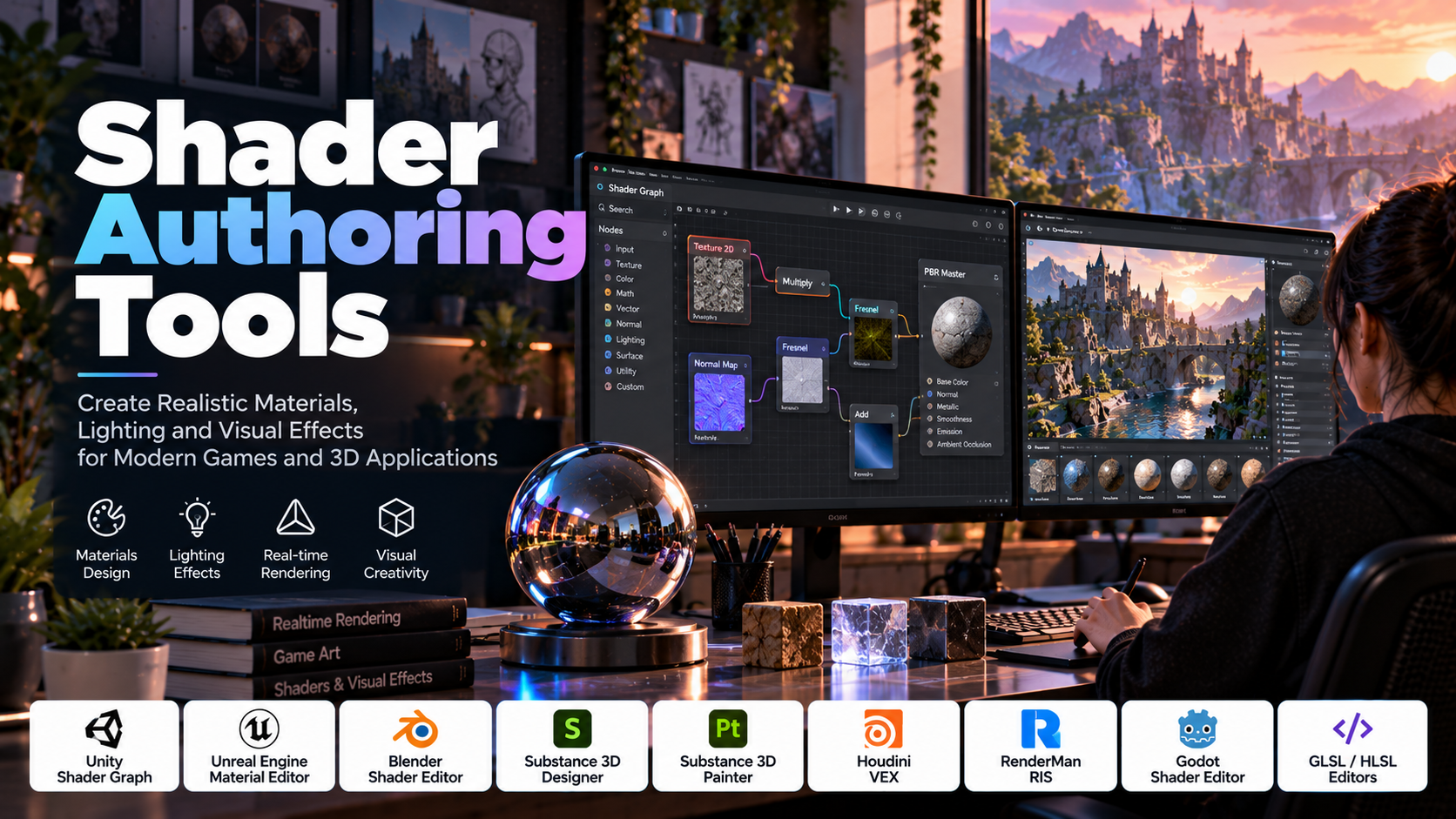
Modern games and 3D applications rely on much more than detailed models and high-resolution textures to create visually compelling environments. The appearance of water, glass, metal, skin, clouds, shadows, reflections, and glowing surfaces depends heavily on how a computer processes and renders visual information. At the center of these effects are shaders.
Shader authoring tools help developers, technical artists, and graphics programmers create the instructions that determine how surfaces interact with light, how materials appear, and how visual effects behave on screen. These tools range from visual node-based editors that require little direct shader coding to specialized development environments for writing GPU programs.
Shaders are essential to real-time rendering, game development, architectural visualization, animation, virtual production, scientific visualization, and interactive simulations. As graphics hardware and rendering techniques evolve, shader authoring has become an important skill for anyone working with modern 3D content.
Understanding the different types of shader tools, their capabilities, and their role in a rendering pipeline makes it easier to select the right workflow for a project.
Table of Contents
- What Are Shader Authoring Tools?
- Understanding How Shaders Work
- Major Types of Shaders
- Essential Features of Shader Authoring Software
- Popular Shader Authoring Tools
- Visual Shader Editing vs. Writing Shader Code
- The Shader Development Workflow
- Applications Across Industries
- Benefits and Challenges of Shader Authoring Tools
- Common Shader Development Mistakes
- How to Choose the Right Shader Tool
- Frequently Asked Questions
1. What Are Shader Authoring Tools?
Shader authoring tools are software applications, editors, frameworks, and programming environments used to create, modify, test, and optimize shaders.
A shader is a program that runs at a particular stage of the graphics pipeline or performs a related GPU computation. Depending on its purpose, it may calculate a surface’s color, determine how light interacts with a material, transform vertices, generate procedural patterns, or process image data.
For example, a metallic surface does not look realistic simply because its 3D model has the correct shape. Its appearance also depends on the material’s surface properties, the lighting environment, reflections, and the rendering method. A shader helps translate those properties into the final image.
Similarly, an ocean scene may use shaders to create animated waves, simulate changes in water color, produce reflections, and approximate transparency. A science-fiction game might use shaders to create holographic displays, force fields, glowing surfaces, and distortion effects.
Shader authoring tools make these effects easier to develop by providing interfaces for writing shader code, connecting visual nodes, editing material parameters, previewing results, and debugging rendering problems.
Some tools focus on creating materials for a specific game engine. Others are designed for procedural texturing, high-end rendering, or direct GPU programming. The right tool depends on the desired visual effect, the target rendering pipeline, and the developer’s experience.
2. Understanding How Shaders Work
To understand shader authoring, it helps to understand how a graphics application transforms a 3D scene into an image.
A typical real-time rendering pipeline processes geometry, determines which surfaces are visible, calculates material and lighting behavior, and produces the pixels displayed on the screen. Different shader stages contribute to different parts of this process.
Vertex Shaders
A vertex shader processes vertex information, which may include position, normal direction, texture coordinates, and other attributes.
One of its common responsibilities is transforming a vertex from model space into the coordinate system used for rendering. Vertex shaders can also modify geometry-related attributes to create effects such as vertex animation or procedural displacement when the pipeline supports the required operations.
For example, a shader may alter the vertical positions of vertices to create a simple animated water surface or simulate movement in grass.
Fragment and Pixel Shaders
Fragment shaders, often called pixel shaders in some graphics environments, calculate information for fragments produced during rasterization. Depending on the graphics pipeline, this can include surface color, lighting contributions, material properties, and other outputs.
A shader might use texture information, surface normals, lighting data, and material parameters to calculate how a surface should appear.
For instance, a rough stone wall and a polished metal panel can share similar geometric shapes but look completely different because their material shading behaves differently.
Compute Shaders
Compute shaders perform general-purpose calculations on the GPU rather than being restricted to the traditional vertex-and-fragment rendering sequence.
They can be used for tasks such as particle simulation, image processing, procedural data generation, and certain rendering techniques. Their availability and implementation depend on the graphics API and target hardware.
Shader Graphs and Material Networks
Many authoring tools represent shader logic as a network of connected nodes instead of requiring every operation to be written as source code.
A node might provide a texture, calculate a mathematical operation, combine colors, or control a material property. Connections define how the information flows through the graph.
For example, a simple material graph may combine a base-color texture with a normal map and a roughness value before sending the resulting properties to a material output.
Visual graphs make it easier to experiment with material behavior and understand how individual operations affect the final appearance. However, a graph can still generate complex shader code and may require optimization.
3. Major Types of Shaders
Shader authoring covers several categories of graphics programs. Each serves a different purpose within a rendering workflow.
Surface and Material Shaders
Surface shaders determine how objects appear under lighting. They control properties such as base color, roughness, metallic response, transparency, and emission, depending on the rendering system.
Physically based rendering (PBR) is a common approach that uses material parameters designed to produce consistent results under different lighting conditions.
For example, a metal material may have high metallic response and relatively low roughness, while a fabric material typically uses different surface properties. Correct values depend on the actual material being represented.
Lighting Shaders
Lighting shaders calculate or approximate the interaction between surfaces and light sources.
These techniques may account for diffuse reflection, specular highlights, shadows, and other lighting contributions. The precise implementation depends on whether the renderer uses forward rendering, deferred rendering, physically based techniques, or a custom approach.
Lighting shaders are especially important when a scene needs to maintain a consistent visual style across different environments.
Post-Processing Shaders
Post-processing shaders operate on rendered images or intermediate image data. They are commonly used to adjust or transform the final image.
Examples include:
- Color grading and color correction
- Bloom and glow
- Blur and depth-of-field effects
- Screen-space distortion
- Vignette and stylized visual treatments
- Edge detection and selected screen-space effects
These effects can significantly influence the atmosphere of a game or visualization. However, excessive post-processing may reduce clarity, increase rendering cost, or make important visual information harder to distinguish.
Procedural Shaders
Procedural shaders generate patterns or surface details using mathematical functions, noise, coordinates, and other inputs rather than relying entirely on hand-painted textures.
They can create materials such as marble, stone, clouds, wood grain, terrain patterns, and abstract visual effects.
Procedural techniques are useful when designers need adjustable parameters, seamless variations, or reusable materials that can adapt to different object sizes.
Animation and Deformation Shaders
Some shaders modify the appearance or position of vertices to produce animated effects.
Examples include waving grass, rippling surfaces, heat distortion, and certain stylized character or object deformations. These techniques can reduce the need for manually authored animation in suitable situations.
However, vertex-based effects have limitations. Complex deformations may require additional geometry, specialized simulation, or coordination with the animation system.
Compute and Simulation Shaders
Compute shaders support GPU-based calculations that extend beyond conventional surface shading. They can help process large amounts of data in parallel, making them useful for certain particle systems, image-processing tasks, and simulation workloads.
The benefits depend on the algorithm, data transfer requirements, hardware, and graphics API. GPU computation is not automatically faster for every task, especially when the workload is small or involves frequent communication with the CPU.
4. Essential Features of Shader Authoring Software
The usefulness of a shader tool depends on the workflow it supports and the complexity of the effects being developed.
Visual node editors: Allow developers to construct shader logic by connecting operations graphically. They are especially useful for artists and designers who want to create materials without writing every shader instruction manually.
Shader code editors: Provide syntax highlighting, code completion where available, navigation, and editing support for languages such as HLSL, GLSL, and other shader languages.
Real-time previews: Display material changes immediately or during interactive preview, reducing the time required to evaluate adjustments.
Material parameter controls: Expose values such as color, roughness, metallic response, texture scale, and animation speed so that a material can be adjusted without rewriting its logic.
Texture and procedural integration: Supports the use of images, normal maps, masks, noise functions, and other data sources.
Debugging and inspection: Helps identify shader compilation errors, invalid inputs, unexpected rendering results, and problems with graphics resources.
Platform and pipeline support: Determines whether shaders can be used with the intended engine, rendering pipeline, graphics API, and target hardware.
Performance analysis: Helps developers inspect shader complexity, instruction cost, GPU execution behavior, and rendering bottlenecks where suitable profiling tools are available.
Reusable materials and libraries: Makes it easier to maintain a consistent visual style across projects and share materials between team members.
Version control and collaboration: Helps teams track changes to shader source files, graphs, textures, and related project resources.
Before selecting a tool, verify whether its shaders can be exported or used in the intended application. A material created for one rendering pipeline may not transfer directly to another because of differences in supported nodes, lighting models, and shader languages.
5. Popular Shader Authoring Tools
Shader development uses a combination of engine-specific editors, material creation tools, procedural systems, and code-based environments.
Unity Shader Graph
Unity Shader Graph provides a visual node-based approach to shader creation within Unity’s supported rendering workflows. Developers connect nodes to create material logic and preview how the resulting shader behaves.
It can be used for effects such as stylized surfaces, animated materials, transparency, procedural patterns, and selected visual effects.
Because the available nodes and features depend on the rendering pipeline and Unity version, developers should confirm compatibility with their project before building a complex shader graph.
Best suited for: Artists, technical artists, and developers creating shaders within compatible Unity projects.
Unreal Engine Material Editor
Unreal Engine’s Material Editor allows developers to build material logic using connected nodes. It supports material properties, texture inputs, mathematical operations, and other functions used to create surfaces and visual effects.
The editor is useful for developing materials ranging from simple painted surfaces to complex layered materials, animated effects, and specialized rendering behavior.
Unreal Engine also supports custom shader-related workflows for cases where built-in material functionality is insufficient.
Best suited for: Real-time 3D projects, game environments, cinematic rendering, and technical art workflows within Unreal Engine.
Blender Shader Editor
Blender’s Shader Editor provides a node-based environment for constructing materials used in Blender’s rendering systems.
Artists can combine textures, procedural patterns, mathematical operations, and shading nodes to create materials for objects, environments, and visual effects.
The tool is useful for procedural materials, material look development, product visualization, and rendered animation. A Blender material does not necessarily translate directly into a real-time game engine, so materials may need to be recreated or adapted for the target renderer.
Best suited for: 3D artists, procedural material creation, rendered animation, and asset preparation.
Adobe Substance 3D Designer
Substance 3D Designer is a node-based application for creating procedural materials and textures. Artists can build reusable material graphs that generate surface patterns, masks, height information, and other texture outputs.
For example, a designer can construct a procedural stone material with adjustable cracks, surface variation, and color changes. The parameters can then be modified to generate different variations without manually painting every texture.
Substance Designer is particularly useful when a project requires consistent materials, repeatable variations, or detailed surface patterns.
Best suited for: Environment artists, material specialists, and game-production teams creating reusable procedural textures.
Adobe Substance 3D Painter
Substance 3D Painter focuses on painting materials and textures directly onto 3D models. Artists can apply layers, masks, smart materials, and other painting tools to build surface detail.
Although it is not a general-purpose shader programming environment, it plays an important role in shader workflows because the textures it produces are commonly used as inputs to real-time materials.
For example, an artist may paint scratches, dirt, wear, and surface variation on a metal object before using those textures in a game engine’s material system.
Best suited for: Texturing game assets, creating detailed material maps, and preparing models for real-time rendering.
Blender’s Material and Node Workflows
Blender provides both procedural and image-based material workflows. Its node systems allow artists to combine mathematical operations, texture sources, coordinate transformations, and material properties.
This flexibility supports complex materials without requiring every effect to be implemented as a standalone shader program. Developers can also use scripting and custom workflows to automate material creation.
However, material behavior differs between render engines, and results may vary when moving assets into another application.
Best suited for: Procedural shading, material prototyping, asset look development, and 3D rendering.
Houdini VEX and Material Workflows
Houdini supports procedural content creation and specialized shading workflows. VEX is a high-performance expression language used for operations across geometry, attributes, and other supported contexts. Houdini also provides material and shader tools that can be used in procedural production pipelines.
These capabilities can help technical artists create complex procedural effects, generate material variations, and build reusable systems.
It is important to distinguish VEX from a universal GPU shader language. Its role depends on the Houdini context in which it is used.
Best suited for: Procedural effects, technical art, simulation-driven content, and production pipelines requiring repeatable workflows.
RenderMan Shading Tools
RenderMan provides rendering technologies and shading workflows used in high-end computer graphics production. Its shading system supports the creation of materials and lighting behavior for rendered images and animation.
These tools are relevant to visual effects, animation, and production rendering workflows where detailed surface appearance and lighting control are important.
A shader authored for RenderMan generally targets its rendering environment and should not be assumed to work directly in a real-time engine without adaptation.
Best suited for: Professional rendering, animation, visual effects, and specialized shading workflows.
GLSL and HLSL Development Environments
GLSL and HLSL are shader languages used in graphics programming. GLSL is associated with OpenGL and related environments, while HLSL is widely used in Direct3D-based workflows and other supported rendering systems.
Developers can write shaders using code editors and graphics-development environments that support the target language and API. Depending on the workflow, they may also use standalone shader playgrounds, engine-specific shader editors, or specialized debugging tools.
Direct shader programming provides greater control over implementation, but it requires an understanding of GPU programming, data types, coordinate systems, graphics stages, and the relevant rendering API.
Best suited for: Graphics programmers, rendering engineers, technical artists, and developers who need custom shader behavior.
These tools are complementary rather than interchangeable. Substance Designer creates procedural texture content, Substance Painter paints textures, Unity Shader Graph and Unreal’s Material Editor construct engine-specific materials, and GLSL or HLSL workflows allow developers to write shader code directly.
6. Visual Shader Editing vs. Writing Shader Code
One of the most important decisions in shader development is whether to use a visual editor or write shader code directly.
Visual Shader Authoring
Visual tools represent shader logic as connected nodes. Each node performs an operation, and the connections define how data moves through the graph.
For example, a simple material might use a texture node for base color, a normal-map node for surface detail, and a parameter controlling roughness. The graph connects these inputs to the appropriate material outputs.
The main advantages are accessibility, rapid experimentation, and easier communication between artists and programmers. A technical artist can modify material behavior without manually editing every line of code.
However, large graphs can become difficult to maintain. Some advanced operations may be unavailable as built-in nodes, and developers may need to understand the generated shader code to diagnose performance or compatibility problems.
Code-Based Shader Authoring
Code-based shader development gives programmers direct control over shader logic. It is useful when implementing specialized rendering effects, optimizing a material, or accessing features not exposed through a visual editor.
Developers must understand concepts such as vectors, matrices, textures, interpolation, coordinate transformations, lighting calculations, and GPU execution.
Code-based shaders can be easier to version and review as text, but complex rendering behavior still requires careful testing and debugging.
Which Approach Is Better?
Neither method is universally superior.
Visual shader tools are often effective for material artists, rapid prototyping, and workflows where designers need to adjust parameters frequently. Code-based authoring is valuable for custom rendering techniques, specialized calculations, and low-level control.
Many production teams combine both approaches. Artists create materials through visual graphs, while graphics programmers develop custom shader functions or optimize critical rendering paths.
7. The Shader Development Workflow
A structured workflow helps prevent shader problems and makes materials easier to maintain.
Step 1: Define the Visual Goal
Determine what the shader needs to accomplish. A realistic metal surface, stylized water effect, hologram, and full-screen blur have different requirements.
Identify the target engine, rendering pipeline, expected devices, and performance constraints before selecting the implementation approach.
Step 2: Choose the Authoring Tool
Select a compatible tool based on the target application. For example, use the appropriate material editor for the chosen game engine or a procedural texturing application when the primary goal is generating texture maps.
Confirm that the intended shader features are supported by the target renderer.
Step 3: Establish the Material Inputs
Identify the required data, which may include textures, colors, surface normals, roughness, metallic response, masks, animation parameters, or environmental information.
Use meaningful parameter names and expose the values that artists or designers need to adjust.
Step 4: Build a Simple Version First
Create the simplest working shader before adding advanced effects. Start with a basic material and introduce one feature at a time.
For example, a water shader might begin with a base color and surface normal before adding animated distortion, reflections, transparency, and depth-based color changes.
This approach makes it easier to identify which operation causes an unexpected result.
Step 5: Test Under Different Conditions
Evaluate the shader under multiple lighting environments, viewing angles, distances, and material configurations. A surface that looks correct in one scene may appear unrealistic under different lighting.
Also test relevant edge cases, including extreme parameter values and missing or unusual texture inputs.
Step 6: Debug and Optimize
Use available shader diagnostics, material previews, engine profiling tools, and graphics debugging utilities to investigate problems.
Simplify unnecessary operations, reduce expensive calculations where possible, and avoid excessive texture sampling when it does not contribute meaningfully to the visual result.
Optimization should be based on measurements rather than assumptions. A visually complicated graph is not necessarily slow, and a short shader is not automatically efficient.
Step 7: Validate on Target Hardware
A shader may behave differently across graphics APIs, drivers, and hardware capabilities. Verify compatibility and performance on the devices that matter to the project.
This is especially important for mobile games, virtual reality, and applications targeting a wide range of graphics hardware.
Step 8: Document and Reuse
Organize shader files, graphs, textures, and material parameters. Document important assumptions and expose controls that other team members can understand.
Reusable shader functions and material templates can improve consistency across a project and reduce repetitive work.
8. Applications Across Industries
Shader authoring is useful wherever digital surfaces, lighting, and visual effects must be created or controlled.
Video Games
Game developers use shaders to create realistic materials, stylized art, animated environments, weather effects, water, explosions, and post-processing.
Shaders can also communicate gameplay information. For example, an object may glow when it is interactive, change color when damaged, or display an outline when selected.
Film and Animation
Rendering pipelines use shaders to control how digital objects appear under virtual lighting. Materials can represent skin, hair, fabric, glass, metal, and other surfaces.
Offline rendering workflows may allow more computationally expensive shading than real-time games, although production constraints still influence the complexity of the shader.
Architectural Visualization
Architectural artists use material shaders to represent concrete, wood, glass, metal, stone, and other building materials. Correct material behavior can help communicate the appearance of a proposed design.
Real-time applications may use engine-based material editors, while high-quality rendered presentations may use specialized rendering systems.
Product Design and Visualization
Shader tools support realistic product surfaces, including painted finishes, brushed metals, transparent materials, and textured plastics.
These materials help designers and customers evaluate the appearance of a product before a physical prototype is available.
Virtual and Augmented Reality
XR applications rely on rendering techniques that maintain acceptable visual quality within strict performance limits. Shaders support materials, spatial effects, transparency, lighting, and other aspects of immersive presentation.
Because VR can require rendering separate views for the user’s eyes, shader efficiency can be particularly important.
Scientific and Data Visualization
Shaders can convert numerical information into visual patterns, colors, contours, and other representations. They can also accelerate selected image-processing and visualization operations on the GPU.
In scientific applications, the visual mapping must be chosen carefully so that important information is represented clearly rather than distorted by arbitrary color or lighting effects.
9. Benefits and Challenges of Shader Authoring Tools
Shader authoring tools allow developers to create a broad range of visual styles and effects while maintaining control over material behavior. They support rapid experimentation, reusable material libraries, procedural content creation, and collaboration between artists and engineers.
Visual editors can make advanced material workflows more accessible, while code-based tools provide flexibility for custom rendering techniques. Together, they help teams create consistent visual experiences across complex projects.
However, shader development presents several challenges.
Performance constraints: Complex calculations, repeated texture sampling, transparency, and expensive lighting operations can increase GPU workload.
Platform compatibility: Shader languages, rendering APIs, hardware features, and engine pipelines differ. A shader may need adjustments or separate implementations for different targets.
Visual debugging: A shader can compile successfully while still producing incorrect colors, distorted geometry, flickering, or unexpected lighting.
Technical complexity: Advanced shading requires knowledge of mathematics, coordinate systems, rendering pipelines, and GPU behavior.
Maintenance: Large graphs and poorly organized code can become difficult to understand and modify.
Visual inconsistency: Incorrect texture settings, color spaces, normal maps, or lighting assumptions can make a material look different across applications.
A good workflow balances visual quality, maintainability, compatibility, and performance. The most sophisticated shader is not always the best solution if a simpler material produces the required result at lower cost.
10. Common Shader Development Mistakes
Adding Too Many Effects at Once
Building several effects simultaneously makes debugging difficult because the source of an error is unclear. Add features incrementally and verify each stage before proceeding.
Ignoring Coordinate Spaces
Shader calculations may use object, world, view, tangent, or screen coordinates. Mixing these spaces without proper transformations can cause incorrect lighting, distortion, or inconsistent effects.
Understand which coordinate system each input uses before combining values.
Using Incorrect Normal Maps
Normal maps encode surface direction information and must be interpreted using the correct format and coordinate conventions. Incorrect settings can produce inverted lighting or strange surface shading.
Check the texture import settings and the conventions expected by the rendering pipeline.
Overusing Transparency
Transparent materials can require additional rendering work and may introduce sorting or depth-related issues. Use opaque or masked materials when they meet the visual requirements, and reserve transparency for cases that genuinely need it.
Neglecting Performance Profiling
A shader that looks excellent on a powerful desktop may be too expensive for a mobile device or VR headset. Measure performance under representative conditions and simplify costly operations where necessary.
Assuming Materials Transfer Perfectly Between Engines
Shader graphs and material systems are often tied to a particular renderer. Even when two tools support similar concepts, their lighting models, available nodes, and rendering behavior may differ.
Treat material conversion as a process that requires testing and sometimes rebuilding.
11. How to Choose the Right Shader Tool
The right tool depends on the output you want to create, the rendering environment, and your technical experience.
For Unity projects: Start with Shader Graph if your rendering pipeline and required effects support it. Move to code-based shader authoring when you need greater control or functionality that is not conveniently available in the graph.
For Unreal Engine projects: Use the Material Editor for most material creation and visual effects. Explore custom shader workflows when standard material features do not meet the requirements.
For procedural materials: Consider Substance 3D Designer when you need reusable, parameter-driven texture generation. Use Blender’s node workflows when they better fit your asset creation and rendering pipeline.
For texture painting: Substance 3D Painter is relevant when you need to paint surface details directly onto models and export texture maps for use in a shader.
For custom graphics programming: Learn the shader language and graphics API associated with your target platform. Choose an editor and debugging workflow that supports compilation, inspection, and testing.
For high-end rendering and visual effects: Evaluate specialized shading and rendering tools according to their supported material systems, renderer compatibility, and production requirements.
Before committing to a tool, build a small representative material and test it in the final target environment. Check visual quality, editing speed, compatibility, performance, documentation, and the effort required to maintain the shader.
12. Frequently Asked Questions
What is the difference between a shader and a texture?
A texture is image or data information used by a material or rendering process. A shader is a program that processes inputs and calculates an output. A shader can use textures, but it can also generate patterns procedurally or calculate effects without relying on an image texture.
Do I need programming skills to create shaders?
Not always. Visual shader editors allow users to build many materials by connecting nodes. However, programming knowledge becomes valuable when creating advanced effects, debugging complex graphs, optimizing performance, or working with custom shader code.
Which shader language should beginners learn?
The best choice depends on the target environment. HLSL is relevant to many Direct3D-based workflows and is used by several development ecosystems, while GLSL is associated with OpenGL and related environments. Beginners working within Unity or Unreal Engine can start with the engine’s material editor before learning the underlying code.
Are shader authoring tools only used in game development?
No. Shader tools are also used in animation, film, architectural visualization, product rendering, virtual production, scientific visualization, and immersive applications.
Why does a shader look different on different devices?
Differences in graphics APIs, hardware capabilities, drivers, rendering settings, precision, and supported features can affect the result. Lighting environments and color-management settings can also change how materials appear.
Can shaders improve game performance?
Yes, when they replace more expensive techniques or use the GPU efficiently. However, shaders can also reduce performance if they involve excessive computation, texture sampling, or costly rendering operations. Performance depends on the shader, the scene, and the target hardware.
What is the difference between a shader graph and a material editor?
A shader graph is a node-based representation of shader logic. A material editor is a broader interface for configuring material properties and may include a graph, parameter controls, previews, and other tools. The exact terminology varies by application.
Are shader authoring tools free?
Some tools are included with game engines or available as open-source software, while others require paid licenses or subscriptions. The cost depends on the application, its edition, the intended use, and any commercial licensing requirements.
Conclusion
Shader authoring tools are fundamental to modern graphics development because they control how materials, lighting, surfaces, and visual effects appear on screen. From simple color adjustments to complex procedural materials and custom GPU calculations, shaders give artists and developers precise control over the visual identity of an application.
Tools such as Unity Shader Graph, Unreal Engine’s Material Editor, Blender’s Shader Editor, Substance 3D Designer, Substance 3D Painter, Houdini, and code-based GLSL or HLSL workflows support different parts of the graphics pipeline.
The best approach is to choose a tool that fits the target renderer, begin with a simple material, and add complexity only when it improves the intended result. By combining a structured authoring workflow with careful debugging, performance testing, and reusable material design, developers can create graphics that are visually compelling, technically efficient, and reliable across their intended platforms.